
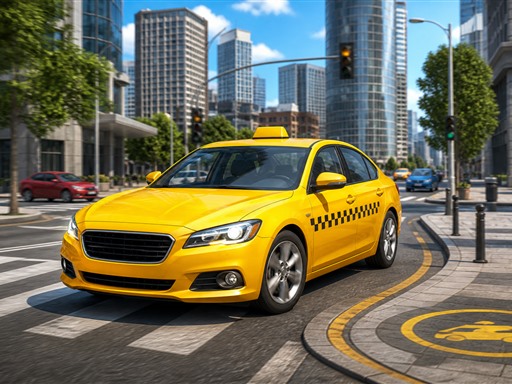
- Developer
- BestCrazyGames
- Devices
- Desktop, phone and tablet
- Category
- Simulation
- On Browser Game Hub
- Play here
The player loads automatically on this page. The provider controls the in-game menu and any ads shown in the player.
Game overview
Choose Level 1 and follow the Pickup Passenger prompt. Up advanced the taxi past the shelter. The curb, route arrows and timer show movement while the pickup prompt is still visible.
Watch gameplay
Approach the first passenger stop in City Taxi
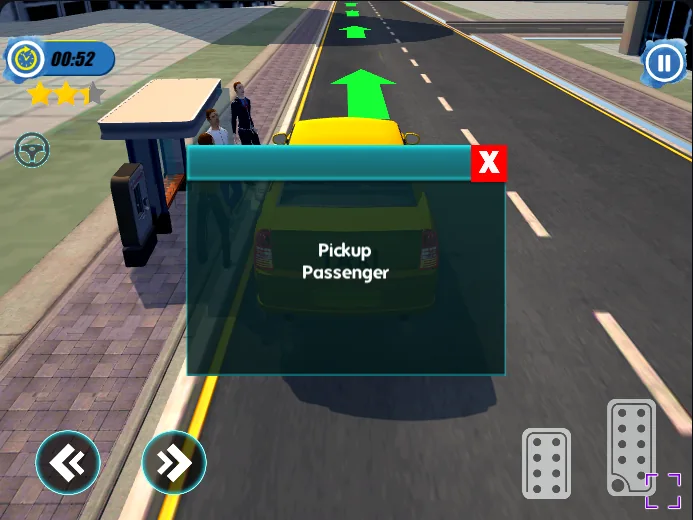
The first screenshot shows 00:52. Find the taxi, shelter and first arrows
Start Level 1. The yellow cab is next to a shelter, with Pickup Passenger in the middle and a time limit at the top left.
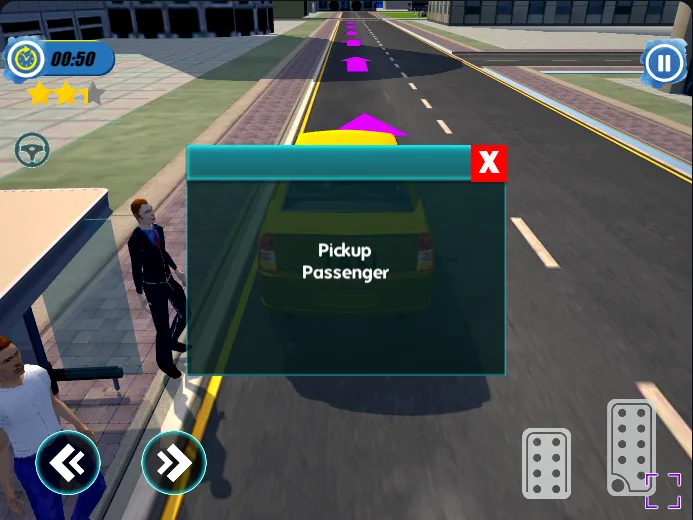
The timer shows 00:50, but the pickup prompt is still displayed. Advance briefly with Up
Hold Up to draw even with the shelter and then go beyond it. Find the next arrows in the driving lane and prepare to stop.
Compare the passenger's position with the taxi as you approach. Use the arrows to find the route and leave time to stop at the marker.
Read route and pickup cues
Use three cues at the first stop
The first shot shows the shelter by the left curb, the route arrows ahead, and Pickup Passenger across the centre. The timer falls from 00:52 to 00:50 between the two captures while the taxi advances along the curb. The route arrows change colour in the second picture. The pickup text still shows, so these captures confirm motion and elapsed time, without establishing that anyone boarded.
Other keyboard driving games

Frequently asked questions
What if I can drive but the pickup banner is still in the way?
Use the red X on the prompt if you need a clear view, then line up with the curb and check where the passenger is standing. Press Up briefly instead of holding it all the way past the waiting spot.
The surroundings are your easiest progress check. The road moves, the shelter passes alongside, and the timer counts down. Give yourself room to check for the next objective or a boarding change before going all the way down the street.
Which control do I use if I overshoot the stop?
The game guide lists S or Down to brake or reverse. Slow down before you reach the passenger marker so you can stop beside it.
Use the curb to align the cab before you back up. Space is listed as the handbrake, C changes camera and Shift uses nitro. Try the ordinary brake at the slowest comfortable approach before using a faster method.
What should I look for after a passenger gets in?
Follow the next marked checkpoint toward the destination. The game description gives pickup and drop-off as separate parts of the timed trip.
At a junction, glance past the marker to see whether the arrows continue straight or turn. Slow early enough to choose your direction and still stop where needed. The desktop run covered only the first approach.
Is the arrow changing colour proof that I picked someone up?
Use the objective text and the passenger's position to confirm boarding. In the screenshots the arrows went from green to purple while Pickup Passenger stayed on screen.
Try one short move at a time near the shelter. Between moves, check whether you are still beside the passenger and whether the instruction has switched to the destination. This gives you a better point to judge whether to stay near the curb or continue on the marked route.
What should I follow when I lose the way to the passenger?
Look for the next checkpoint and approach it at a speed that lets you turn or stop. The checkpoints guide the route between pickup and drop-off.
How can I change the driving view in City Taxi Driving Simulator?
Press C to cycle the camera on desktop. Use the game's own controls on a touch screen.
When is nitro useful on a timed taxi route?
Use it on a clear straight with space to brake. Keep it in reserve when a junction, passenger stop or busy stretch is close.








Find another game to play
Explore more racing, puzzle, and sports games, or pick one at random.


