

- Developer
- Wolvenix Studio
- Devices
- Desktop, phone and tablet
- Category
- Puzzle
- On Browser Game Hub
- Play here
The player loads automatically on this page. The provider controls the in-game menu and any ads shown in the player.
Game overview
Tap to play opens the Level 01 tutorial. We reached Tap to move and started the timer in desktop Chromium. Repeated mouse clicks and an iPhone 15 emulation run reached the board, but we could not verify a jelly changing sockets.
Watch gameplay
Jelly Vortex 3D Level 01 tutorial and placement checks
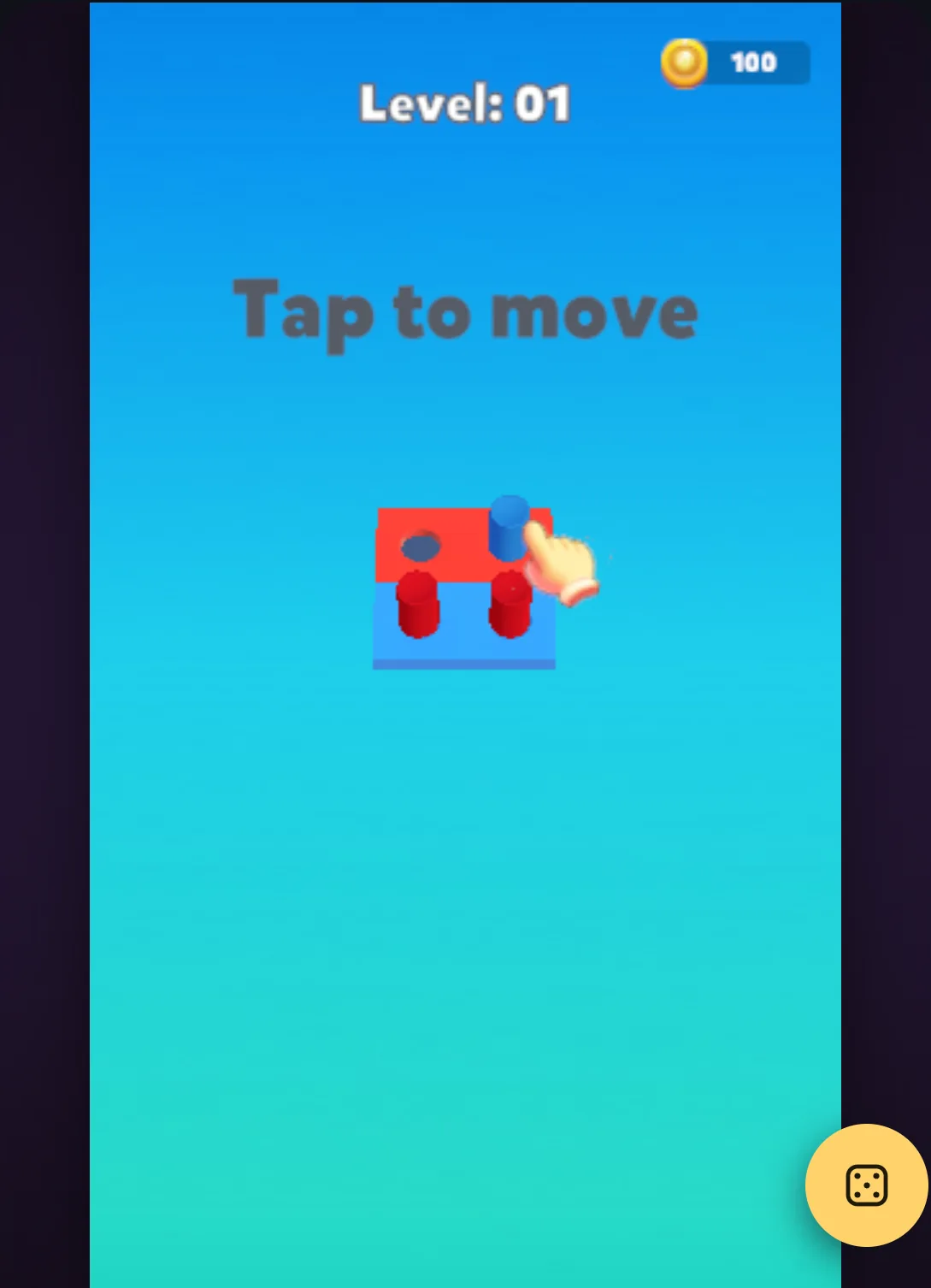
This screenshot came from touch emulation. Follow the tutorial hand to the red pieces
Read Tap to move. Before tapping, remember the dark socket on the left of the rear platform and the red pieces in front.
Compare the sockets after the pieces have stopped animating. Use one clear click or tap at a time so you can tell which input changed the board.
Tell a live tutorial from a completed move
Compare the occupied sockets after each input
The desktop retry on the Browser Game Hub preview reached Level 01 after the startup ad. Clicking the tutorial marker dismissed Tap to move and showed the countdown and buttons. In the follow-up, a click sometimes caught the red pieces in a flattened animation, but we could not confirm a new resting position after the piece clicks or the empty-socket click. The earlier iPhone 15 emulation also reached Tap to move.
What changed after the tutorial tap
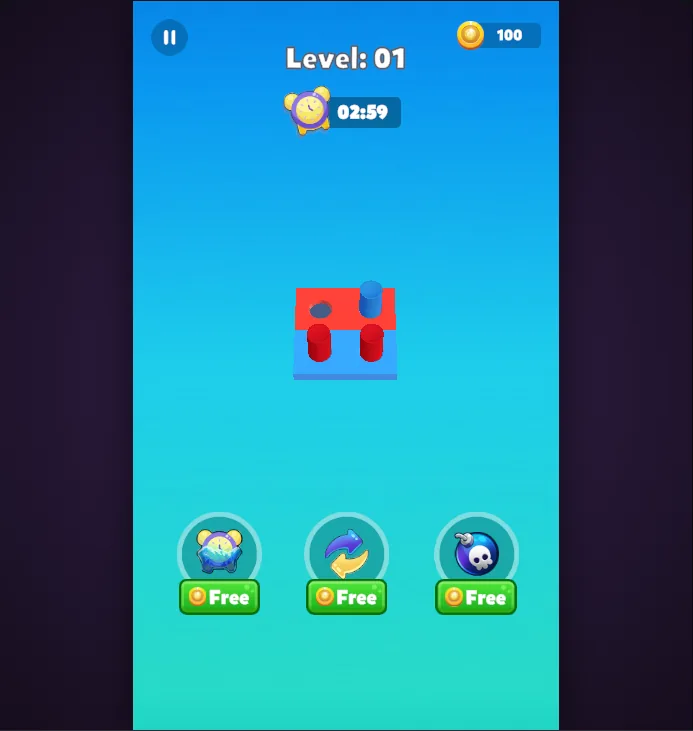
The timer verifies that the level opened. A changed socket would verify placement.
More tray and color puzzles
Frequently asked questions
What counts as a successful move?
Look for a piece to settle in a different socket. Compare the original and destination sockets once the animation finishes.
Start with the left vacancy on the rear platform as a visual reference. Record where each piece sits, tap once in response to the tutorial, then look for an occupied socket to empty and another to fill. A running clock or a wobble by itself only shows the scene responding.
What are the dark sockets used for?
The published rules use empty sockets as temporary space while grouping jellies by color.
If your board accepts moves, find a color group you can finish and reserve room for the piece that needs to leave first. Before using the last empty socket, look for the next vacancy that move would create.
What if the board stays on the opening prompt?
Wait for the startup screen to finish, then use the player's Tap to play or its visible retry control if one appears.
A clean reload lets you compare the beginning of Level 01 again. On desktop, use the visible game surface and watch for Tap to move and then the clock. On touch, the publisher describes tapping. Our touch check was browser emulation.
Is Jelly Vortex 3D timed?
Yes. A countdown appears above the board. Look there after working out your next few moves, especially when the board is nearly full.
What are the dark holes on the platforms?
They are places where no jelly is sitting. A vacancy gives you somewhere to move a jelly when you need to exchange the colors on two platforms.
Why would I move a jelly to a spot where it does not belong yet?
A temporary spot can let you get another piece out of the way. Use it to complete a matching group, then move the temporary piece toward its own color.
Do I need to drag the jellies on a phone?
The publisher describes click or tap controls. Choose pieces and make your moves by tapping the game board on a touchscreen.




Find another game to play
Explore more racing, puzzle, and sports games, or pick one at random.

