
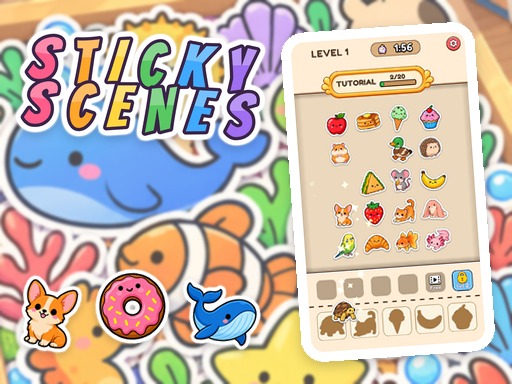
- Developer
- Duckie
- Devices
- Desktop, phone and tablet
- Category
- Puzzle
- On Browser Game Hub
- Play here
The player loads automatically on this page. The provider controls the in-game menu and any ads shown in the player.
Game overview
The first outline is a ring. Click the highlighted pink doughnut in the scene. In the desktop tutorial it filled the first bottom outline and the count changed from 0/20 to 1/20.
Watch gameplay
Match the tutorial doughnut and track the waiting slots
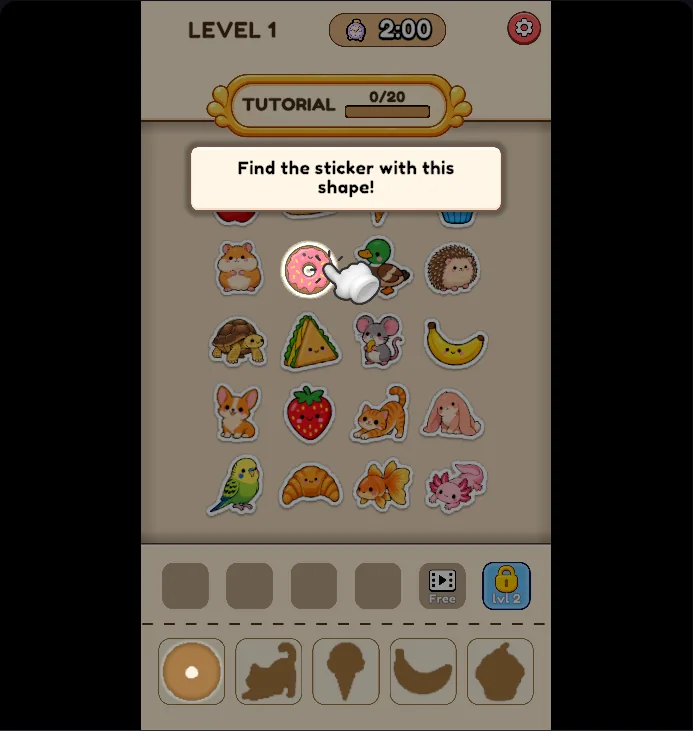
The center hole distinguishes it from a solid circular sticker. Match the hole in the middle
When Find the sticker with this shape appears, compare the first outline with the pink ring in the picture above. Click the ring once.
Pick from the bottom silhouettes first when the waiting row is crowded. A distinctive gap, ear or handle gives you a more reliable match than color.
Choose a visible shape before spending a waiting slot
Check the bottom row, then the progress
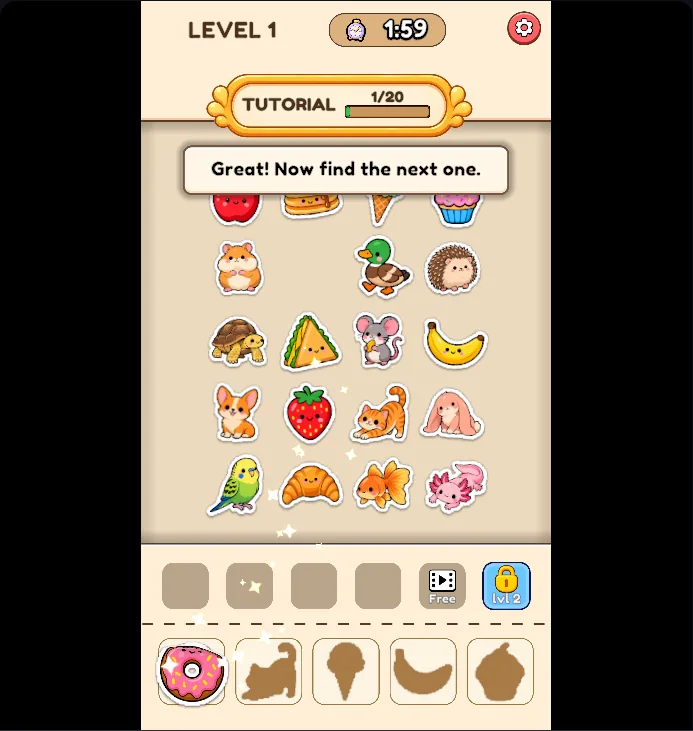
The next instruction asks for another sticker.
Read the empty outlines from the bottom up
The top scene offers many small pictures. Use the first bottom silhouette to narrow the search before scanning them all. In the tutorial, the ring shape singled out the pink doughnut. A successful click filled that silhouette and advanced the counter. For the next outline, name a feature you can see, such as a dangling ear or a bent edge, and compare it to the objects in the scene.
More games for spotting a shape in a crowd

Frequently asked questions
Why did a sticker go to the upper waiting row?
Its matching outline has yet to appear. The game guide says it waits there until that shape is available.
Compare the lowest silhouettes with the picture again. With only one waiting space left, choose a definite match before tapping another shape. Filling the waiting row can end a round even with time on the clock. The desktop tutorial test confirmed one direct match.
Where do the stickers earned from a cleared level go?
Open the sticker book and use the sticker on its themed chapter picture. The game guide describes clicking, tapping or dragging in that view.
How do I tell a similar silhouette from the current match?
Compare the outline at the point where one sticker sticks out or has a gap. Use the doughnut's center hole as the first example.
When an animal and a snack both look round from a distance, check the ear, handle, or bend at the side. Pick one feature you can confirm in both the silhouette and the full-color sticker before tapping. After the tutorial match, the rendered sticker fills the shape, which gives you a quick check on the feature you used.
What should I check when one waiting slot is left?
Read the current empty silhouettes first and take a definite match. Check the time after you have chosen a candidate.
The picture board shows timers at the top and the waiting row near the bottom. If there are two near matches, check one small edge before tapping either. If you cannot tell, the game lists a Hint button and an extra bench-slot option. The desktop check verified 0/20 to 1/20 with a direct match, while the waiting-row limit comes from the guide.




Find another game to play
Explore more racing, puzzle, and sports games, or pick one at random.


