

- Developer
- RHM Interactive OU
- Devices
- Desktop keyboard
- Category
- Arcade
- On Browser Game Hub
- Play here
The player loads automatically on this page. The provider controls the in-game menu and any ads shown in the player.
Game overview
Open Paint Run and choose 1P to practice. The game showed WASD at the start. Holding A moved the blue runner left while the four runners painted different parts of the grid.
Watch gameplay
Play the opening of Paint Run on one keyboard
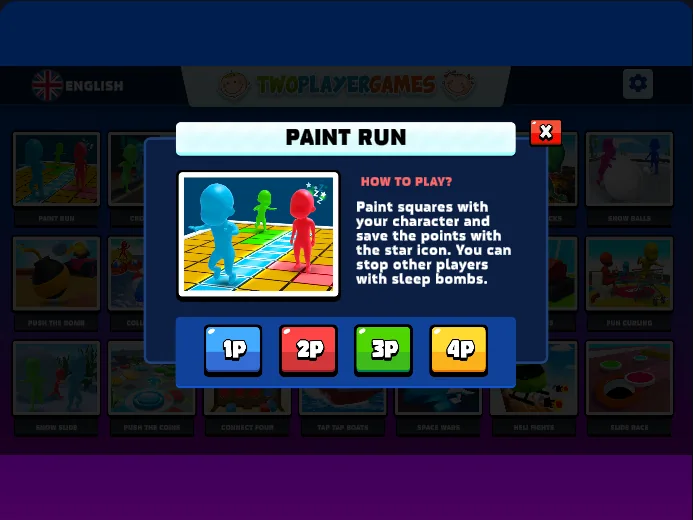
The panel explains that painting squares earns points. Choose Paint Run and a player count
The Paint Run panel has four buttons from 1P to 4P. Choose blue 1P to practice and read the rules on the panel before starting.
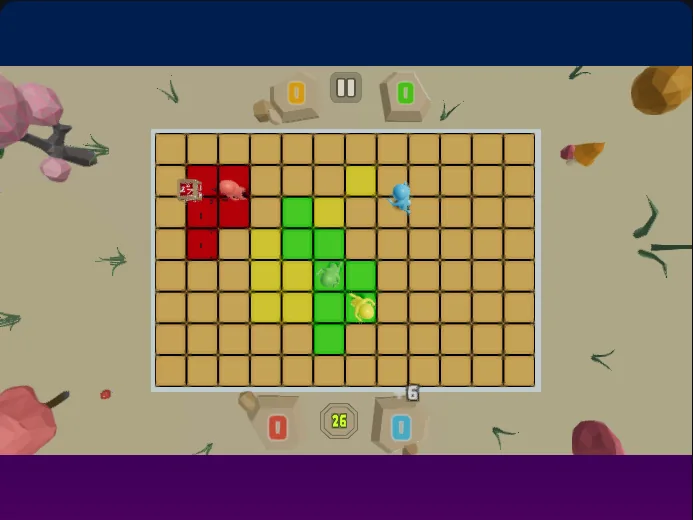
The red and green paths give you distinct landmarks on the board. Pick out the blue runner
Before steering, look for blue on the upper part of the grid. Hold A briefly and watch the character change columns.
Turn at a visible grid line and glance at the tiles behind your runner. Try the same turn one column earlier if you keep running into already crowded ground.
Get comfortable with the Paint Run grid
Compare the blue runner's position
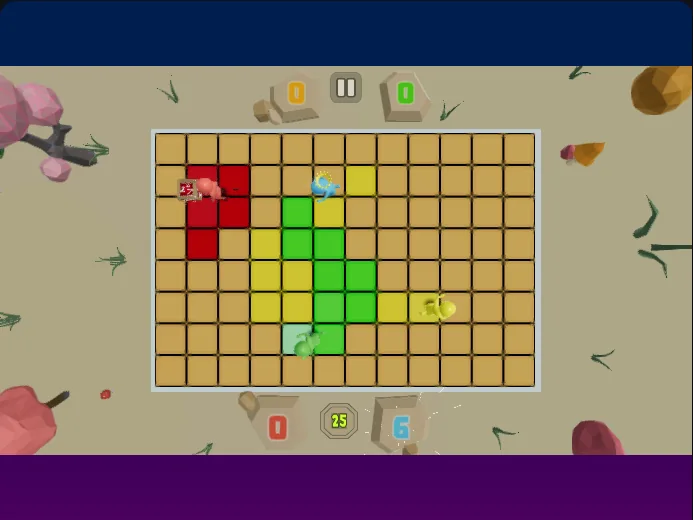
This was the 1P opening on desktop.
Start with the squares you can reach first
Learn a straight run and one turn in 1P. Use the upper grid line as a reference and try A until the blue runner changes columns. Then pick a perpendicular direction and watch which path appears. During a match your eyes can follow the most recent blue squares to find your runner again. The opening check covered a leftward move and painted paths in solo Paint Run.
Find another shared-keyboard game

Frequently asked questions
Which keys do we use for three or four players?
Use WASD for 1P, the arrows for 2P, IJKL for 3P and TFGH for 4P, as listed in the game's control guide.
Paint Run displays all four player counts. Before a group round, have the person on IJKL and the person on TFGH check their positions, then let each player move briefly to see which runner belongs to them.
What changes when we switch minigames?
Read the new goal and the player-count buttons. Paint Run rewards painted squares, while other games in the collection may use a finish line or a different target.
What should I watch while trying to paint new squares?
Look one or two squares ahead of your runner and pick a turn into open ground. Use the colored trail to check where you have already been.
In the blue runner screenshots you can see red and green patches spread through the middle. Starting from the upper rows, compare a direct turn toward the center with staying along an open edge a little longer. After the turn, check which squares changed. The game panel also mentions sleep bombs. Learn to steer toward a patch first so you can still see your next route when the board gets busy.
How do I check my first input before a group round?
Start the selected event, use a single direction key from your own group, and watch one runner move before the next person tries.
You can do the same drill alone by choosing 1P and pressing A once from the upper part of the board. In the recorded round the blue runner shifted left. Then try a different direction from a recognizable row so you know which way the other keys turn.
Can we play with exactly three people?
Yes. The hosted collection supports local three-player play. Look for 3P on the event’s player selection screen.







Find another game to play
Explore more racing, puzzle, and sports games, or pick one at random.

