
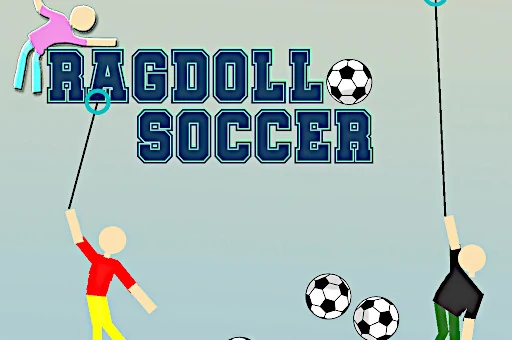
- Developer
- RHM Interactive OU
- Devices
- Desktop keyboard
- Category
- Sports
- On Browser Game Hub
- Play here
The player loads automatically on this page. The provider controls the in-game menu and any ads shown in the player.
Game overview
Open 1 PLAYER, then SELECT LEVEL and Level 1. Holding D carried the hanging character rightward, and Space let the character fly free.
Watch gameplay
Release the first swing in Swing School
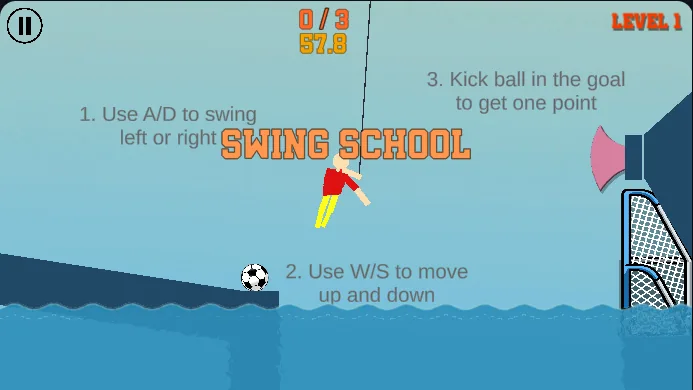
The right-hand goal and 0/3 objective give you a target. Start with the rope attached
Read the Swing School prompts. A and D swing sideways and W and S adjust height. Find the black and white ball lower down on the left.
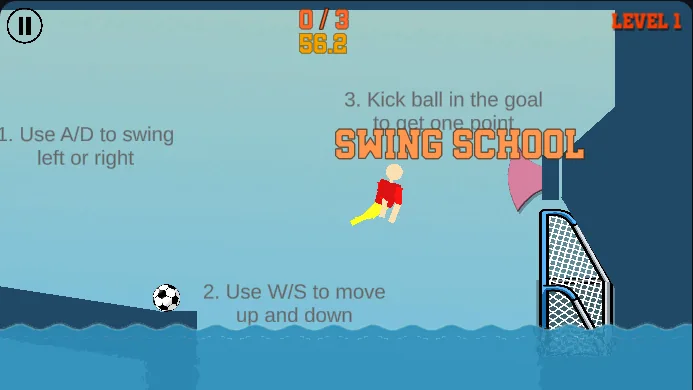
The opening attempt still shows 0/3. Swing right and try a release
Hold D to build a rightward swing, then press Space and watch the rope disappear. In our run the character was airborne, while the ball stayed to its lower left.
Track the direction your feet are moving when you press Space. A useful release carries you toward the ball from the side away from the goal.
Choose a path that meets the ball
Think about the line you will fly along
Swing School starts with the ball below and left and the goal on the right. The D and Space demonstration shows how to swing and detach. It also leaves the player higher and farther right than the ball. To give the ball a route toward goal, try to pass through it from the left while your body is already moving right.
Use W and S to adjust height according to the on-court lesson, and vary the release along a similar swing. If the character passes above the ball, try a lower path or let the rope swing to a more suitable angle before pressing Space. Look at the ball’s direction after contact and the 0/3 objective. The desktop attempt verified the swing and release only.
More games with moving targets
Frequently asked questions
Which key releases the second player?
Use L for the second rope in local play. The first player uses Space.
The game lists the arrows for Player 2 and WASD for Player 1. In a two-player match, watch the other player’s arc as well as your own. If they are already swinging across the ball, give yourself space to meet it after their move. The pictured lesson is the solo puzzle.
How do I fix a release that sends me over the ball?
Try one release from a lower height. Keep your rightward swing similar so you can see what the height changed.
On the first screenshot, the ball is close to the floor and the player is hanging high. On the second, the player has moved right without carrying the ball along. Adjust W or S before pressing Space again, then check whether your feet cross the ball’s level. If the body now travels too low or collides with an obstacle, start the next attempt a little higher.
Does touching the ball count toward 0/3?
The tutorial says to kick the ball into the goal for a point. Check whether it actually reaches the right-hand net and changes the counter.
If the ball moves left or mostly upward after contact, try approaching from a point farther left next time. Releasing while you are already moving toward the goal gives the ball a better chance of rolling that way. The pictures show the movement and release inputs with the objective still at zero.
What is the difference between solo and two players?
Solo mode is a set of soccer puzzles with obstacles. The two-player option is a match against someone sharing your keyboard.
Can I use touch controls for Ragdoll Soccer here?
The published controls for the embedded edition expect a keyboard. Use a computer or connect a physical keyboard.




Find another game to play
Explore more racing, puzzle, and sports games, or pick one at random.


