
- Developer
- KreizLand
- Devices
- Desktop, phone and tablet
- Category
- Simulation
- On Browser Game Hub
- Play here
We tested map selection and the first drive in desktop Chrome.
Game overview
PLAY opens a list of maps. The first landscape card led straight to a fenced road with a car at rest and a speed reading of 0.
Watch gameplay
Select a map and drive the white sedan
The same car at rest and moving
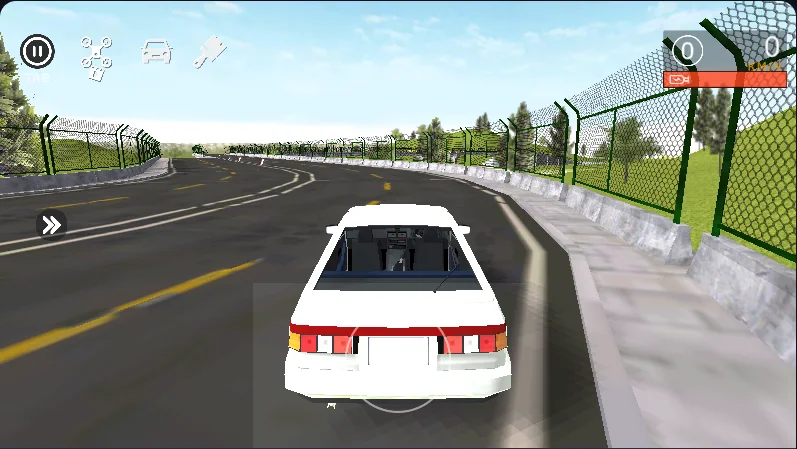
The number at the upper right reads 0.
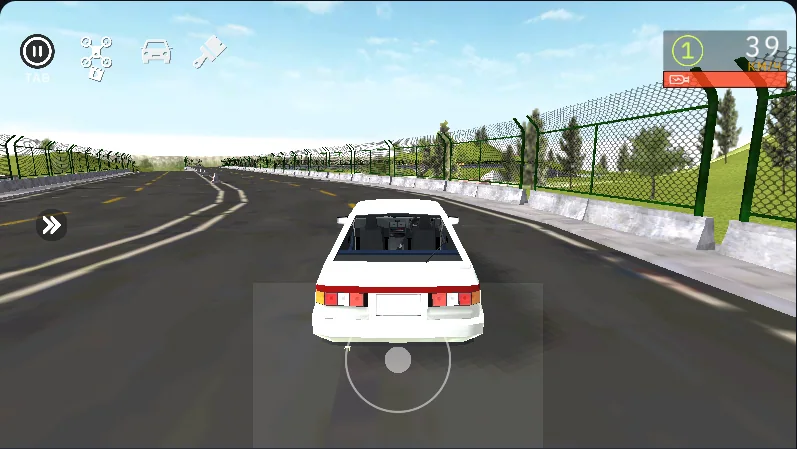
The sedan moved past the starting fence panels and the display reads 39.
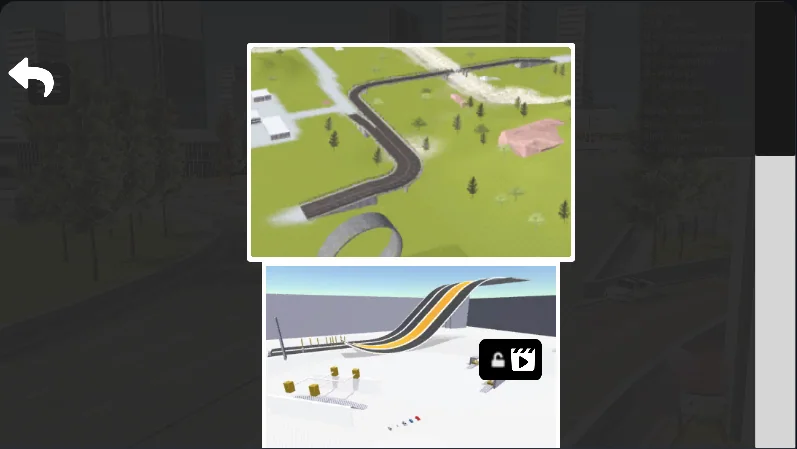
Choose the top landscape card
After PLAY, select the card showing the winding road and grassy hills. The card below it had a lock and video icon in our menu.
Look at the number before you move
The first map placed us at a fence on the right side of the road. The number in the upper-right corner read 0.
Hold W into the first bend
W moved the sedan forward. In our capture, the readout reached 39. Use the road markings to check your line before you turn.
There are two kinds of reset on the in-game control panel. R rolls the car over and K restores it.
Check the speed readout before steering
The speed display shows whether the car is moving
In the map list, we selected the top card with the winding road. The next view showed a white sedan on a fenced bend. The upper-right number was 0 before we pressed anything.
We held W for about three seconds. The readout reached 39 and the car moved farther along the bend. The number on the HUD gives direct feedback even when the follow camera keeps the rear of the car centered.
More games for city driving

Frequently asked questions
PLAY showed map pictures instead of starting a drive. Which one should I pick?
Choose the top card with a winding road to reach the first map we tested. The ramp card underneath showed a lock icon.
What if the car flips or comes out of a crash damaged?
The opening controls display R for rolling the car over and K for restoring it. Use R after a rollover and K when you want the body restored.
How can I tell that W registered if the camera follows the car?
Watch the upper-right number. We saw it go from 0 to 39 while holding W. The fence and road markings moved past as the car advanced.
How do I change the camera?
The on-screen control list shows C for changing the camera. Click inside the game first if the key is reaching the browser.





Find another game to play
Explore more racing, puzzle, and sports games, or pick one at random.


