
- Developer
- Green Soul
- Devices
- Desktop and landscape touch
- Category
- Simulation
- On Browser Game Hub
- Play here
We drew, released and fed a fish on desktop, and drew a stroke by touch in a landscape phone emulator.
Game overview
The first drawing opens on a checkerboard canvas. The templates have lock icons until your first fish, so start with a simple outline. We drew an orange body, a triangle tail and a dark dot for the eye.
Watch gameplay
Draw, release and feed your first fish
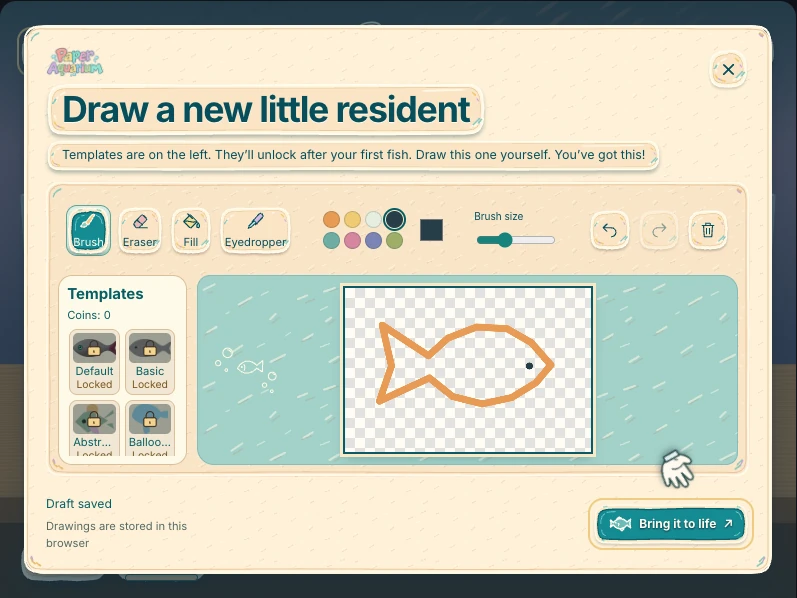
The eye makes the head easy to spot in the preview. Draw on the checkerboard
Choose Brush and drag inside the checkerboard. We joined the tail and body in one outline, changed to a dark swatch and clicked once for the eye. Bring it to life opens the preview.
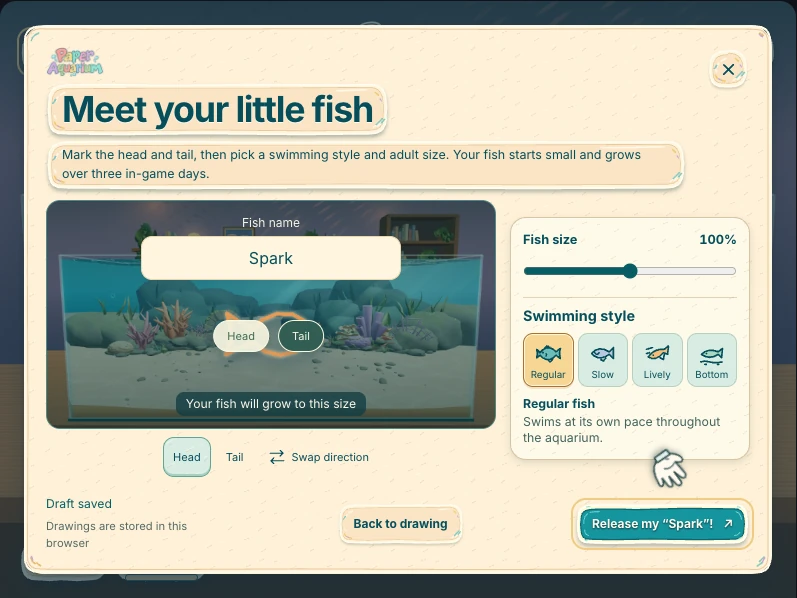
This is the last chance to check direction before releasing Spark. Release the fish from its preview
On Meet your little fish, check the Head and Tail markers. We used the suggested name Spark and kept Regular and 100% selected, then released it into the tank.
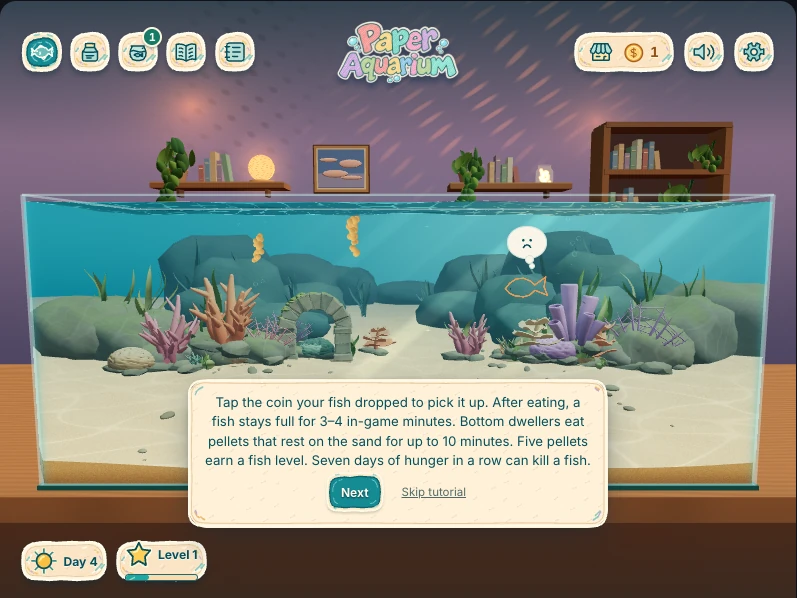
Raising the jar above the rim let the pellets drop. Shake the food jar above the rim
Open the jar icon. Our low shake brought up a message asking us to lift the jar. We moved it higher, then held and shook it side to side above the fish. Pellets fell in, and the tutorial advanced to its coin prompt after the fish ate.
Watch where the fish is swimming before you shake. Move the jar above that part of the tank so the food falls closer to it.
Get the food into the tank
If the fish is still waiting for food
Look for the top rim of the glass. Hold the jar visibly above that line and move it from side to side until pellets fall. Our first successful shake dropped food on the far side of the tank, while Spark was swimming away from it. Shaking again over its route moved the tutorial on. The next panel asked us to collect a coin the fish had dropped.
I drew Spark in one color and added one dark dot for an eye. That dot turned out to be more useful than a detailed tail. On the preview I could tell which end would lead underwater. It also gave me something easy to follow when I moved the jar across the glass.
From the checkerboard to feeding time
The orange outline and dark eye are still on the drawing grid.
After the jar released pellets, the tutorial moved on to collecting a coin.
Two more step-by-step simulations

Frequently asked questions
All the fish templates are locked. What can I draw first?
Pick Brush and drag on the checkerboard. The editor says the templates unlock after the first fish. We drew a plain orange outline with a dark dot for the eye and used Bring it to life to open the preview. An outline was enough to make Spark.
Can I check which way the fish will face before I release it?
On Meet your little fish, compare the eye you drew with the Head and Tail markers. Use the preview to check how it looks in the water. We kept the first fish on Regular at 100% size and released it after checking its direction.
Why won't any food come out of the jar?
Raise the jar above the glass rim. Our first shake was too low and the game displayed Lift the jar above the rim. Hold the jar above that line and move it side to side. Watch for pellets dropping into the tank before letting go.
Pellets are in the tank. Why is the feeding tutorial still waiting?
Check where your fish is headed. Our first pellets fell on the far side of the tank while Spark was swimming away. I moved the jar over its route and shook it again. After the fish ate, the game moved on to the coin prompt.
How do I check that the drawing is saved before I close it?
Look for Draft saved in the editor. We saw it after drawing an orange line on a landscape phone emulator. The editor says it saves work in the current browser, so use the same browser and profile to continue. You still need to release the fish from the preview to add it to the tank.






Find another game to play
Explore more racing, puzzle, and sports games, or pick one at random.


