
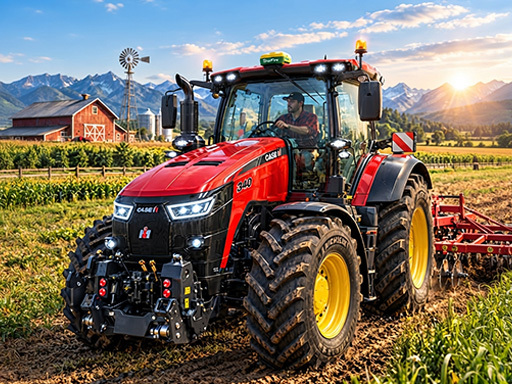
- Developer
- FINGERNIC
- Devices
- Desktop, phone and tablet
- Category
- Simulation
- On Browser Game Hub
- Play here
The player loads automatically on this page. The provider controls the in-game menu and any ads shown in the player.
Game overview
Choose the red Tractor, Corn and Level 1. After Start and OK, look at the shed in front of the bonnet. W and Up brought the camera against the door. Reversing and then using W with Left put the yard back in view.
Watch gameplay
Turn the Corn level tractor away from the shed
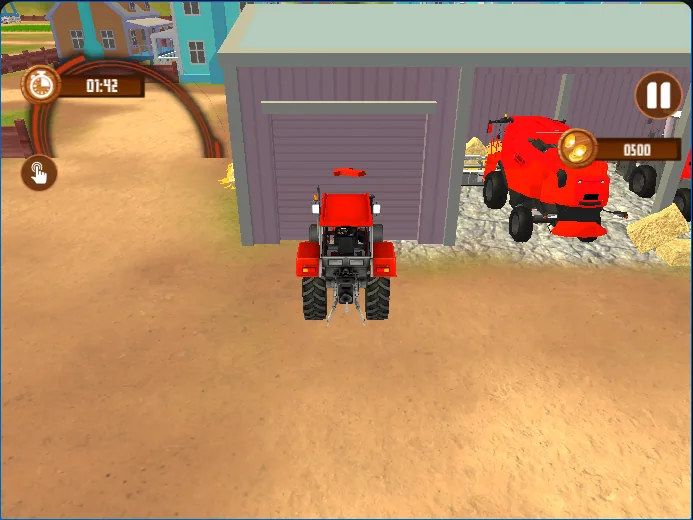
The open yard is to one side of the tractor. Pause to look at the tractor's starting direction
After leaving the intro, press Start and OK. The red tractor is facing a shed, with a clock and a 0/60 counter on the screen.
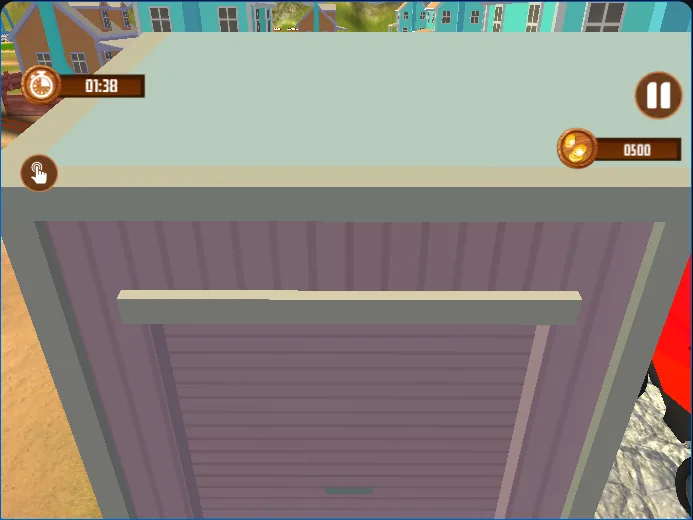
The clock continues while the counter stays at 0/60. Use the near wall as a sign to change direction
Holding W and Up drove straight toward the shed and the camera became filled by the door. Release the accelerator when you lose the view.
Make room behind the tractor before turning. Use the edge of the shed as a reference.
Use the shed to judge your turning room
Check the bonnet before pressing forward
The red Tractor in Level 1 of Corn starts pointing at a closed shed. We pressed W, then Up. The door filled the picture. After trying reverse and turning left under W, we could see the yard again. Check the starting angle before a long hold. Use the left edge of the shed as a reference as you move away.
Three views of the Corn start
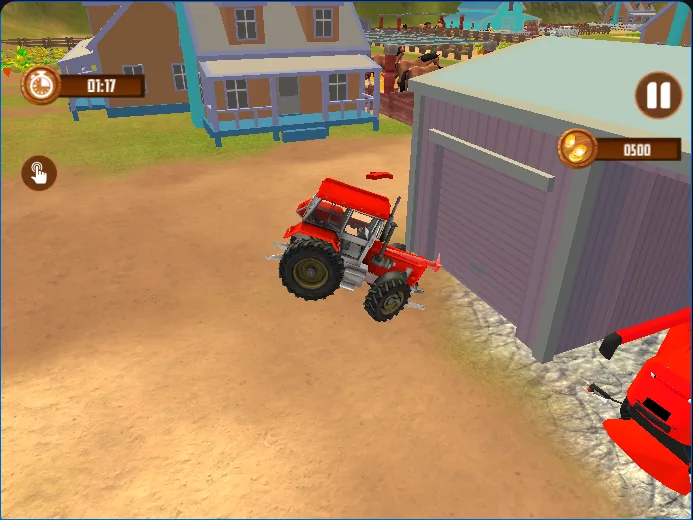
Once we attempted reverse and used W with Left, the yard came back into view.
More vehicle and work-site games
Frequently asked questions
Does the camera filling with the shed mean the game stopped?
Look at the timer and look for a change in the view when you change direction. In our run the clock kept moving and the tractor could turn.
Release forward, back away enough to see the tractor again, then try a short turn into the open yard. Check for the door frame moving to one side before you maintain the accelerator.
When should I expect the field counter to change?
Check the active field instructions before working with the implement. The counter stayed 0/60 throughout the photographed shed approach.
The game guide links progression to field tasks and then harvests. In the pictured Corn level we only confirmed the driving inputs. Get clear of the shed and look for the current task, then check the counter again during the field work.
How can I find the yard sooner on the next start?
Use the first frame to spot the open ground to the left of the shed. Aim toward it early, before holding forward long enough to lose the tractor behind the roof.
Try a short opening steering input and check whether the blue building and open dirt become clearer. Use the shed door as a bad-direction cue: if it keeps growing in the centre, release forward before trying again. That drill starts from the same Corn menu path as the screenshots.
What should I complete before expanding to another field?
Follow the displayed Corn task and learn the route to its field. Note which plot you worked on and where you should return for the next step.
The game guide covers field work, planting, harvest and expansion, with the on-screen buttons selected by mouse. Complete a short cycle and compare where you lose time. Expanding makes more sense once you can find the active field without spending the opening timer manoeuvring around the shed.
How do I interact with menu buttons while moving around the farm?
Use the mouse to click the on-screen buttons on desktop. Keep WASD or the arrow keys for movement.
What is the main progression in Urban Farm Simulator?
Complete tasks around planting, field work and harvests. The rewards help you expand the farm.
What should I do first if I am unsure where to go?
Check the current task and work on one field at a time until you know the route between planting and harvest.








Find another game to play
Explore more racing, puzzle, and sports games, or pick one at random.


