

- Developer
- IoGamesIo
- Devices
- Desktop, phone and tablet
- Category
- Sports
- On Browser Game Hub
- Play here
The player loads automatically on this page. The provider controls the in-game menu and any ads shown in the player.
Game overview
Choose 1 PLAYER VS AI and EASY. On desktop we held W to move the cyan mallet to the upper edge and D to approach the centre line. The white puck moved separately.
Watch gameplay
Move the cyan mallet in a solo Neon Hockey 2 match
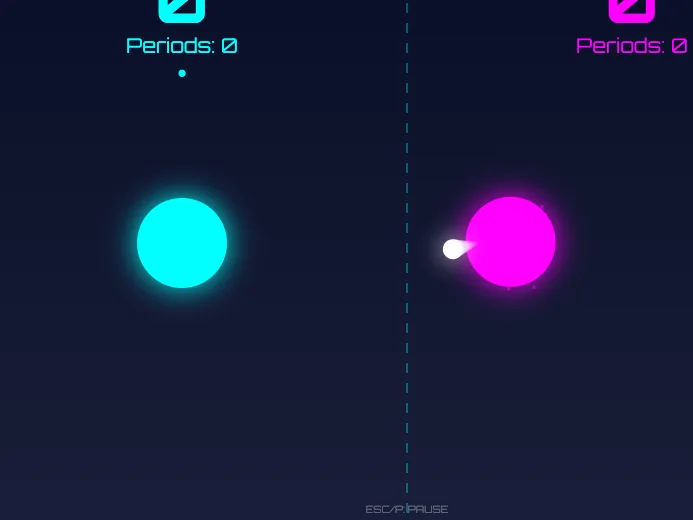
Both period totals are at 0 at the start. Pick 1 PLAYER VS AI and EASY
In the match, find the cyan mallet on the left and the magenta one on the right. The white dot is the puck.
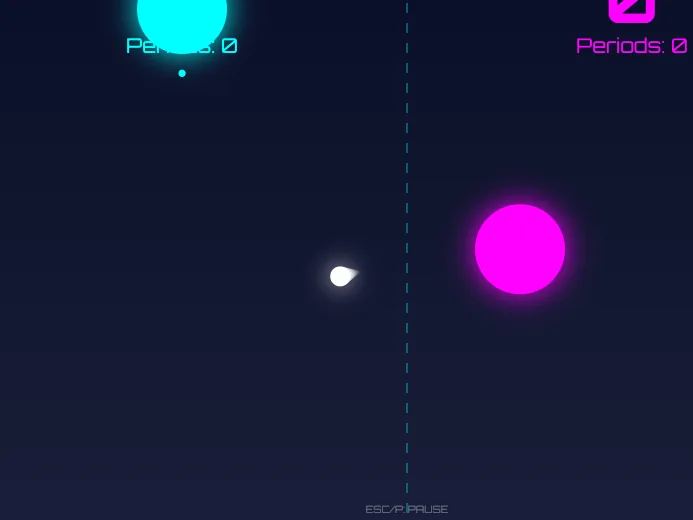
Holding W changed the blue mallet's position. Hold W to reach the upper edge
Follow the cyan disc as you hold W. It moves upward while the white puck continues on its own path.
Return toward your goal when you finish a move. Watch the puck's direction before you follow it out to the wall.
Defend your half and read rebounds
Two movements in the cyan half
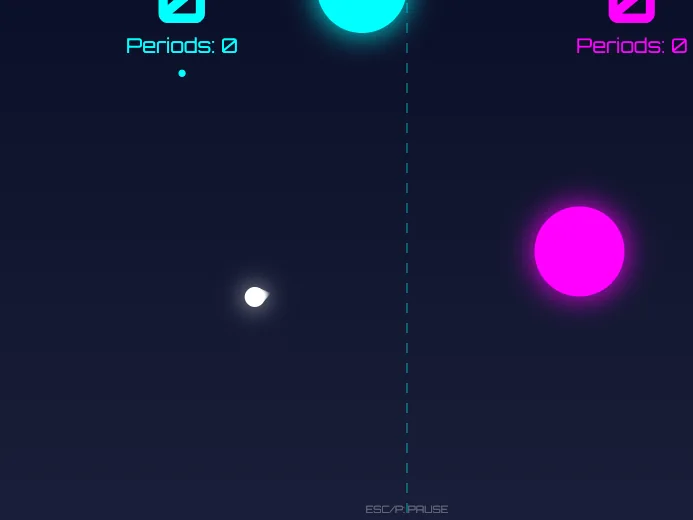
D moved the same mallet to the right. The puck is still a separate white dot.
Learn your own reach before trying a bank shot
Start a solo round on Easy. Our cyan mallet moved up with W and toward the dotted divider with D. Find the mallet by its colour and track it against the divider. The white puck can be elsewhere, even while you steer along the upper side. Try returning toward mid-height before the next attack, so you have room on both sides.
More games for placement and timing
Frequently asked questions
Where should I wait when the puck is heading for a wall?
Stay between the likely rebound path and your goal. Watch the first bounce, then move across to meet the puck.
The puck can come back in at an angle. A useful drill is to let it touch the top wall while you keep the mallet near the middle of your half. Once it turns, move in short steps to intercept. If it has already passed your mallet, head back toward goal before trying another swipe from behind.
What is the difference between the goal number and Periods?
A period goes to seven goals. The match is best of three, so the Periods counter tracks how many of those periods you've won.
In our opening screenshots the counters are still at zero and we only checked movement in the solo game. If the puck moves too fast to follow its first bounce, settings allow you to adjust maximum puck speed and mallet size. Change one before trying the same defence again.
Can a second player use the same keyboard?
The local controls assign WASD to the left and arrow keys to the right. The game guide also describes mouse input on the left and split touch halves.
Only the cyan mallet was tested on keyboard in this run. For two players, choose the local menu option and compare each mallet with the centre line after testing one direction per player.
How can I practise shooting past a mallet guarding the middle?
Try a diagonal hit after the puck arrives on your half. Use a side wall to make its next approach come from an angle.
In Easy, guide the cyan mallet into the lower or upper side of an incoming puck and watch where the white dot crosses the dotted middle. Then return the mallet toward the goal before you look for the next shot. The screenshots show the movement ranges, without recording a shot or goal. Check your own bounce against the wall before trying it again.
Can two people play Neon Hockey 2 on the same phone?
Yes. Choose the local two-player mode and use opposite halves of the same touch screen.
Can I make the puck slower?
The settings let you adjust the maximum puck speed. The size of the mallets is adjustable as well.




Find another game to play
Explore more racing, puzzle, and sports games, or pick one at random.


