
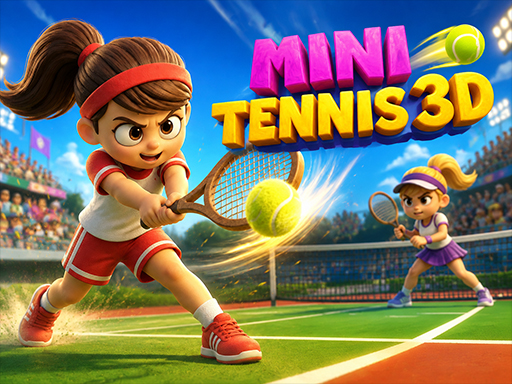
- Developer
- Mapi Games
- Devices
- Desktop, phone and tablet
- Category
- Sports
- On Browser Game Hub
- Play here
The player loads automatically on this page. The provider controls the in-game menu and any ads shown in the player.
Game overview
The desktop court showed HOW 2 PLAY and SLIDE PL1. Preroll interrupted the input attempts, so we can show the court guide and result screen. No return or controlled movement was verified.
Watch gameplay
Find the on-court controls in Mini Tennis 3D
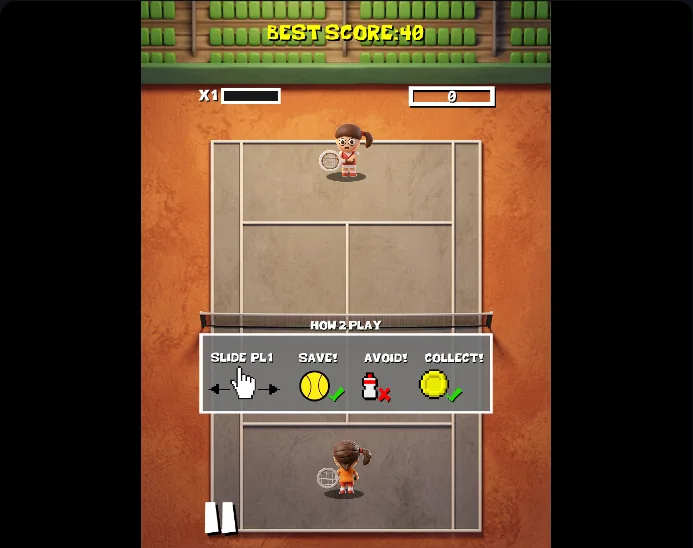
The in-player control prompt is visible before the first rally. Find the player near the bottom baseline
In the court tutorial, SLIDE PL1 appears with arrows. The panel also shows a tennis ball for SAVE!, a bottle for AVOID! and a coin for COLLECT!
Look for the near player and the side-to-side arrows. Use the near baseline to compare positions once the court is active.
Read the court guide before retrying
What SCORE and BEST refer to
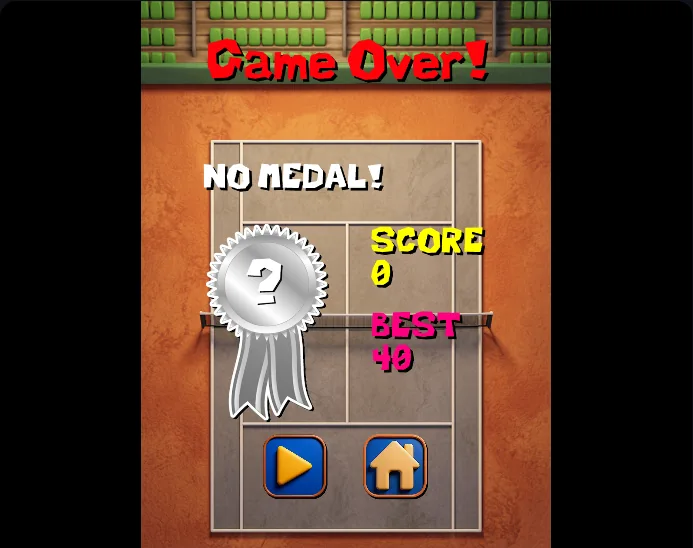
This was a result screen reached after an interruption in the desktop test. It does not show a successful return.
Check that the court is active
On desktop, start with the triangle button. The near player stands along the bottom baseline. The court panel says SLIDE PL1 and shows a hand with horizontal arrows. Begin with a short slide to one side on the court, then compare the player’s feet with the white line. That gives you a way to check movement before thinking about rally timing. The distributor’s brief description lists mouse and touch input, while this player gives a more specific slide instruction.
On the November 22 local desktop preview, ads interrupted attempts soon after the court opened. A return from an overlay reached Game Over with SCORE 0. The separate Chrome retry brought up a loader and a provider overlay after Play, so those frames also failed to verify a player movement or a return.
Other ball games with readable feedback
Frequently asked questions
How can I tell a blocked attempt from a missed return?
Look for the active court, the near player and the moving ball. A loading overlay or Game Over changes what input is available.
If you see the game provider’s skip control after the countdown, use that and look again for the court. The triangle on Game Over starts a fresh attempt and the house returns to the menu. Wait until you can see the whole court again before attempting a horizontal slide.
What should I watch if the court stays open?
Watch the incoming ball and put the near player in its path. Check whether the ball travels back across the net.
The help panel marks the tennis ball as SAVE!, the bottle as AVOID! and the coin as COLLECT! Learn how to reach the ball first. Look at where the player ends up relative to the baseline rather than taking a pointer move as proof that the player moved.
Why can BEST be higher than SCORE on the result?
SCORE is this attempt and BEST is the previous best shown by the game.
The Game Over photo reads SCORE 0 and BEST 40. The best number does not increase just because a new result panel appears. After a playable attempt, compare SCORE from two tries and use BEST to track the highest one kept by that game session.
What should I watch just before a return?
Watch how far the ball is from your player. The useful clue is when it comes into reach.
Why do I miss after several successful returns?
The pace increases through play. Watch the next shot from the opposite end instead of relying only on how long you waited last time.
Does Mini Tennis 3D require a keyboard?
The publisher lists mouse clicks and taps. Use the mouse on a desktop or the touchscreen on a phone.
How can I improve my best score?
Build a longer run of clean returns. After a miss, repeat the early exchanges and change the timing by a small amount.




Find another game to play
Explore more racing, puzzle, and sports games, or pick one at random.


