

- Developer
- Era54
- Devices
- Desktop, phone and tablet
- Category
- Action
- On Browser Game Hub
- Play here
The first drive and map were tested in desktop Chrome. Playgama also lists Android and iOS support.
Game overview
Our preview opened on the pavement beside a white sedan. The route was already drawn on the minimap and the car displayed F Enter vehicle.
Watch gameplay
Take the white car out onto the coastal road
The car prompt and the driving camera
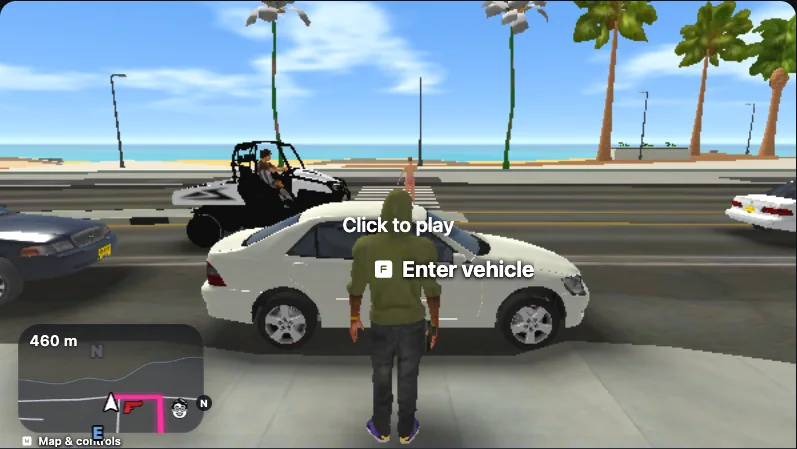
The F prompt is visible next to the white sedan.
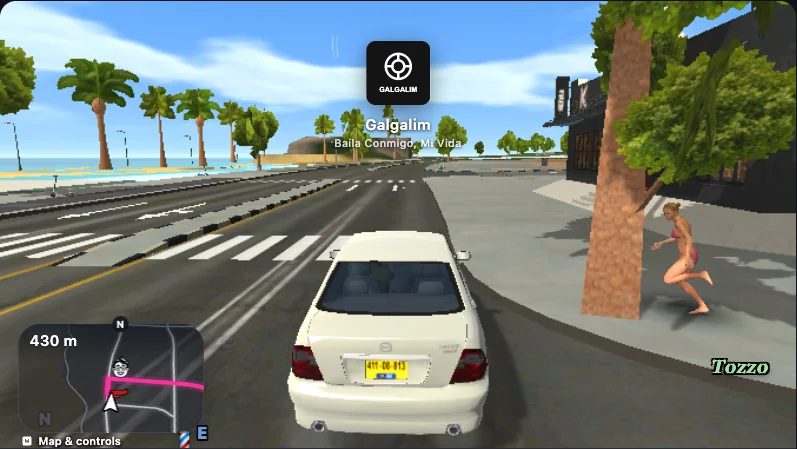
The camera follows behind the car and the route remains on the minimap.
Wait for F Enter vehicle
Click the scene when it says Click to play. Stand by the sedan and press F as soon as the vehicle prompt is visible.
Accelerate after the camera settles
When the camera moves behind the trunk, hold W briefly. In our run the sedan moved down the beachfront street and the minimap read 430 m.
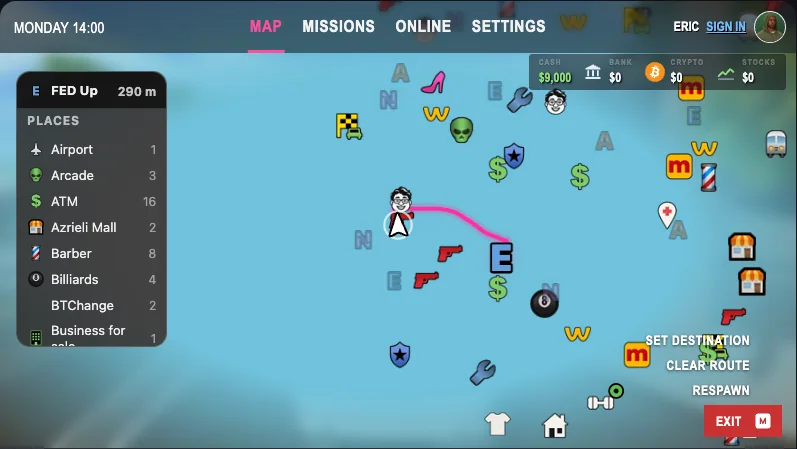
Open the full map with M
The MAP screen shows the destination next to a distance in the left sidebar. Match the destination icon to the pink line.
Wait for the door animation and the camera to swing behind the car before pressing W. On foot, W just moves your character toward the car.
Read the distance and the route together
The pink line continues onto the full map
We clicked into the game and pressed F next to the car. The character reached for the door and the camera later moved behind the trunk. A short press of W took the car along the coastal road, with 430 m showing on the minimap in the driving shot.
M opened the larger map. The sidebar named our destination FED Up, and a pink line connected the player arrow to the E marker. Use that line at turns and the distance to check you are getting closer.
Other city games to try
Frequently asked questions
F did nothing. How do I know the game has focus?
Click the game if Click to play is still visible. Then move alongside the door until F Enter vehicle appears. The camera moves behind the car after the entry animation.
How do I tell where the pink line ends?
Press M and look for the destination at the top of the left sidebar. In our run the entry was FED Up, which matched the E icon. Press M again or select EXIT to return.
Where is online mode?
The large menu has an ONLINE tab next to MISSIONS. Our desktop test covered driving and the map in the opening session.




Find another game to play
Explore more racing, puzzle, and sports games, or pick one at random.


