
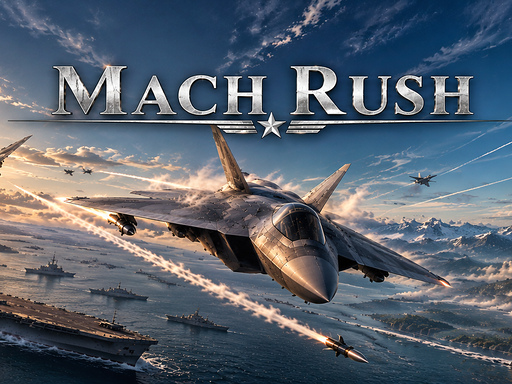
- Developer
- Draxxs studio
- Devices
- Desktop, phone and tablet
- Category
- Action
- On Browser Game Hub
- Play here
The player loads automatically on this page. The provider controls the in-game menu and any ads shown in the player.
Game overview
Start Training puts the jet over open water. Moving the mouse across the flight view banked the jet in both directions while Welcome, Pilot was still displayed.
Watch gameplay
Practice a left and right bank in Mach Rush
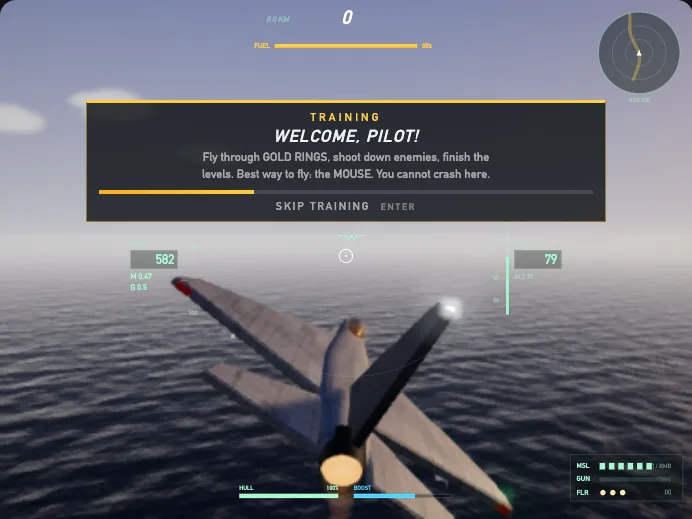
The opening lesson leaves the plane visible below its text. Enter training and move the mouse left
Select Start Training or press Space at the menu. Once the ocean is visible, move the mouse slightly left over the game. Look at the angle of the wings below the tutorial panel.
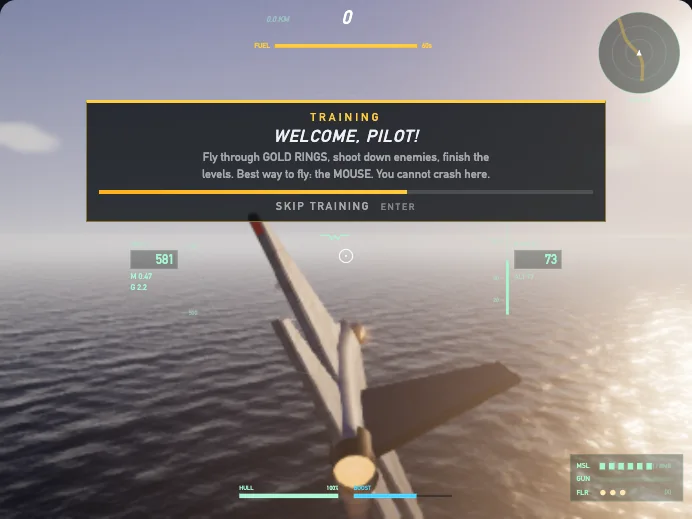
Both banks were verified before advancing the tutorial. Move the pointer the other way
Move the mouse right inside the flight view and compare the wing angle. The jet tilted the other way during the same training segment.
Use the plane's wings against the horizon to see the lean. The nose can look nearly centered while the plane is already tilted.
Keep track of the bank through the tutorial overlay
Use the ocean to learn how the jet leans
The horizon gives you a steady reference under the Welcome, Pilot panel. Shift the mouse a little to one side, look at which wing drops, then move back across the image. Repeat with a smaller motion if the nose swings much farther than you intended. Both directions responded in the ocean lesson. Weapons and campaign stages were outside this test.
More ways to practice flight and steering


Frequently asked questions
Can I move while Welcome, Pilot covers the center?
Yes. Start Training drops you into flight, and mouse movement already affects the plane while the message is visible.
The opening panel tells you to fly through gold rings and introduces the mouse. Our pictures show the plane leaning below the panel before the lesson advanced. If moving the mouse seems to do nothing, check that the pointer is over the ocean view and compare the wings to the horizon. A still message can remain over an active flight.
What should I practice before entering a narrow route?
Make a small bank and bring the plane back toward level while you still have open water around you.
The keyboard reference lists A and D for banking and W and S for altitude. Try one adjustment at a time when working on the approach to a ring. If you're tilted in the direction you wanted but pass below the target, test an altitude correction separately. Keep Shift for stretches with enough room for another correction.
What do I check if my plane keeps drifting past a ring?
Compare the nose and wings to the ring before adding more movement. Try a smaller pointer correction and look at which side of the ring the jet approaches.
The two ocean photos show the same tutorial stage at different bank angles. Use that kind of before-and-after comparison on the path to a single gold ring. If an earlier correction already brought the ring to the center, stop making large side inputs and see whether the plane holds the approach. Training practice here confirmed banking, without verifying passage through a ring.
Which inputs should I keep separate when combat starts?
The control list gives click or Space for cannon, right click or F for a missile, Shift for boost and X for flares.
Leave space for a correction before testing any of them near a wall. Practice reading a target with the nose, then pick one attack. If an incoming missile warning appears, leave room to break away or use the flare control. On touch the game labels the corresponding buttons GUN, MSL, BOOST and FLR. The desktop retest stayed with the opening ocean lesson.
How many aircraft can I unlock in Mach Rush?
The publisher lists 14 unlockable jets.
What does the campaign cover?
The publisher lists 144 levels across 16 maps, including flights over canyons, islands and seas.







Find another game to play
Explore more racing, puzzle, and sports games, or pick one at random.


