
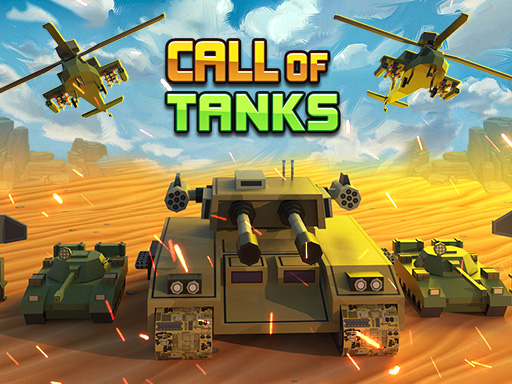
- Developer
- Beedo Games
- Devices
- Desktop, phone and tablet
- Category
- Action
- On Browser Game Hub
- Play here
The player loads automatically on this page. The provider controls the in-game menu and any ads shown in the player.
Game overview
Open Easy Pie and drag a card from the bottom bar into the green deployment zone. Our preview turned red beside the hangar and blue inside the green zone. Use that change to check your placement before committing a unit.
Watch gameplay
Deploy your first card in Call of Tanks
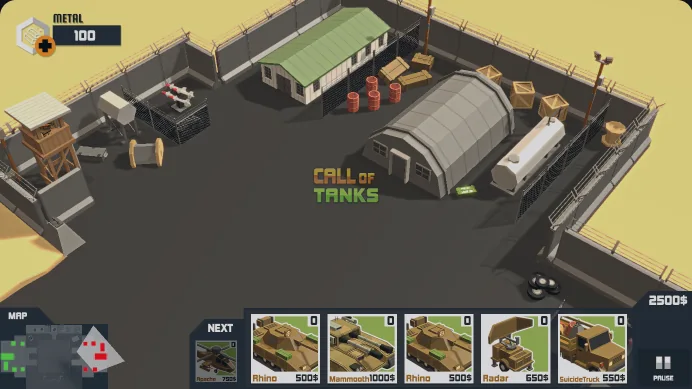
In this opening screenshot, Rhino costs $500 and Mammoth costs $1,000. Open Easy Pie and find the unit bar
Press Play and look at the prices on the cards at the bottom. The cash total with the dollar sign is at the lower right. Metal has its own counter at the upper left.
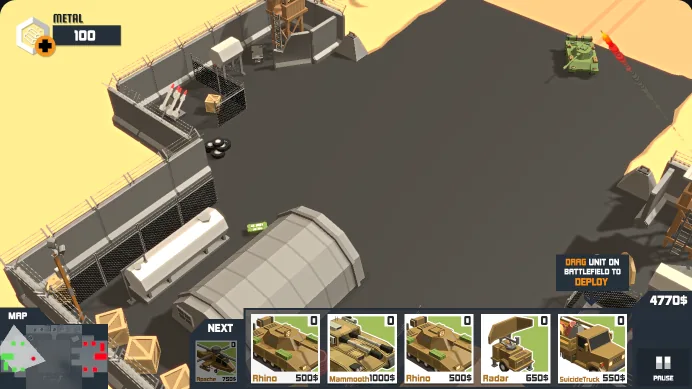
The card order changed between attempts. Read the unit name and its displayed price. Keep holding the card as you drag onto the field
Drag a card up from the bar. The on-screen hint reads Drag Unit on Battlefield to Deploy. The road looks like open ground, so use the green overlay and preview color to pick the exact spot.
If the preview is red, keep holding the mouse and move the unit inside the zone. Use the blue preview to check the spot before releasing.
Read the placement preview, minimap, and cash
Two positions with the same card
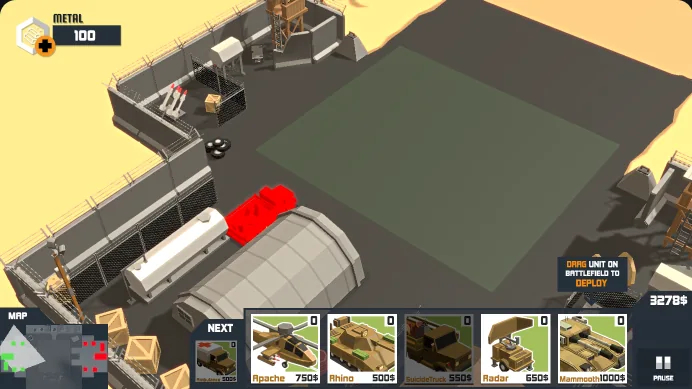
The spot looks clear, but it lies to the left of the marked area.
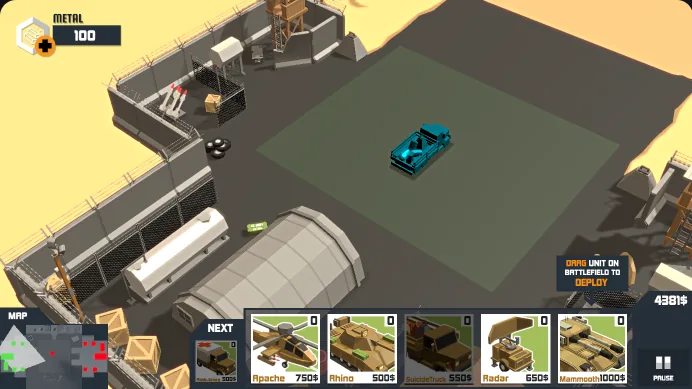
This is the placement preview. Look at the battlefield after release to confirm what deployed.
Read the unit bar before you place anything
The Easy Pie opening shows cards such as Rhino, Mammoth, and Radar. On our first screen they were labeled $500, $1,000, and $650. Cash sits in the lower right. Metal is a separate counter in the upper left. The cards came up in a different order on another attempt, so read the names and prices instead of memorizing the slots.
For your first drag, hold a card and bring its model into the field. When the green rectangle appears, move the model from the edge by the hangar toward the middle of that rectangle. Our same-card comparison shows a red preview by the hangar and a blue one inside the zone. We verified the placement feedback. The footage does not establish a purchase deduction or a completed mission.
More games for opening decisions
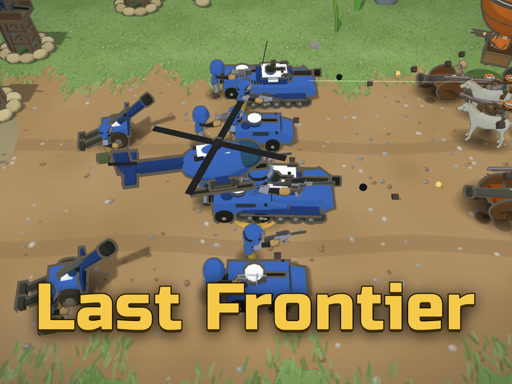
Last Frontier
Try Last Frontier to practice spending your first coins. In its opening mission, building a Bank raised income from two to four coins per second.
Play this game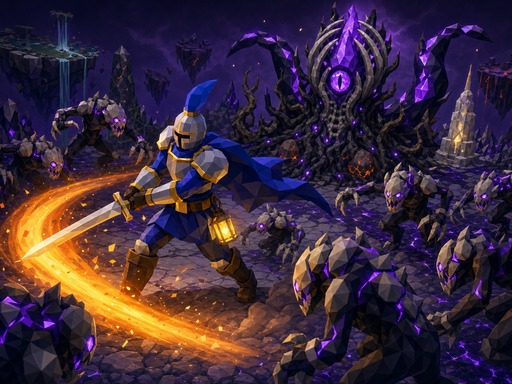
Lampbearer
For hands-on defense, try Lampbearer. Its first clearing puts you in direct control of the defender near a stone seal.
Play this game
Frequently asked questions
My dragged unit is red. Where should I move it?
Keep the mouse button down and move the model inside the green area. Look for the blue preview before deciding where to release.
In Easy Pie there is a patch of open-looking road beside the long white vehicle and the round-roofed hangar. The unit stayed red there, on the left of the green area. Moving the same preview up and right into the marked rectangle turned it blue.
If you are struggling to tell where the game is putting the model, drag toward the middle of the green area, away from the boundary. Use the hangar or the white vehicle as a landmark and check that the model has crossed past the zone's edge. That makes it easier to solve the placement issue with the card you already chose.
How can I tell a preview from a deployed unit?
The blue model is a preview under your cursor. After you let go, look for a vehicle on the battlefield, then check for feedback in the bar and cash total.
When learning the gesture, pause just before you release to get a clear look at the model. Keep your eyes on that part of the battlefield as you let go. Watching the card the whole time can make you miss a vehicle starting to move. Deployed units fight on their own, so you can follow where the first one goes before preparing a second.
The screenshots show different cash totals at different points in time. They are useful for finding the counter and cannot tell you how much that particular drag cost. If you want to check a deployment yourself, read the price on the current card and compare the totals immediately before and after release, together with what appears on the field.
Which starting card should I spend money on?
Check where the other side is on the minimap. Allow for the price of a second card if you want to send two units into the same fight.
In the opening image Rhino reads $500 and Mammoth reads $1,000. If you have $1,000 in cash and spend all of it on one card, you have nothing left for an immediate $500 follow-up. That is a budgeting example, not a combat result. Use the prices in your round and keep the Metal counter separate from cash.
If a red marker is already moving toward your side, watch where your first unit is likely to meet it. Plan the price and the release spot of the second unit before the first gets too far ahead. Later, check whether they approached the same fight together. If one reached it alone, try leaving enough for the follow-up earlier in the next attempt.
Where do I find the next placement when the camera moves?
Read the bottom-left minimap for the general position of each side. To place the next card, hold it and look for the green area on the battlefield again.
When the camera is near a building, its roof can obscure part of the ground. Use the map to see where the front is, then look at the actual green overlay for a valid drop near the part of the field you want. The little red and green marks describe the battle. The green overlay around the vehicle preview is the immediate placement guide.
If the first unit is still on the move, decide whether to send help along its route or use the next card to defend a different approach. Use the placement preview to choose where to release and the minimap to see where the unit subsequently goes.
Do I steer a tank after deployment?
Your direct input is the deployment card and the placement choice. After release, watch how the unit fights and decide when to send the next one.
What if the first tank is always destroyed before the second arrives?
Try keeping the next card ready as the first unit moves out. Support the first unit before it has to handle the whole approach alone.
Can I make my base stronger between battles?
The game includes defense upgrades and stronger bases to unlock. Look at base options if enemy units consistently reach your side.




Find another game to play
Explore more racing, puzzle, and sports games, or pick one at random.


