

- Developer
- FandomWire Marketing Management LLC
- Devices
- Desktop, phone and tablet
- Category
- Puzzle
- On Browser Game Hub
- Play here
The player loads automatically on this page. The provider controls the in-game menu and any ads shown in the player.
Game overview
Roll the block across the space platform and stand it upright on the portal. Level 1 starts with a narrow straight lane where you can see how the footprint changes. The standing block covers one tile and the flat block covers two.
Watch gameplay
Read the first two rolls in Astro Block
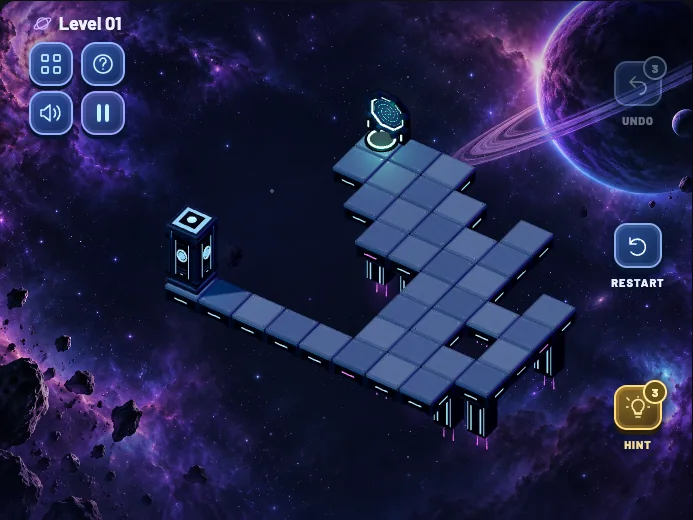
Read the near strip before planning the route to the distant portal. Find the starting tile at the left
Close the flight manual and find the upright block at the left end of the strip. Pick out the two consecutive tiles ahead of it. Those will both need to support the block after one press of Right.
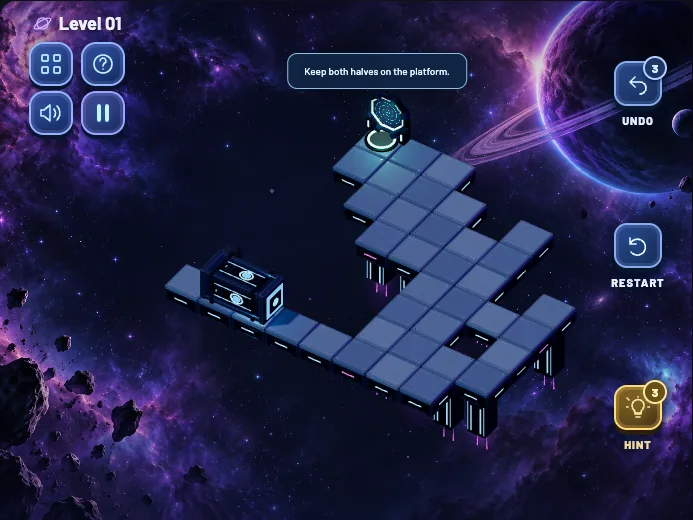
When you go straight again from this position, the block needs one tile to stand on. Check both ends of the flat block
One press of Right laid the block across two tiles. The game displayed Keep both halves on the platform. Before pressing Right again, look one tile beyond the far end.
Use the length of a one-tile-wide lane. Save a sideways roll for a wider patch with room for the entire next footprint.
Plan the next landing on a narrow lane
Count the tiles before you roll
The camera shows the board on a diagonal. In Level 01 we pressed Right once and watched the upright block lie along two tiles of the narrow strip. A second Right rolled it up onto the third tile farther along. Use the three screenshots to follow which tiles are underneath it at each stage.
Start with the tiles the block covers now, then look at those it will need on the next move. The space background is full of lights and shadows, so count the actual square platforms. A lone tile is enough for an upright landing. Before moving onto it, work out whether the block will be standing at that point. That distinction matters again as you approach a switch, a bridge, or the portal.
Where the second roll ends
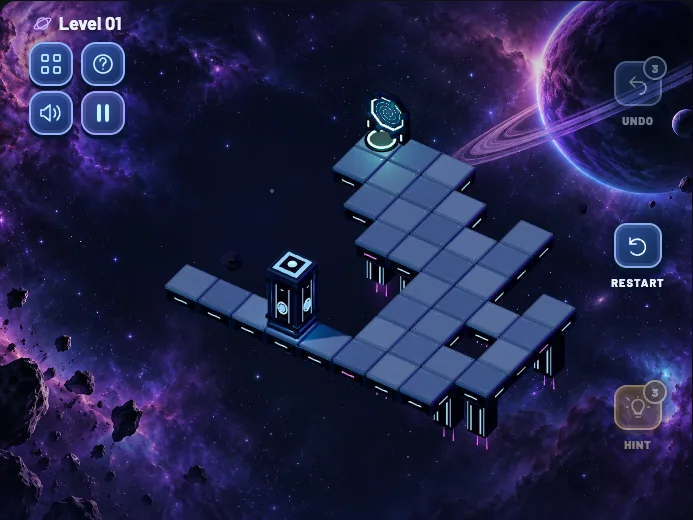
Two presses in the same direction carried the block three tiles from one standing position to the next.
More puzzles that reward planning ahead
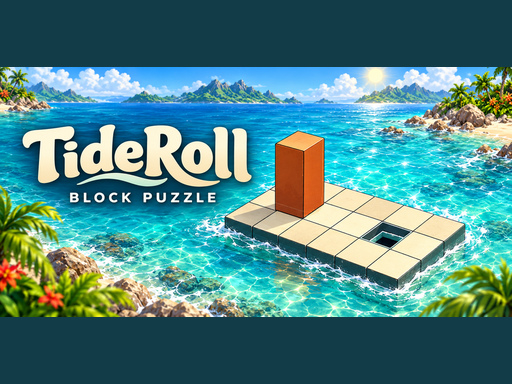
TideRoll: Block Puzzle
TideRoll uses the same standing and flat positions and adds orange tiles that will break under an upright block.
Play this game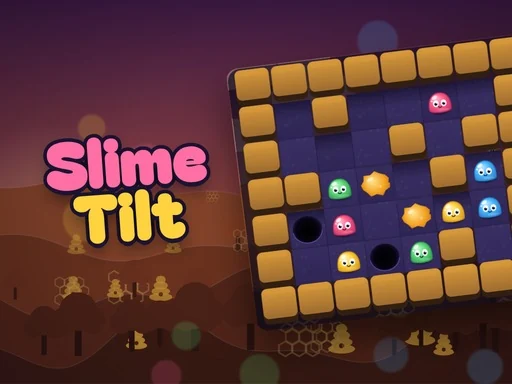
Slime Tilt
If you enjoy predicting the next position, try sliding a whole board of slimes until walls and obstacles bring matching pieces together.
Play this game
Frequently asked questions
Which way does the Right key move on the angled board?
Press Right once from the opening tile in Level 1 and compare the new footprint with the starting one. Use the direction of the platform strip to plan your next move.
On our board the lane ran down and to the right in the picture. The block followed that strip on Right. Tap one key, see both ends settle, then decide on the next input. WASD is also listed in the controls. When switching directions, first look at the edge the block would roll over. That gives you a more useful reference than the location of a distant portal.
If an arrow scrolls the page or gives you no visible motion, click inside the player and try the opening tap again. For the steps pictured here, use a desktop keyboard. The game also lists swipe controls for touchscreens.
How do I turn on a path that is one tile wide?
Roll along the length of the lane. To roll sideways, wait until you can see two supporting tiles alongside the flat block.
Think of the flat block as a line of two squares. Rolling along its length puts it upright, so it needs the one square just beyond the far end. A sideways roll moves the whole two-square footprint into the next row. The near end can look safe while the other end hangs over a gap.
The narrow starting strip in Level 1 is a good place to see the difference. There is a wider bend farther down. Carry on along the strip and leave the big change of direction until you can see a full pair of squares on the side you want to turn toward. Tiles at a different corner may look close in the angled view, so check their shared edges.
Why does the portal stay open when my block touches it?
The block needs to stand upright on the portal. Start at the portal and work back to a pair of tiles where the block could lie before its final roll.
Pick one side of the goal. The end of the flat block nearest the portal needs to be directly next to it. Both tiles on that side must be present for the setup to work. If one is missing, look for a different side or an earlier turn that brings the block in with the right orientation.
Our first-level test captured the two opening rolls. The portal rule comes from the game. Near the goal, picture the order of positions before you press a key. If your current approach leaves the block lying over the portal, use a wider patch to set up the last roll from the side you chose.
When should I use Undo or Restart?
Look at Undo when the last tap put the block in a bad position. Use Restart from the right side when you want to compare a clean route from the same starting tile.
The Level 1 screen shows a 3 next to Undo and another 3 next to Hint. Pay attention to those counters when testing a move. If you remember the last safe position, try undoing the specific tap that spoiled it. If you have forgotten which side you used to approach the goal, restarting lets you compare both approaches from a known position.
Before using a hint, name the problem you are stuck on. Look for a missing landing tile or a move that puts the block down in the wrong orientation. The hint is easier to understand when you know which of those problems you are trying to solve.
How do I move in Astro Block on a phone?
Swipe on the puzzle board in the direction you want the block to roll.
What do I do when there is a gap between platforms?
Look for a switch you can reach safely. It may open the bridge that connects the two platforms.





Find another game to play
Explore more racing, puzzle, and sports games, or pick one at random.


