
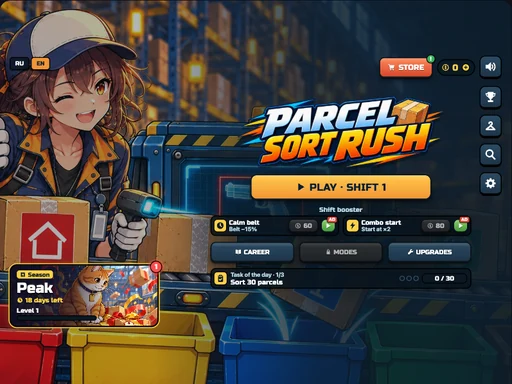
- Developer
- Mirra Games
- Devices
- Desktop and landscape touch
- Category
- Puzzle
- On Browser Game Hub
- Play here
We sorted the first parcel with a keyboard and by tapping the bin in a landscape phone emulator.
Game overview
Shift 1 starts with three hearts and 60 seconds on the clock. The opening exercise pauses on a parcel after it clears the scanner so you can read its sticker and choose a bin.
Watch gameplay
Sort the first two boxes at Local Depot
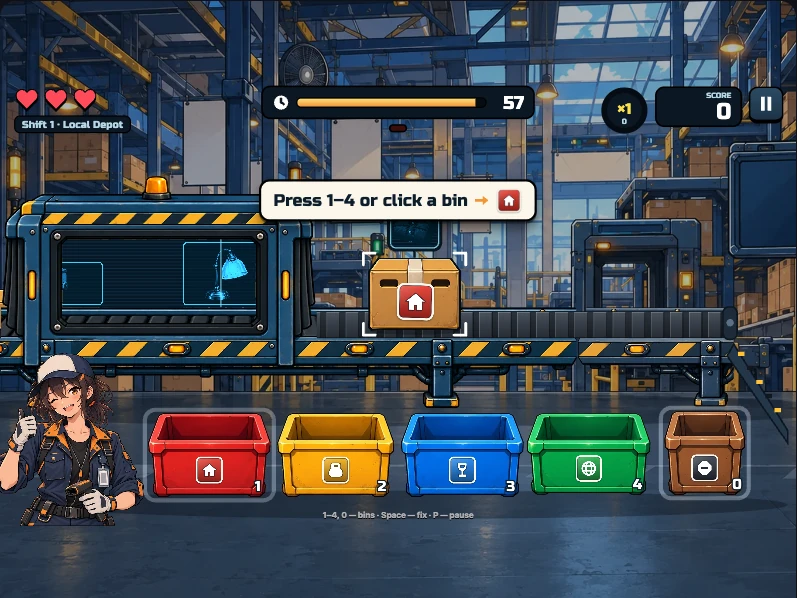
The house sticker and the bin are both red. Send the red house parcel to bin 1
The first guide box has a red sticker with a white house. Press 1 or choose the matching red bin from the row below the belt.
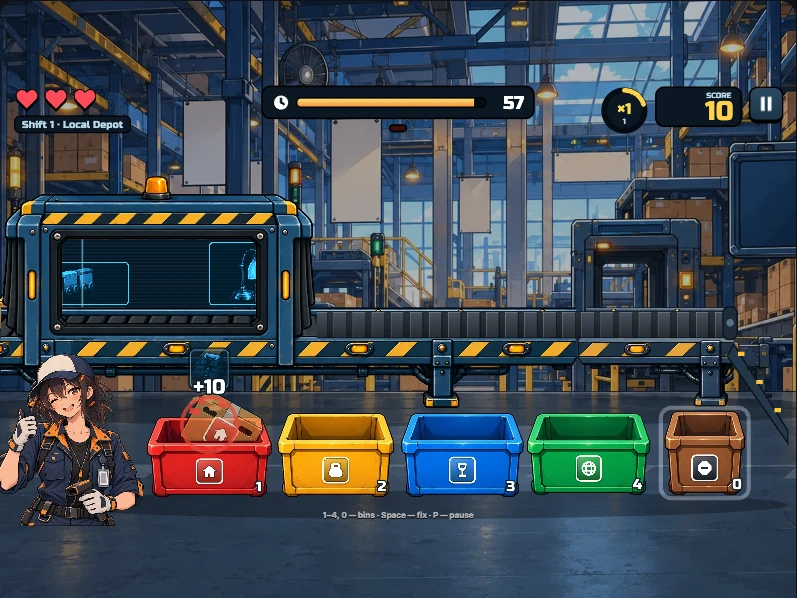
Read the +10 before looking at the next label. Check the drop and score
When we pressed 1, the parcel tipped into the red bin and +10 floated above it. The score went from 0 to 10 and the belt brought out the next box.
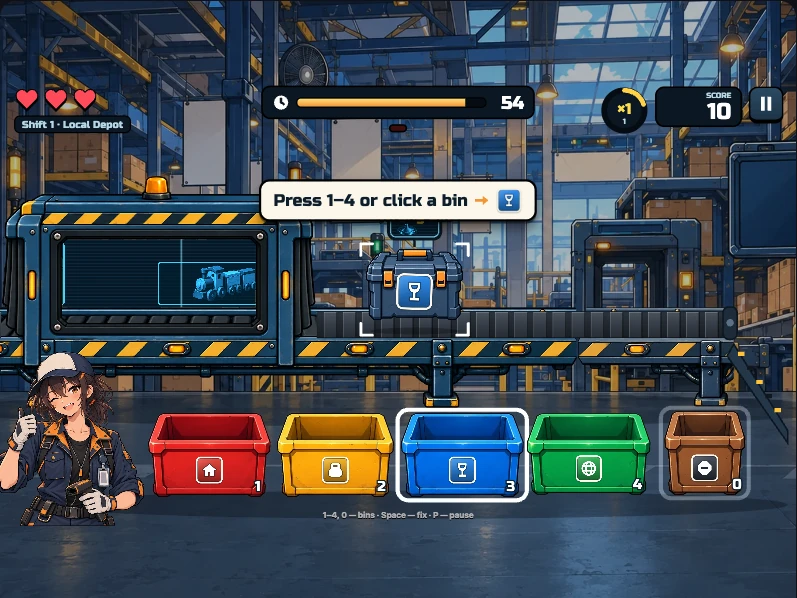
The tutorial kept the blue bin highlighted after the wrong input. Use bin 3 for the blue glass sticker
The next guide box shows a glass icon on blue. Pressing 2 left the box on the belt, with the blue bin still highlighted and the score and hearts unchanged. Click blue bin 3 to continue. We did, and the score reached 20.
Watch the sticker on the box itself. The X-ray above it gives separate information about what’s inside.
Read the front parcel before choosing a bin
Read the row of controls
The bins on the opening belt are red 1, yellow 2, blue 3, green 4 and brown 0. The screen also shows Space for a fix and P for pause. Use the icons as a second cue when you’re comparing stickers. The red house and blue glass are easy to tell apart even before you look down at the bin numbers.
The publisher’s guide says a parcel flagged with ! goes into bin 0, even if it has a colored sticker. Our first two tutorial parcels only used the ordinary color rule. The wrong key was ignored while the tutorial waited for bin 3. Once the belt ran on its own, we let parcels go by and got Shift failed with 2 sorted, 20 points and 22% accuracy.
The tutorial made the second parcel feel safe to puzzle over. Once the belt started moving by itself, I had to spot the label before looking down at the controls. On another shift I’d keep a finger near 3 and look first for the two cues from the tutorial, the house and the glass.
What a correct key and a wrong key did
Key 1 tipped the first parcel into the red bin and added 10 points.
Key 2 left the blue glass parcel on the belt. The tutorial marked bin 3.
More sorting puzzles

Frequently asked questions
The blue glass parcel stayed on the belt. How do I finish that tutorial step?
Pick blue bin 3. When we tried 2, the parcel stayed in place, the score stayed at 10 and all three hearts were still there. The blue bin stayed highlighted. Clicking it sent the box down and brought the score to 20.
When does a parcel go to bin 0 instead of its sticker color?
Playgama's controls send a parcel flagged with ! by the scanner to brown bin 0. Look for that warning before using the sticker color. The red house and blue glass in the opening tutorial use ordinary bins 1 and 3.
I sorted the first two correctly. Why did Shift failed appear?
The lesson holds the early boxes for an answer. Once the belt keeps moving, it carries missed parcels away. We got 20 points for the first two, let the next parcels pass and finished with two sorted and 22% accuracy. Use P to pause if you need to check where a bin is before the belt gets away from you.
Why can I see 0/30 for the daily task when Modes is locked?
On our start screen, 0/30 belonged to the Sort 30 parcels task. Modes was locked on the same screen. Playgama lists Daily Shift separately. You can read today's task from the Task of the day line without opening Modes.
How do I check that a tap registered on a phone?
Tap the matching bin below the belt. In a landscape phone emulator, tapping red bin 1 dropped the red house parcel and showed +10. Check for the falling box or score change before tapping a bin for the next one.




Find another game to play
Explore more racing, puzzle, and sports games, or pick one at random.

