

- Developer
- woshi82
- Devices
- Desktop, phone and tablet
- Category
- Puzzle
- On Browser Game Hub
- Play here
The player loads automatically on this page. The provider controls the in-game menu and any ads shown in the player.
Game overview
In the Level 1 Fox Scene tutorial, click the highlighted 59 in the top card row. It moved into the first of five tray slots and the card stack repacked in the Trial Version.
Watch gameplay
Move card 59 into the tray in Fox Scene
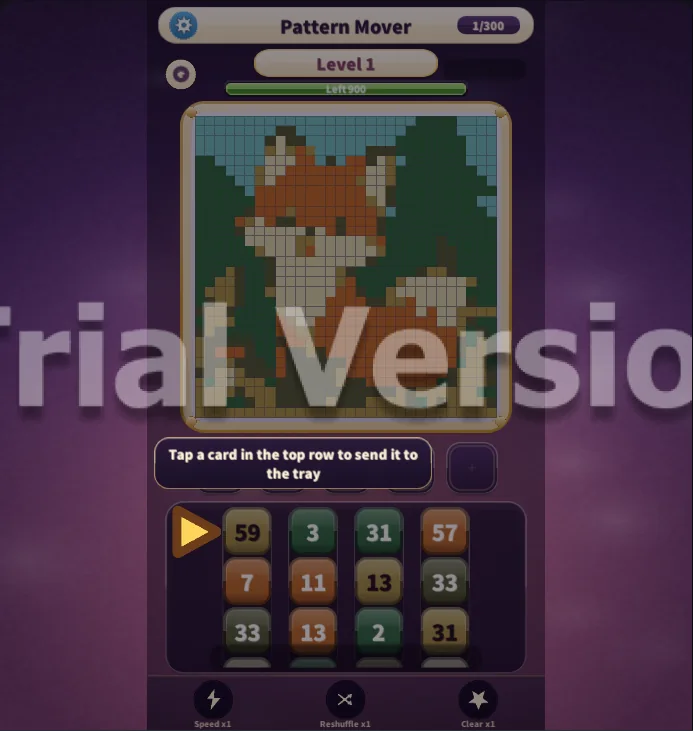
The tutorial tells you to use the top row. Choose 59 from the top row
Find the highlighted card under the fox picture and click once.
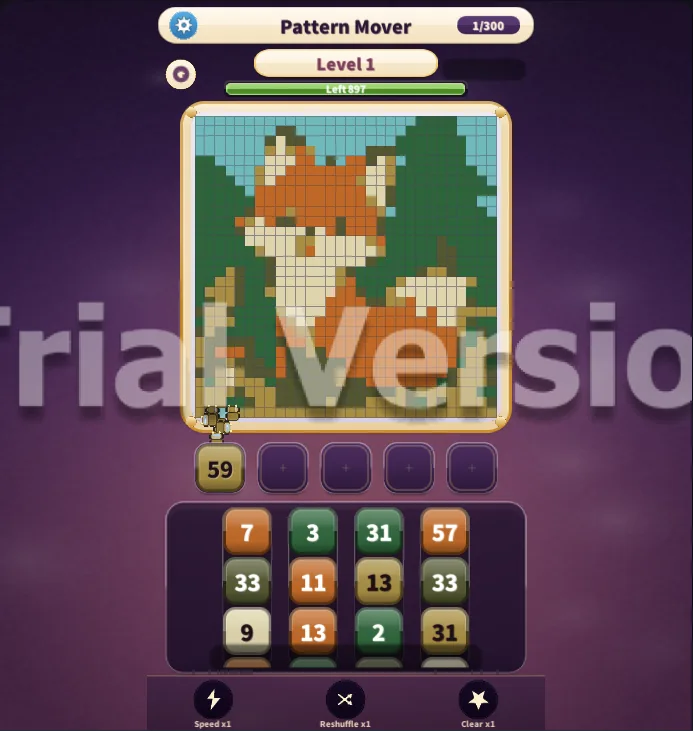
The visible board is marked Trial Version. Watch the slot and the row below
After selecting 59, check the first tray slot and the column where the card used to be. A lower card moves into the top row.
Before taking a top card, peek at the card below it. A useful move may be the one that exposes the color you need for the fox, not the one with the largest number.
Read the next exposed card before tapping again
Compare the tray and the card you exposed
The tutorial prompt points at the 59 at the left of the top row. Clicking it moved 59 to the tray, leaving four other slots visible. The column underneath slid up. When you practice, keep your eyes on that column for a moment after picking a card. Its replacement gives you another choice and can change the order you planned from the picture.
More puzzles with limited tray slots

Frequently asked questions
Do I drag the card directly onto the fox?
Click a card in the top row to send it to the tray. The published guide says the color is applied from there.
If you want to check what a card completes, wait after the tap and compare the picture with the tray. The desktop run verified the tray entry and the stack moving up.
What should I check when the tray is nearly full?
Compare the unfinished colors with the available top row, then take a card that fits a visible need or exposes one you can use soon.
The publisher lists speed, reshuffle and clear. Consider reshuffle or clear when you have looked through the top choices and the tray is stuck. On the photographed board, the trial watermark leaves the card numbers and slots visible.
What if the card I need is below the top row?
Look at the top card in the same column and decide whether you can use the tray space to uncover the lower one.
In the first screen 59 is above 7 at the left. After tapping 59, the 7 appears at the top of that column. Use that visible change as a practice example. If clearing the top card would occupy your last free tray slot, look for a color in a different column that can finish part of the artwork first.
Which tool makes sense when I already have a move in mind?
The guide lists speed for a sequence you already understand. Save reshuffle or clear for a tray or top row that is difficult to work with.
Before choosing any tool, identify the slot or top-row column you need to change. Fox Scene's photos give you a plain comparison: 59 entered the first slot, and the left column exposed 7. Do that one-card check first when you are still learning what the tray does.
How many pictures can I work through?
The publisher lists 300 hand-tuned levels.








Find another game to play
Explore more racing, puzzle, and sports games, or pick one at random.


