
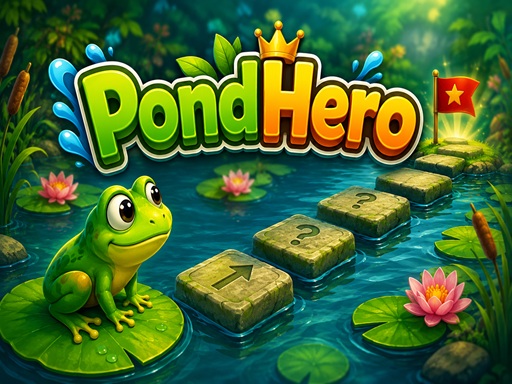
- Developer
- Immanitas
- Devices
- Desktop keyboard
- Category
- Puzzle
- On Browser Game Hub
- Play here
The player loads automatically on this page. The provider controls the in-game menu and any ads shown in the player.
Game overview
In Level 01, wait for the blue bullseye on the left tile nearest the frog. Click it to hop from the shore onto an orange pad. Two more blue markers appeared after that first hop.
Watch gameplay
Make the first pond hop and read the next markers
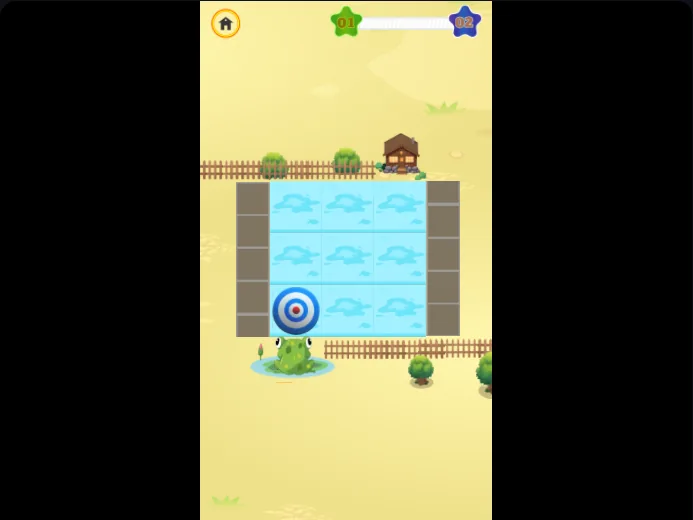
Use the frog and shoreline to orient yourself. Start at the frog's side of the pond
Find the frog on the near shore and wait for the blue marker in the nearest left cell. Use the mouse to select that cell.
Name each new tile by its position relative to the one before it. For markers that light in a sequence, remember the order of those changes.
Remember turns from the starting shore
Give the first pad a name you can remember
The marker in the opening photo is in the near-left corner, beside the starting frog. Clicking it put the frog on an orange pad at that same location. Use a description like near left to retain that starting point. After the hop, a target was visible one row farther into the pond and another sat to the frog's right. The screenshot records where the tutorial markers appeared. Read their order live when the game shows a route.
Check the first landing
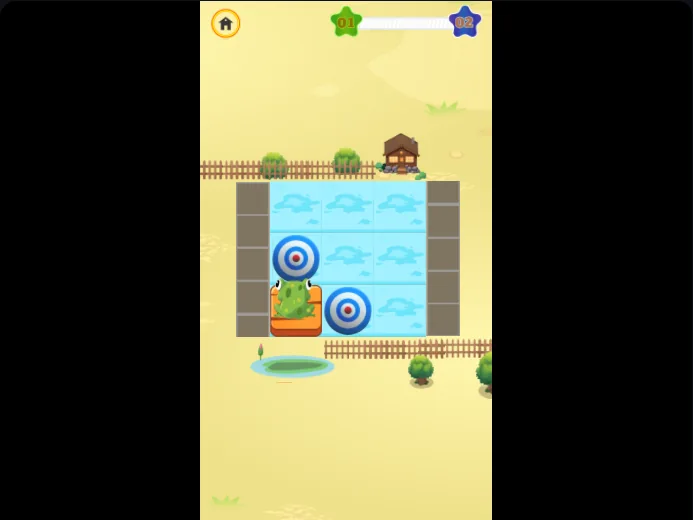
The desktop check covered one hop and the new markers.
More puzzles where the first move sets up the second

Frequently asked questions
What changes when the route markers are hidden?
The game description says to click the safe tiles in the exact order they appeared. Watch both position and sequence during the preview.
Practice by grouping the first few flashes. For example, remember the near-left start plus an inward step, then put the next turn into a separate group. That is an example of a way to remember a route. The desktop test covered the first guided hop.
How should I retry when I confuse two adjacent tiles?
Watch where that pair sits relative to the last tile you remembered correctly, and name its order as it lights.
Keep the opening part you already know. Use the new preview to compare the first place where the route diverged. Counting the moves up to that turn helps when both tiles are in the same row.
What confirms the click on a stepping tile?
Look for the frog to leave its previous position and land on the selected tile. In the opening test, the frog moved from the shore onto the orange pad.
What if two markers are on screen at once?
Check whether you are in the guided opening or watching a route preview. For a route preview, watch the order each marker appears before clicking.
The photo after the first hop shows an inward marker and a right-side marker. A still image can tell you their positions. When watching your own run, tie each flash to a direction starting at the current pad. Say the first direction again before committing, especially if the two markers sit on opposite sides of the frog.
How many PondHero levels does the publisher list?
The publisher lists more than 40 handcrafted levels, with longer or trickier paths as you advance.






Find another game to play
Explore more racing, puzzle, and sports games, or pick one at random.


