
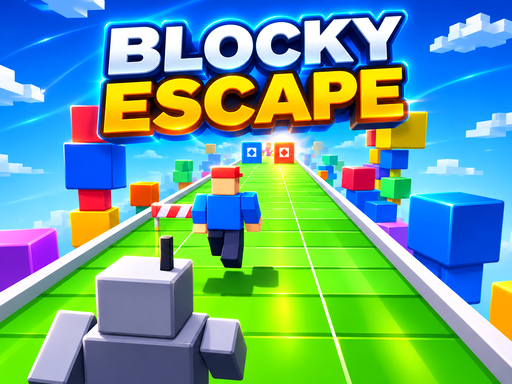
- Developer
- Artem Pohrebniak
- Devices
- Desktop, phone and tablet
- Category
- Action
- On Browser Game Hub
- Play here
The player loads automatically on this page. The provider controls the in-game menu and any ads shown in the player.
Game overview
Play opened the three-lane track after the provider ad. The avatar ran and reached CAUGHT, but desktop retests did not establish a change in lane or height from a key press. Use the menu's controls to check one move at a time.
Watch gameplay
Read the lanes and restart a Blocky Escape run
Read the run and CAUGHT screens
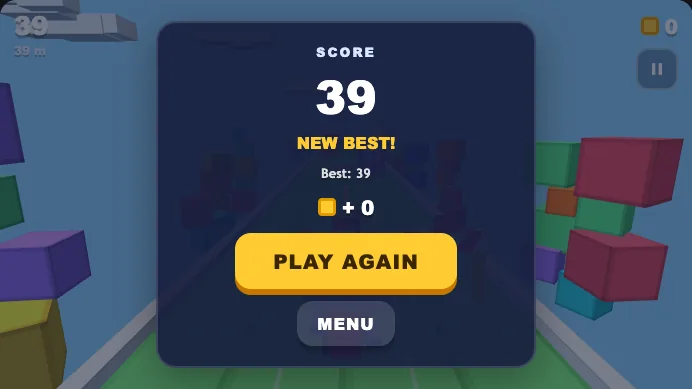
The retest reached the score panel. The directional inputs attempted while this panel was visible did not measure control on the track.
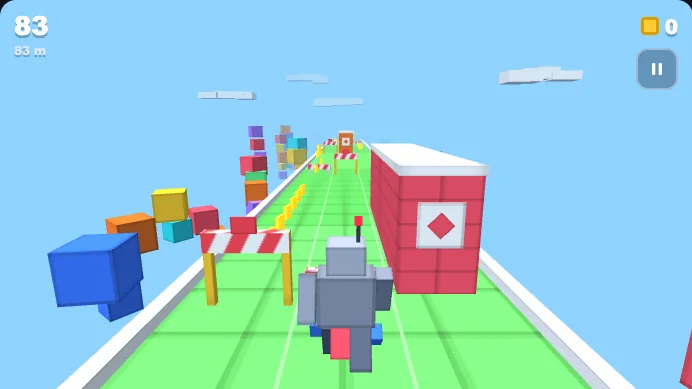
The scene confirms a run opened. A change from a direction key was not established. Use the lane dividers to check your position
After pressing PLAY and waiting through the ad, the runner advances automatically. In the picture a striped barrier and large red block are visible in different lanes. Look at the runner's position relative to the lane lines.
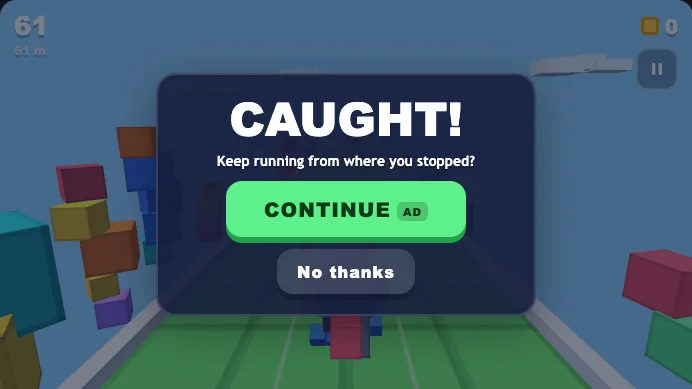
No thanks is the observed way to leave this prompt for the score screen. Use No thanks to reach the score panel
When CAUGHT! appears, select No thanks to pass the ad-supported continue offer. If you want a fresh attempt, use PLAY AGAIN on the score screen and wait until you can see the track moving.
Start by testing Left or A on a clear section. Look at the avatar relative to the two lane dividers, then save any jump test for a separate attempt.
Identify the obstacle and check the input
Measure a lane change against the track lines
The local desktop run opened after an ad and moved down the green lanes into CAUGHT. Retries included the published arrow and WASD inputs. We could see the distance and the score screen, but could not confirm a change of lane or height from the attempted inputs. When testing your own run, start by giving the game frame focus. Compare the player's center before and after one press against the divider lines on each side.
Two games for practicing one direction at a time

Frequently asked questions
Which movement should I use for the barrier, overhead bar or block?
The documented moves are Up or W to jump a striped barrier, Down or S to slide under an overhead bar and Left/Right or A/D to take another lane around a large block.
The track photo shows a big red block and a striped barrier beside it. Look for the open lane beyond the first obstruction before changing lanes. If the first spot looks clear but a second block fills it farther ahead, plan where you would go next before leaving your lane. These controls come from the game and its instructions.
Why did my score rise without a confirmed lane change?
The runner advances automatically. Check the avatar against the lane dividers to tell whether your direction input registered.
Once the ad or the score panel is gone, use one press while you can see the runner on a relatively clear part of the lane. Compare side-to-side position for Left or A. For a jump check, look for separation from the shadow on the track. If the run ends before you can tell, use No thanks and then PLAY AGAIN for another attempt.
Which pickup can absorb a collision?
The documented shield absorbs one crash. The coin magnet pulls nearby coins toward you.
When the run speeds up, use the lane lines and the shapes ahead to pick a route. A string of coins can lead to a blocked lane. Read the next obstacle before following the coins, particularly if the security robot has already closed the gap after a stumble.
How should I read the result if I restarted through No thanks?
Read the completed run's score and best separately. The local retest reached a score panel with 39 on the run and 39 as the best, then offered PLAY AGAIN.
Use a fresh attempt to test one key during the actual run. When you see the score panel remain on screen, wait for it to disappear after selecting PLAY AGAIN. A key pressed while that panel is still up does not provide a useful movement comparison. This check reached the score panel and did not establish a successful steering input.
Why has the robot come closer?
A side hit on an obstacle can make your runner stumble. The robot closes the gap, and a second stumble can end the run.
Why do the same jumps feel harder later in a run?
The running speed increases as you go farther. Watch a little farther ahead and pick a lane earlier.





Find another game to play
Explore more racing, puzzle, and sports games, or pick one at random.


