

- Developer
- GameGen
- Devices
- Desktop, phone and tablet
- Category
- Adventure
- On Browser Game Hub
- Play here
The player loads automatically on this page. The provider controls the in-game menu and any ads shown in the player.
Game overview
Click Hop in and start on the grass. Up moved the shiba toward the first row and Right shifted it sideways. SCORE went from 0 to 1 during those opening hops.
Watch gameplay
Read two river rows before the first Shiba Crossing hop
How the shiba's position and score change
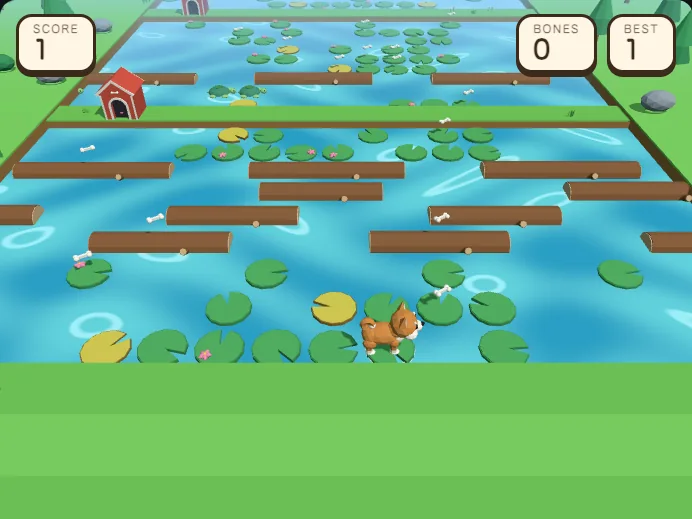
The first point is visible in this frame. BONES still reads zero.
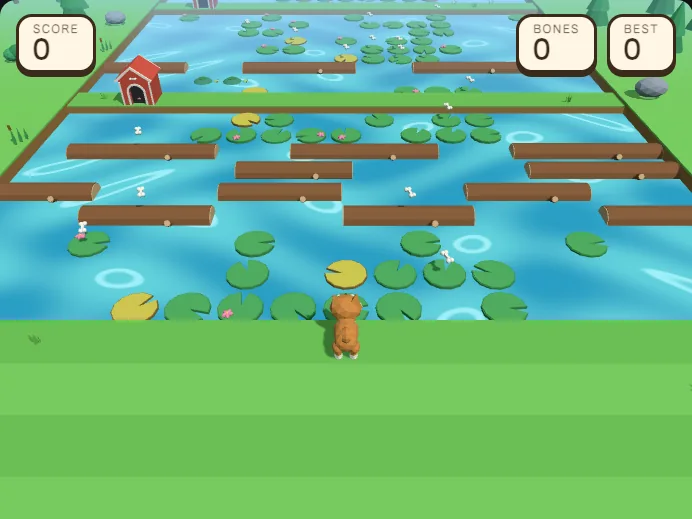
Look at the near row and one row beyond it. Start with a clear view of the grass bank
Click Hop in and find the shiba near the bottom. SCORE, BONES and BEST were all zero at the start. Pick out the nearest lily pads and the logs one row farther out.
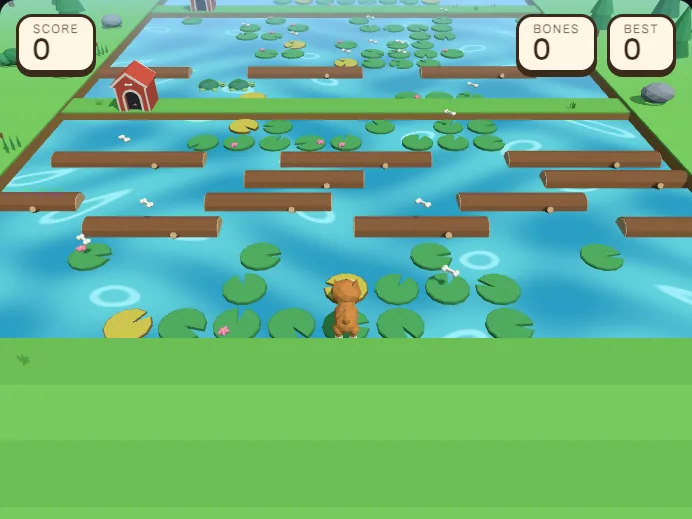
The opening view lets you read a fresh landing after each hop. Press Up once and recheck the stances
Tap Up Arrow and watch the shiba hop forward. Look from its new position toward the next row before pressing again.
Find the next thing you can land on before boarding a drifting log. If the next row looks closed, line up from the bank while you still have room.
Use a sideways hop to line up the next landing
Decide what comes after the first hop
In the opening view the shiba can face lily pads with rows of logs farther out. On desktop, one Up Arrow moved it forward and Right Arrow shifted it aside. The score showed 1 by the last picture and BONES stayed at zero. Make a single hop and re-read the next row while you still have a choice of directions.
More games with short decisions before a crossing


Frequently asked questions
Why can a safe log still leave me stranded?
It can drift out of line with the next landing. Look one row past the log before hopping onto it.
Pick a log with another surface it can bring you close to. If the angle looks poor while you're on the grass, use one lateral hop to set up a better entry. Once you're on a moving log, read its current position against the next row again before jumping.
Did the side hop earn the first point?
SCORE reached 1 during our opening sequence, which had both a forward and a sideways hop. The pictures do not isolate scoring for a side hop.
Compare one move at a time if you want to test it. Start from the dry grass, check both SCORE and BONES, and look at them again after the dog's position changes. This run verified two directions and the first point, with no bone pickup or later checkpoint.
Which directions can I use without advancing a row?
Use Left or Right to hop sideways. The documented keyboard controls also allow WASD and Space for a quick forward hop. On touch, tap forward or swipe for the other direction.
On the grass, try one sideways hop while watching the nearest pad. If the pad stays in front and moves relative to the shiba across the screen, you can see how the row lines up from the new spot. Use that practice before trying to align with a moving log.
What should I watch if a turtle or another obstacle blocks the next row?
Wait for a change in the opening or use a sideways hop to align with a better surface. Keep the current footing in view while you wait.
Watch whether the next row brings another reachable surface across your position. If you are already on a moving log, it may keep carrying you away while you think. Pick the next landing while you can still see its position relative to the shiba. The tested sequence ended at the opening rows.
How do I move back in Shiba Crossing on a phone?
Swipe backward in the game area. A tap by itself moves the shiba forward.






Find another game to play
Explore more racing, puzzle, and sports games, or pick one at random.


