
- Developer
- Poison Games
- Devices
- Desktop keyboard
- Category
- Adventure
- On Browser Game Hub
- Play here
The player loads automatically on this page. The provider controls the in-game menu and any ads shown in the player.
Game overview
Choose Start Game, Next and Play to enter the city. Hold W to advance along the road beside the brick building. During the desktop check, the lamp came closer while the key count stayed at zero.
Watch gameplay
Get oriented before searching for the eight keys
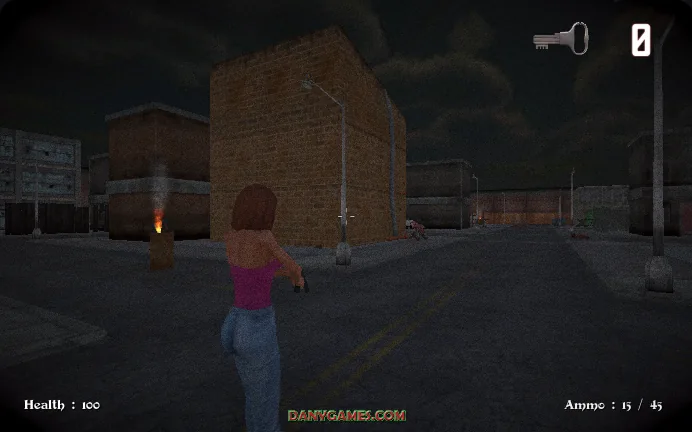
The objective is eight keys. The key icon shows the number collected so far. Find the brick building and starting street
Enter through Start Game, Next and Play. Look at the brick corner ahead and the key icon at upper right. Health and ammo are at the lower corners.
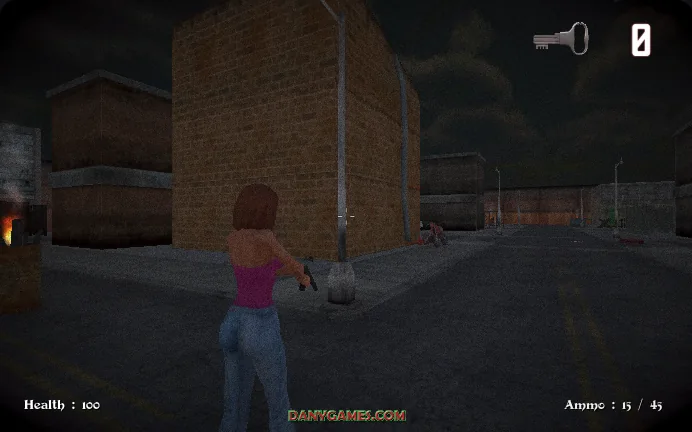
The movement check ended with the key counter unchanged. Use W to advance toward the lamp
Hold W and track the lamp as it moves nearer the center of the view. The brick corner stays to one side as the road opens up ahead.
Pick a lit object or brick corner as a return point. When you change streets, glance back once so you know what the junction looks like on the way out.
Search one stretch before changing streets
Break the first street into landmarks
The third-person test starts on a dark road. The lamp stands near a corner where the large brick building meets the street. Walk with W until you can see the next stretch, then look back and identify the lamp and the corner from this side. That gives you a way to check if you have already searched this part when you return. The test did not locate a key or engage an enemy.
More games where route memory helps
Frequently asked questions
Where do I check whether a key was added?
Look for the key icon and number in the upper-right corner. The opening street showed zero, and the escape objective asks for eight.
The documented pickup key is F. When you see a possible pickup, go close enough to check it and then compare the number. If the key count stays the same, keep looking for the objective pickup. Keep the bottom-corner ammo and health readouts separate from your search progress.
How do I avoid circling the same dark block?
Choose one street or entrance to check, then remember the lamp or corner where you turned.
Search one side as you move down the road. If you stop at a doorway, look outward before going deeper so you recognize the exit. When you return to the lamp with the same key count, try the next unchecked direction from there rather than retracing the same path by accident.
Do I need to clear all the streets to get out?
The publisher gives an escape objective of eight keys. Fight to open a route when a threat blocks the search.
If you have to stop and defend yourself, recheck health and ammo at the bottom before going farther. In the documented PC controls, left click fires, right click aims, and R reloads. Reorient at a landmark afterward so you can continue the part of the search you were doing.
Health stayed the same when I moved. What does the HUD tell me during a search?
Health is at the lower left and ammo at the lower right. In the two opening frames both are steady while the lamp moves closer. The upper-right key counter stays at zero.
Use the same three checks after investigating a new street. Read whether you picked up a key, how much ammo you have left and whether you took damage while searching. If the view is too dark to tell where you came from, try retracing the nearest wall to the last visible lamp before entering another alley.
What is the quickest way to switch weapons on a mouse?
Use the mouse wheel. R is for reloading the weapon you are using.
Can I play this release using touch controls?
The publisher marks it as a desktop release and documents a mouse and keyboard layout.






Find another game to play
Explore more racing, puzzle, and sports games, or pick one at random.


