

- Developer
- Rpgheart
- Devices
- Desktop, phone and tablet
- Category
- Action
- On Browser Game Hub
- Play here
The player loads automatically on this page. The provider controls the in-game menu and any ads shown in the player.
Game overview
The desktop player went from Loading the game to What is your name? The form says the nickname is permanent and visible to other players. The test stopped at that form, before a match.
Watch gameplay
Magic Battle Online stops at a public nickname prompt
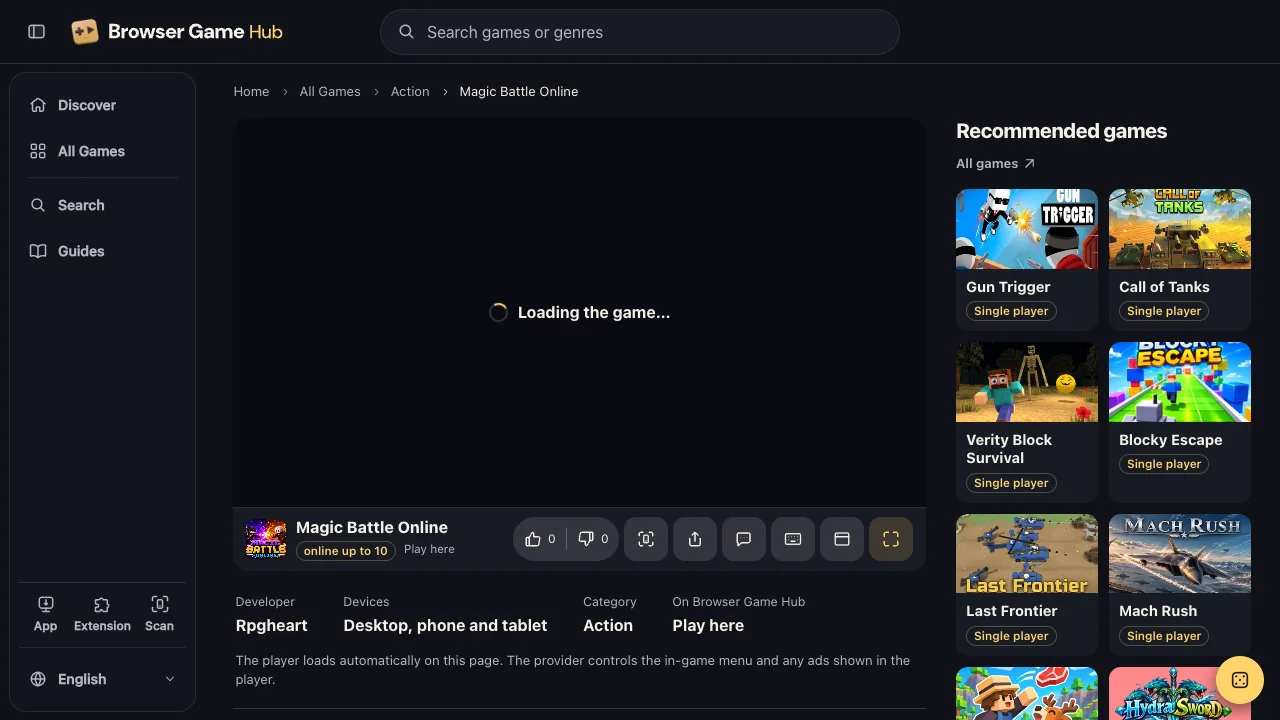
The loading message belongs to the outer player. Wait for the name form to replace Loading the game
On the local desktop detail page, the loading message first filled the player. Wait for the game itself to appear before looking for a controls or join screen.
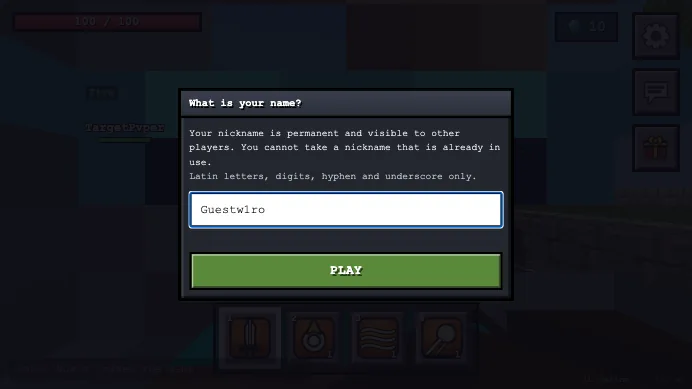
The status and dimmed arena are visible behind the form. The recorded test did not enter a match. Read the notice over the arena view
The form says the nickname must be unique and may use Latin letters, digits, hyphens or underscores. Its PLAY button submits the name. Our run stopped on this screen.
If What is your name? is visible, the game is waiting for a nickname. A generated Guest value in the box is still subject to the form's public-name notice.
Tell loading apart from the entry prompt
Tell which screen the player has reached
On desktop at the local Browser Game Hub preview, the player first printed Loading the game. It then showed a dimmed arena with a What is your name? form over it. An online count was visible in the background. This is the nickname gate. The game text says that the chosen name is permanent and visible to others. The test used no nickname and ended before combat. For players who choose to join, the keyboard details below come from the game's published controls.
Other games that open in single-player mode
Frequently asked questions
The game filled in a Guest name. Does that make it private?
The form still describes the name as permanent and public. A prefilled value occupies the same field that its PLAY button submits.
Read the naming rules before joining. The panel specifies Latin letters, digits, hyphen and underscore, and says names in use are unavailable. The arena view behind the form can load even while the panel blocks control.
Why am I seeing Loading the game instead of the nickname form?
The player is still opening the game. In the test, the loading message was replaced by the arena view and name prompt without reload.
If the outer message stays for an unusually long time, try a single reload of the detail page and watch for the title What is your name? When that title is present, waiting longer will leave you on the game's name entry screen. Check the panel rather than trying move or cast behind it.
How do I switch from a spell to the blade after joining?
The published desktop control is 1 for the blade, with 2, 3 and 4 for the three spell slots.
Use the slot number you can see in the bar and look for the corresponding selection before taking another action. The published controls list Ctrl for running and Shift for crouching. Combat and slot changes were outside this desktop check.
What happens after I choose an element?
The publisher describes using an element's spells in an online arena, then improving mastery, spell ranks and runes. The listed arena rotation is every five minutes.
After joining, practice one spell in an open part of the arena before switching elements. See how it travels and how much room you need to use it. When the map rotates, orient yourself again before using the same approach. The website's up-to-ten listing refers to an arena, while the number behind the name prompt was labeled online.






Find another game to play
Explore more racing, puzzle, and sports games, or pick one at random.


