
- Developer
- Immanitas
- Devices
- Desktop, phone and tablet
- Category
- Action
- On Browser Game Hub
- Play here
The player loads automatically on this page. The provider controls the in-game menu and any ads shown in the player.
Game overview
Enter The Island of Trinks, walk right from the starting sign and press C. The desktop test caught the yellow arc on the first grassy stretch.
Watch gameplay
Try the opening sword swing in HydraSword
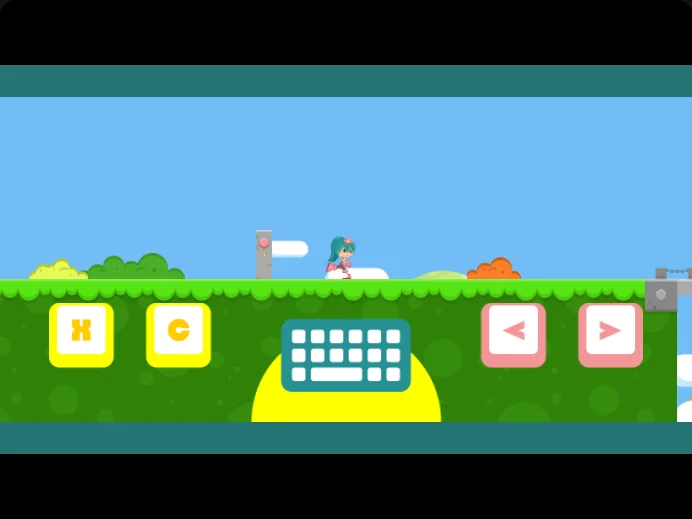
The grass by the sign gives you room to try the keys. Open The Island of Trinks
Use the yellow arrow on the island map. The first grassy platform shows a sign, the hero and a row of key prompts. Hold Right Arrow to walk toward the crossing.
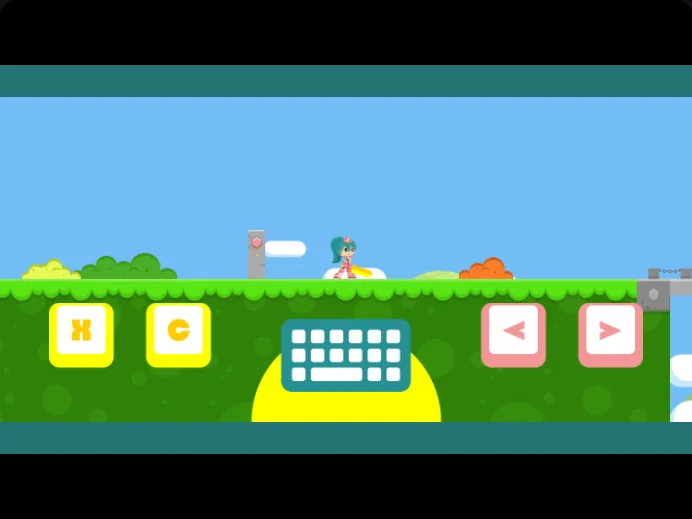
This frame shows a swing. An enemy hit was outside the test. Press C and look just ahead of the hero
Tap C. A small yellow arc appears in front of the hero. Compare it with the stance in the first picture to see when the animation is active.
Use the yellow arc to see which way a swing faces on safe ground. Leave the edge and any creatures ahead for a separate decision.
Separate jump timing from the sword input
Learn the swing before reaching the crossing
The Island of Trinks starts on a flat grassy stretch. Move away from the sign with Right Arrow and press C while you are still on level ground. The yellow arc will give you a reference for the direction of the swing. Use the figure in the picture as a visual guide rather than treating the arc as a measured hitbox. The test covered walking and swinging in the opening area.
More games with a break in the path

Frequently asked questions
What should I press when the grass platform ends?
Use X to jump, as listed in the game's keyboard guide. Look for the place you intend to land before moving off the grass.
The row of prompts shows X beside C, with the arrow keys on the other side. Practice the two actions separately on the grass so you can recognize which animation you started. If there is a creature near your landing, allow room for the jump before planning the sword input.
How can I tell whether I pressed C too early?
Watch for the yellow arc and compare its position with the creature while the animation is visible.
If the creature still has a clear gap between it and the arc, let it get closer or take a short step on safe ground and try again. If the game gives hit or health feedback, use that to confirm contact. The opening photo only confirms the animation.
What if the crossing and a creature need attention at the same time?
Choose the landing before attacking. When there is room on the other side, use X to cross, then turn toward the creature and use C as it comes into reach.
If the last attempt missed the landing, find a different takeoff mark on the grass and try again without changing when you use the sword. If you landed but took a hit, check where the creature was when you touched down. The game describes five stages on land and in water. The grass by the first sign is a useful place to check the two inputs before any of those transitions.
What should I look for if C seems to do nothing?
Check that the game has focus, then look just in front of the hero for the yellow arc.
Tap C on a clear stretch while the hero is facing a direction you can see. The second picture captures this brief arc just ahead of the sprite. If your eyes are already at the other end of the platform, it is easy to miss the animation. Compare the space next to the hero, then read any enemy feedback separately when trying it in combat.





Find another game to play
Explore more racing, puzzle, and sports games, or pick one at random.


