

- Developer
- Immanitas
- Devices
- Desktop, phone and tablet
- Category
- Action
- On Browser Game Hub
- Play here
The player loads automatically on this page. The provider controls the in-game menu and any ads shown in the player.
Game overview
Drag directly on the blue plane to change height. In the desktop run it moved from the middle to the top of the clouds and then down again. It kept firing without a separate fire input.
Watch gameplay
Move the blue plane between lanes in SkyFury
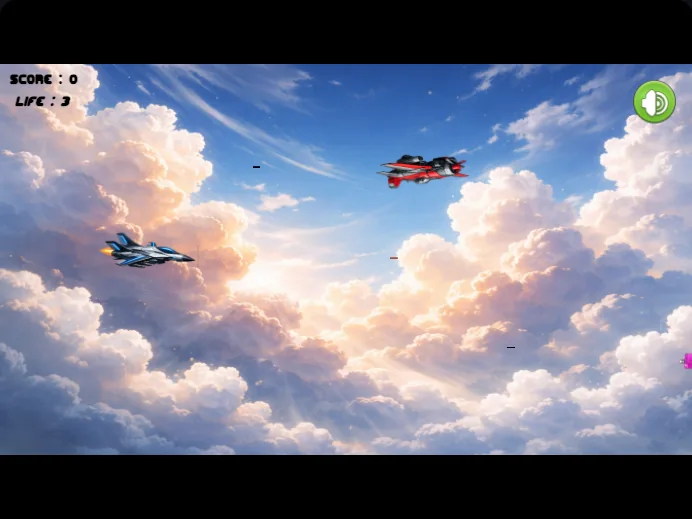
The red aircraft is approaching from the right. Start the run and find Life 3
Press the yellow Play icon. Find the blue plane on the left and the life display at the upper left. The opening frame showed LIFE 3 and SCORE 0.
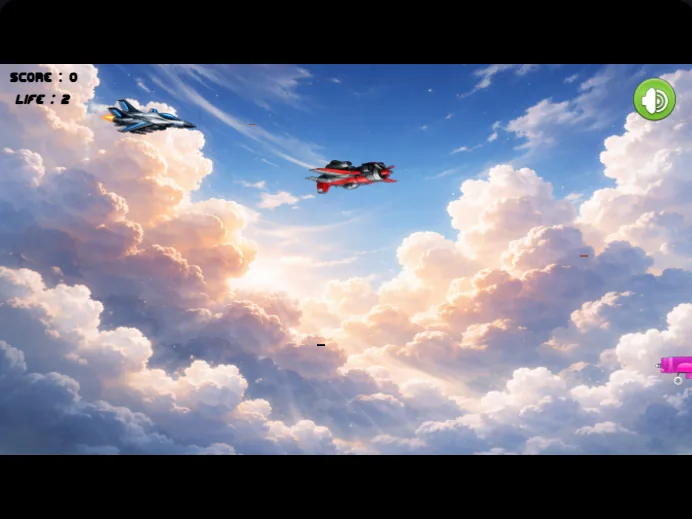
The life display reads two in this frame. Drag the aircraft upward
Press on the blue plane and pull it toward the upper clouds. Its height changes while it continues to shoot. The middle and upper positions make the movement easy to compare.
When you come down from the top, look at the whole path to the next lane. You can cross an oncoming plane or shot even if your destination looks clear.
Line up automatic shots without running out of room
The same plane at two heights
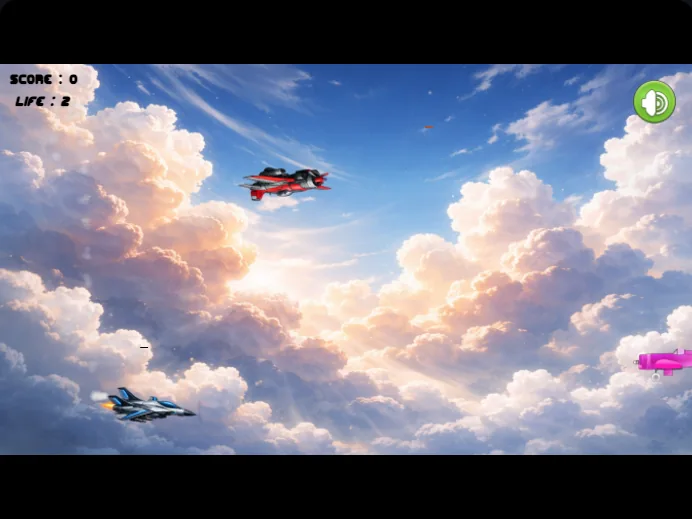
The down drag put more vertical space between the two aircraft.
Move the plane to move its line of fire
Put the pointer on the plane and hold while dragging. In the desktop run we moved the plane well above the middle cloud layer, then well below it. The plane fired while moving. A specific hit was not confirmed. The first frame shows three lives and the later frames show two. The screenshots do not establish which contact cost that life.
Two other ways to read moving targets

Frequently asked questions
Do I have to hold a fire button while I drag?
No. The plane fires automatically. Drag the body of the plane to change the height of its shots.
If an enemy is approaching in a mostly clear lane, try matching its height for a moment. Keep the blue plane far enough from the edge of the screen to move either way when another plane arrives. When breaking off, look along the full vertical path before crossing.
How can I tell if a safer run is actually scoring?
Compare SCORE and LIFE separately. Surviving a pass and taking down a plane give different feedback.
The three pictures let you compare heights at zero score. For a second run, try one short alignment with a lone aircraft and watch the score after it passes. If the only change is a lost life, choose a wider escape lane earlier on the next attempt.
Where do I start a drag when the plane is already moving?
Put the pointer directly on the blue plane, press and keep holding as you drag. The publisher lists dragging with a finger on touchscreens.
Try a short upward drag from mid-height and compare the plane to the nearest cloud edge. Follow with a downward drag if the track is clear. In the pictures the blue aircraft ends at opposite ends of the cloud layer. This comparison helps you tell whether you grabbed the plane before you try to dodge through an occupied lane.
What should I do when enemies approach at different heights?
Look for an opening with room above or below it and move early. The plane can keep shooting as you leave a crowded lane.
From a middle height you can often choose either direction. Once you are against the top, your next move may need to cross the same lane you were trying to avoid. Use the relative positions in the last two photos to plan a route. The upper screenshot puts the blue plane near the red aircraft's height. In the lower screenshot there is a much wider vertical gap.
How many lives does a SkyFury run start with?
The life display begins at three. It drops as the plane is hit, and the run ends once you run out.
Where can I try to beat the last result?
The end screen shows your score and a play icon. Start another run from that icon and compare the two results.






Find another game to play
Explore more racing, puzzle, and sports games, or pick one at random.


