
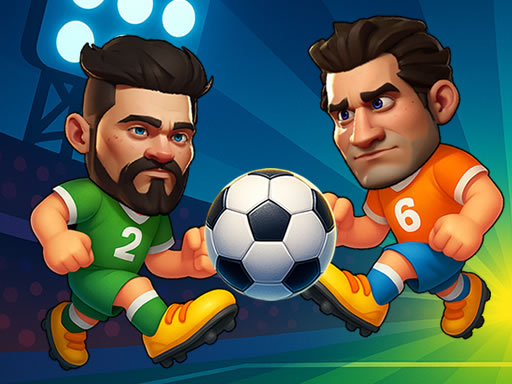
- Developer
- New Kids Games
- Devices
- Desktop, phone and tablet
- Category
- Sports
- On Browser Game Hub
- Play here
The player loads automatically on this page. The provider controls the in-game menu and any ads shown in the player.
Game overview
Close the language selector and enter the interactive lesson. On desktop, holding D moved the player from the left half to the right, with the key display changing as you moved.
Watch gameplay
Cross the Head Ball Challenge tutorial pitch
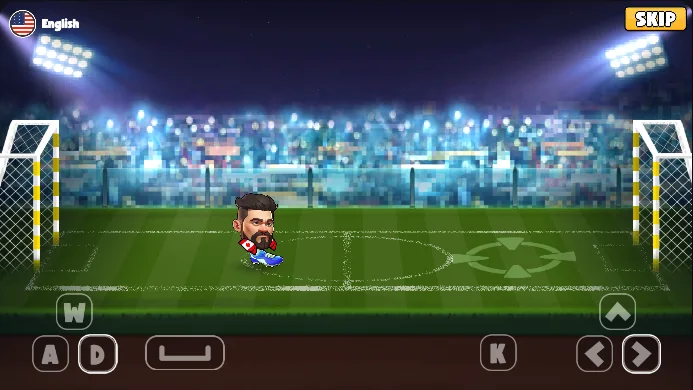
Our desktop test started on this side. Get to the pitch with the key display
The lesson shows two sets of controls along the bottom. Find the player just left of midfield before you press D, and use the center line to orient yourself.
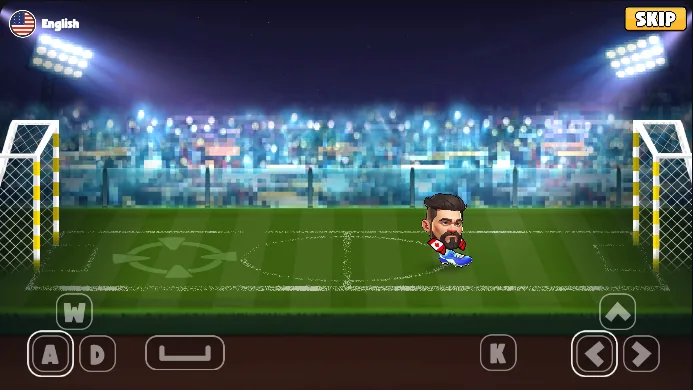
The visible change verified horizontal movement. Shot and jump results were inconclusive in this attempt. Hold D and follow the player past midfield
Press D to move right. Release after crossing the middle. Look at where the character is compared with the right goal, and see which key is lit underneath.
Use midfield as a reference to learn how far a short hold moves you. Once you reach the ball’s falling path, time the jump to its height.
Reach the ball’s path before jumping
Practice stopping short of the ball
From the left half, a hold on D was enough to run past midfield. In a match, use a shorter hold as you come up to the projected landing point. Stop with some space between the ball and your goal so you can respond when it drops. When defending a lofted ball, try to arrive at its path before you decide to jump.
The game lists W, A and D or arrows for movement and Space and K for shots, depending on the side. Follow the display for your player in local multiplayer. We tried W and Space on the first tutorial pitch without getting clear evidence of a jump or shot. The pictured comparison shows D moving the player horizontally.
Other games for reading the drop
Frequently asked questions
Which mode should I choose to practice a return?
Choose Career for solo practice, or the local mode if a friend shares the device.
The tutorial lets you look at the key display first. In a match, if a first touch pops the ball back up, take a short step to its next landing spot and keep yourself between it and your goal. Standing under the path before jumping gives you time to adjust.
How can I tell which side’s keys the tutorial is showing?
Read the two clusters along the bottom, then test one direction and follow the player on the field.
The left cluster includes W, A and D and the wide shooting key. The right cluster shows arrows and K. In the tutorial, we used D and saw the character move past the center. For a local match, use the side shown for your player. If the other player moves, compare the assigned clusters before testing a shot.
What should I change if I always jump past a high ball?
Get to where the ball is headed, stop your sideways run and try the jump later.
Use a pitch line to judge where the ball will come down. If you watch only the ball and hold a direction the whole time, you may already have run past its path by the time it reaches head height. Work on stopping near the line first. In the pictured test we practiced crossing midfield. The jump and goal timing are an exercise to try in a full match.
Can a friend join Head Ball Challenge from another device?
The two-player option described for this build is local play on the same device. Use Career when you want to play alone.
Where is the shoot button on a phone?
The touch layout has a directional pad for moving and a separate action button for shooting.





Find another game to play
Explore more racing, puzzle, and sports games, or pick one at random.


