
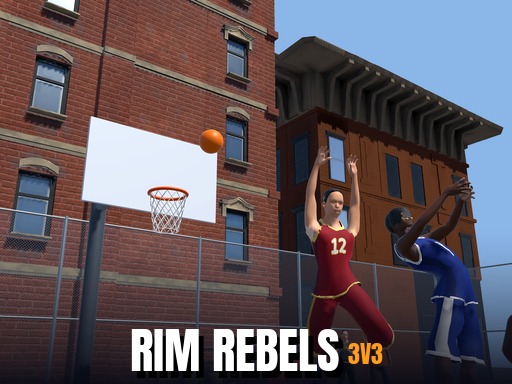
- Developer
- Broxy Games Ltd.
- Devices
- Desktop, phone and tablet
- Category
- Sports
- On Browser Game Hub
- Play here
The player loads automatically on this page. The provider controls the in-game menu and any ads shown in the player.
Game overview
Choose Play vs CPU. At center court the tip-off prompt says to press J or Space to jump and catch or tip the ball. Space brought up TIPPED! in our desktop match.
Watch gameplay
Time the jump ball in Rim Rebels 3v3
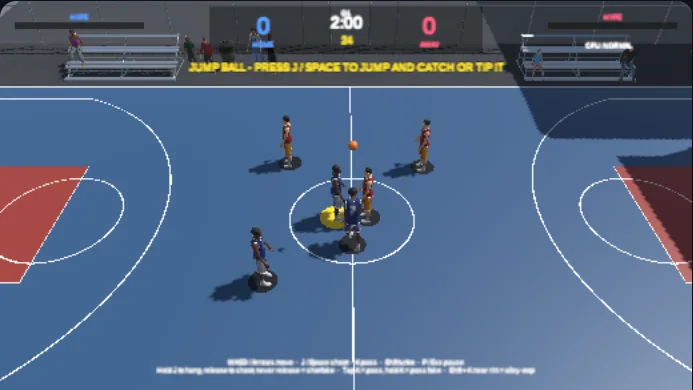
The score is 0–0 and the countdown has yet to run. Read the jump-ball prompt at center court
Start Play vs CPU. Find the two players at the center circle and look for the yellow prompt below the game clock. Use Space to jump as the tossed ball comes into reach.
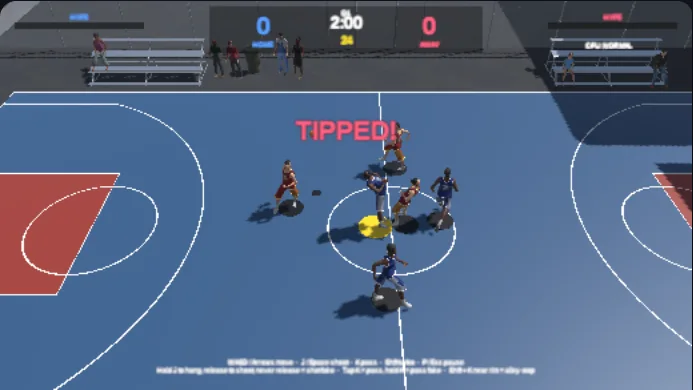
The tip label confirms the action and does not say which side secured the ball. Press Space and check for TIPPED!
Watch the toss and press Space as the ball rises. TIPPED! appeared after the input in our run. Look for where the ball goes before sprinting after it.
Wait for the toss to rise before pressing the tip key. Once play starts, follow the ball and the yellow marker.
Look at the ball, then the timer
From tip-off to open play
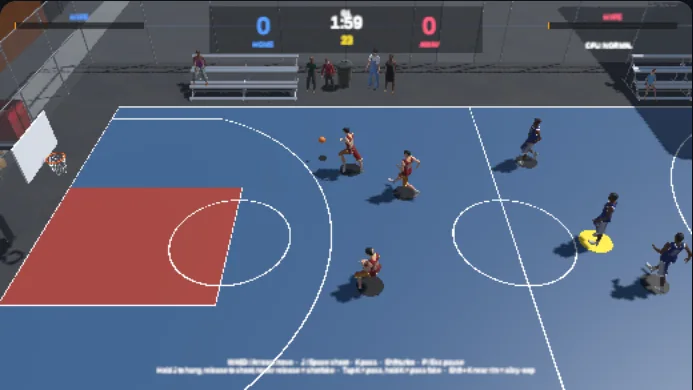
The test moved into open play and did not cover a full match.
Read the opening as two separate actions
First watch the jump ball rise so you can time the jump. After Space and TIPPED!, watch the ball leave the middle rather than pressing the jump button repeatedly. When the match clock starts, look at the yellow marker to locate your player and use the game’s E input if you need to switch. The photos show the tip-off and start of open play.
The published controls change with possession. On offense, tapping K passes and holding K fakes. On defense, K attempts a steal. Check which team has the ball before touching K, especially right after the scramble at center court.
More basketball and quick court games

Frequently asked questions
Why does the player jump without releasing the shot?
Release J or Space after starting a shot with that button. Holding it keeps the player in the air.
The instructions describe this use of the shot key during possession. The initial Space press in our session was for the tip-off. In open play, get clear of the nearest defender before testing the press and release. Observe the ball after release so you can tell whether the shot went up.
Does TIPPED! tell me which team has the ball?
It confirms the tip. Follow the ball and the marked player after they leave the circle to see what happened next.
Immediately after Space, TIPPED! appeared while the clock was still at its opening time. In the last photo the clock is running and the players have spread out. Switch your attention to the current ball carrier then, because the next K input means pass or steal depending on which side has possession.
Which possessions are good for an alley-oop or Super Shot?
Try an alley-oop near the basket when there is room for a teammate’s run. Decide whether to spend the Super Shot before your team is crowded.
The game lists Shift + K for the alley-oop and gives each team one Super Shot per quarter. In a CPU practice game, make a regular K pass first and look at how your teammate gets toward the basket. That gives you a route to compare before trying Shift + K. The opening test confirmed tip-off. These later moves follow the published controls.
How do I invite a friend to Rim Rebels 3v3?
Create a room in the online menu and give your friend the room code. Choose Quick Match to look for an opponent without a code.








Find another game to play
Explore more racing, puzzle, and sports games, or pick one at random.

