
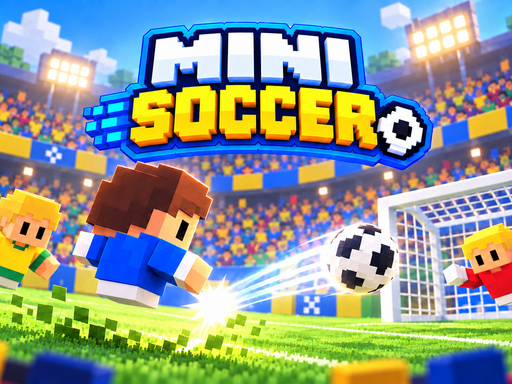
- Developer
- Mapi Games
- Devices
- Desktop, phone and tablet
- Category
- Sports
- On Browser Game Hub
- Play here
The player loads automatically on this page. The provider controls the in-game menu and any ads shown in the player.
Game overview
Choose Play Match and start a friendly. In Italy vs Brazil, Right Arrow moved the cyan-marked player toward midfield and the action buttons showed TACKLE and SWITCH while Brazil had possession.
Watch gameplay
Read possession in Mini Soccer 3D
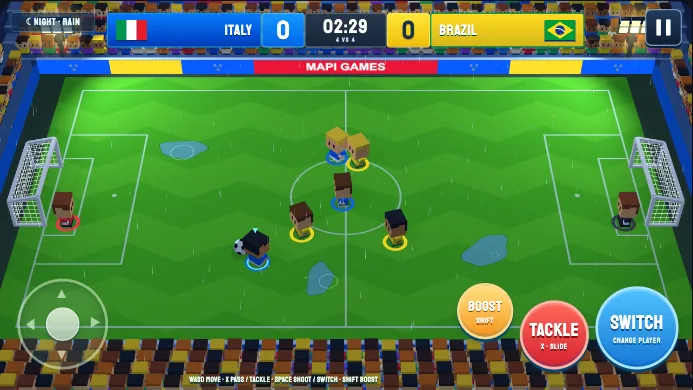
The cyan marker identifies the player we followed. Find your player after kickoff
Our friendly started with Italy in blue and Brazil in yellow. If the game stops on the pause screen after an ad, use its resume control and look for the cyan marker.
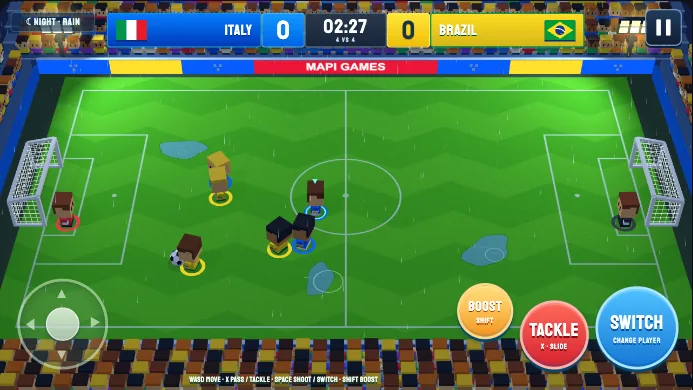
Check the current labels before assuming a button will pass or shoot. Move across the pitch and read the buttons
Hold Right Arrow briefly and follow the marked player toward midfield. When Brazil controlled the ball, the panel showed TACKLE and SWITCH.
Watch the marker over your player and the bottom labels together. Let the labels tell you when you are set up to defend.
Use the current action labels
What the scoreboard records
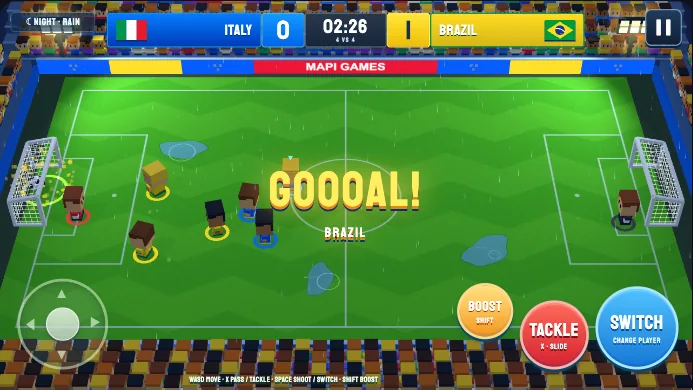
The score change belongs to the opponent in this test.
Look at the ball carrier before pressing an action
In Italy vs Brazil, following the cyan marker was enough to see that Right Arrow moved the intended Italian player. Brazil had the ball during the photographed sequence. The bottom panel showed TACKLE and SWITCH and the next goal was Brazil’s. Use the marker and ball carrier to decide which defender to move. Put a player between the carrier and your goal before trying a tackle.
The key legend along the bottom shows WASD to move, X for Pass/Tackle, Space for Shoot/Switch and Shift for Boost. We used Right Arrow to verify movement. When you gain the ball, note how the action labels change and try an ordinary pass with X. The photos capture movement and Brazil’s goal. Passing, tackling and shooting with the keyboard were outside this test.
More quick football games
Frequently asked questions
When do I have time to charge a Super Shot?
Start charging after getting the ball to a player who has a clear route and room before a defender reaches them.
The game describes holding Shoot to charge and tapping it for a quick shot. Check the nearest defender as the receiver gets the ball. If they are already closing, make the quick input or pass again. Learn the on-screen prompts in a friendly first.
What if Right Arrow moves someone other than the player I was watching?
Find the blue control marker and follow that player, then look for SWITCH while you are defending.
In the first photo Italy’s marked player is left of the midfield group. Two seconds later in the match, the camera and players have shifted, so the marker is a better reference than the same patch of grass. Tap the game’s switch control if you want to see who it selects next, and verify the change before holding another direction. The screenshot shows SWITCH available, while this run verified movement of the original marked player.
Why did the banner show a goal when my team’s score stayed at zero?
Read the team name below GOOOAL! and compare the two scores at the top.
In our friendly, Brazil was wearing yellow and Italy blue. The banner said BRAZIL, and the score went from 0–0 to Italy 0, Brazil 1. Use the scoreboard to distinguish an opponent’s goal from the chance you were following. After kickoff resets play, find the player marker again before trying to move.
Which match should I choose while learning the controls?
A friendly gives you a single match to practice pass timing and shooting. Choose the tournament when you want to play for the cup.
What does four-a-side mean in Mini Soccer 3D?
Each team fields four players. It describes the teams on the pitch, while this browser version is played solo.






Find another game to play
Explore more racing, puzzle, and sports games, or pick one at random.


