
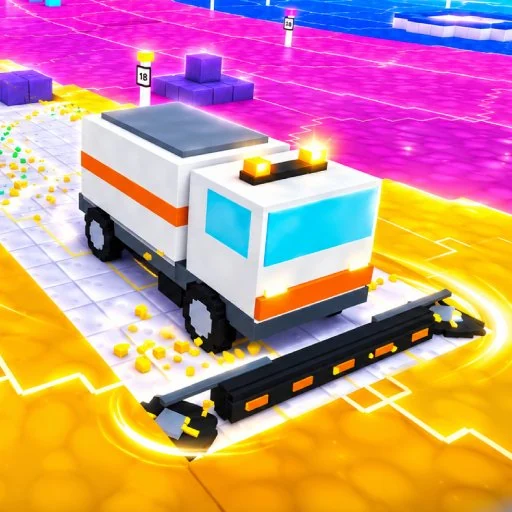
- Developer
- FBK
- Devices
- Desktop, phone and tablet
- Category
- Simulation
- On Browser Game Hub
- Play here
The player loads automatically on this page. The provider controls the in-game menu and any ads shown in the player.
Game overview
Press W down the ship ramp with the toothbrush equipped. Walking over orange dust left a clean strip and changed the tool reading from 0.00/0.60 to 0.28/0.60 kg.
Watch gameplay
Sweep the first strip outside the ship
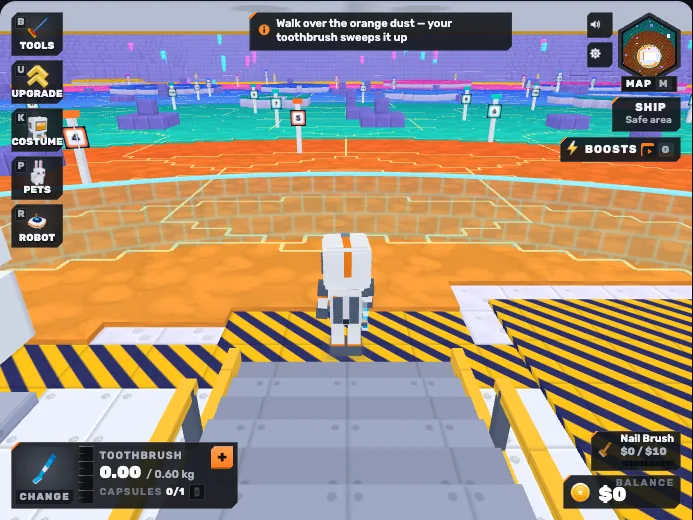
The toothbrush is already selected. Walk out with the toothbrush
Hold W down the ramp toward the orange dust shown by the tutorial. TOOTHBRUSH at the lower left begins at 0.00/0.60 kg.
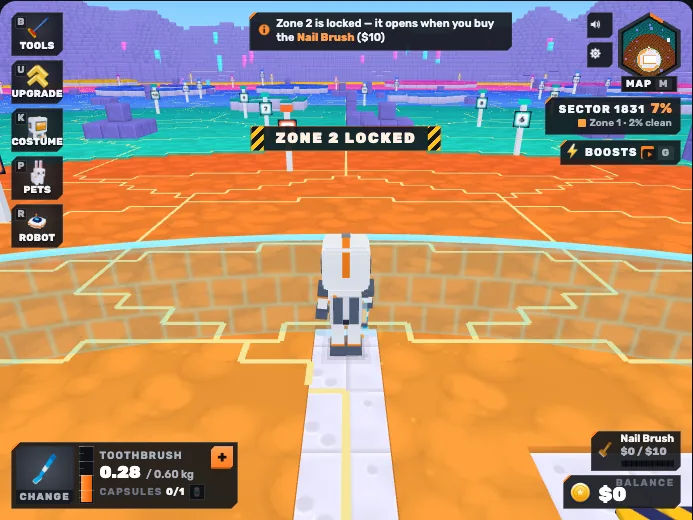
The next zone is still marked locked. Walk a strip and read the meter
Keep W held over the orange dust. The cleaned path appeared beneath the character and the reading rose to 0.28/0.60 kg.
Use the ship ramp as a landmark and watch the tool meter before walking all the way to the next zone.
Check capacity and return to the ship
Sweep across a fresh part of Zone 1
Walk down the first ramp with the toothbrush and step onto the orange dust. The desktop test only needed W. The screen shows the cleaned strip behind the character and the amount changes to 0.28/0.60 kg. On the next pass, step off that clean strip into orange ground to give the brush a fresh row to sweep.
More material-gathering games
Frequently asked questions
Why does the game say Zone 2 Locked?
The next zone in this build opens when you buy the Nail Brush. Keep cleaning the nearby orange patch with the starter toothbrush.
The notice is about the tool gate. Use the tool weight for the current sweep and the zone sign to tell where you can clean. Keep the ship ramp in view while you learn this part of the route.
What do I do after collecting dust?
The guide says Q packs dust into a capsule. Bring the capsule to the ship for payment, then read the tool options.
The opening screenshots cover the change in weight from zero to 0.28 kg. A capsule sale and a brush purchase were outside this test. On your first return, compare the capsule and cash readouts so you can tell the packing step from the sale.
What does 0.28/0.60 kg say about my next move?
The first number is what the toothbrush carries. The second is its capacity. At 0.28 kg it has another 0.32 kg of room.
Look at the edge of the strip when you choose the next pass. Staying on the white lane takes you next to dust without covering the orange ground on the side. Step sideways one strip and walk parallel to the first. Use the carry reading, not the distance walked, to judge when to head back.
Which menu should I open if I want to replace the toothbrush?
The game's guide lists B for Tools and U for Upgrades. It also lists E at the counter and Q for packing collected dust.
Try paying attention to different parts of the loop. If the small brush needs several passes to cover a nearby region, compare tools. If you spend most of the time walking home, see how close to the ramp you can work while you build up to the next tool. The larger zones and later robot vacuums are described by the game guide.
What is the reward for clearing a hex sector?
The publisher describes extra rewards for clearing hex sectors. Look at sectors as larger cleanup targets.
Can I automate some cleanup?
The publisher lists robot vacuums that can be hired. They are an option as you progress past the starting brush.





Find another game to play
Explore more racing, puzzle, and sports games, or pick one at random.


