
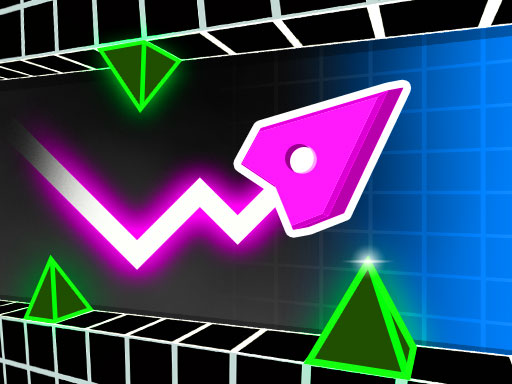
- Developer
- gameVgames
- Devices
- Desktop, phone and tablet
- Category
- Arcade
- On Browser Game Hub
- Play here
The player loads automatically on this page. The provider controls the in-game menu and any ads shown in the player.
Game overview
In Classic Rookie level 1, click the course to start and hold Space briefly. The arrow climbed and then angled down after release. The progress number rose above zero.
Watch gameplay
Read the first green gap in Geometry Vibes 3D
What a short Space press looks like
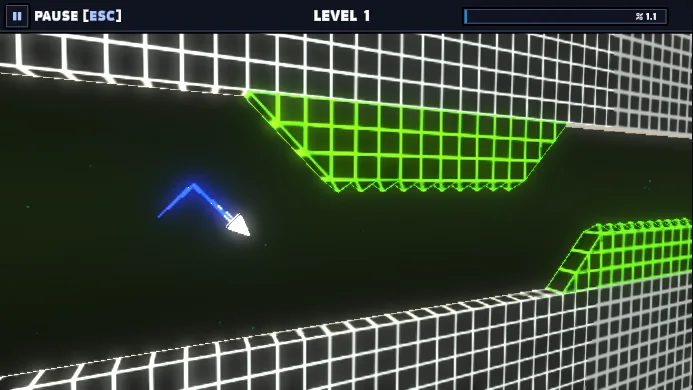
Hold length changes how far the arrow climbs before you let it descend.
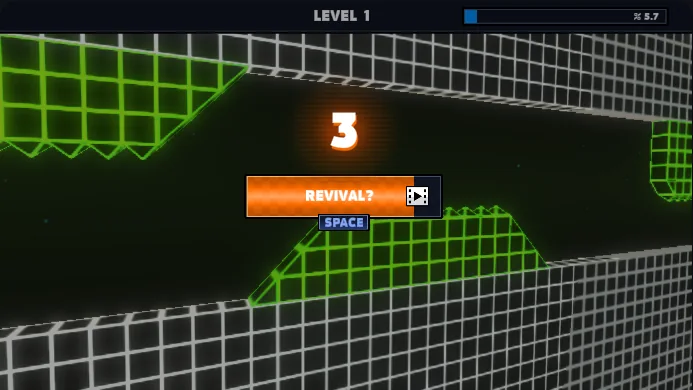
This is a separate attempt. Read the prompt before giving another flight input.
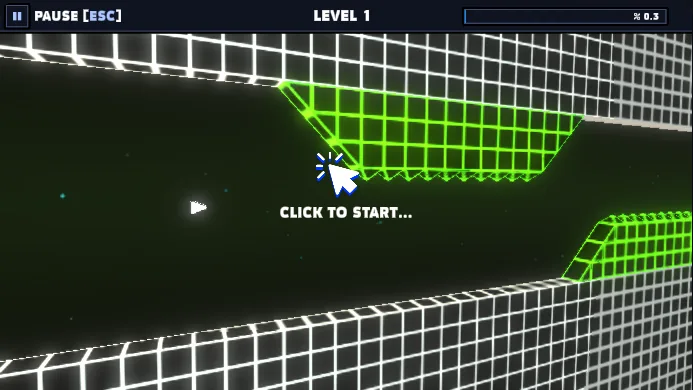
The shop's START opens this waiting screen. Start from the course prompt
Select Classic, Rookie and Level 1. Press START in the skin shop, then click inside the course at CLICK TO START.
Watch the near edge of the next green obstacle. Pick a height that will be safe when you reach that edge and make the correction while you still have open space.
Predict where the arrow meets the opening
Read the space between the green meshes
Look past the arrow to where the next green face cuts into the lane. There is a low roof and a raised section of floor in this part of Rookie level 1. Set your height for the nearest face first. While practicing, keep one short Space press and its release distinct so the blue trail shows where the correction began and ended.
More courses with hold-and-release movement
Frequently asked questions
Why do I hit an edge even when I can see a wide gap farther ahead?
Judge the gap at its near edge. A distant opening can be visible before you have cleared the green face that comes first.
For a low ceiling, note where the previous trail turned down and try releasing a little earlier on the next attempt. For a raised floor, choose a repeatable landmark before it and try starting the climb there. Change one of those timings per run so the next collision gives you a clear comparison.
How do two people share the keyboard?
The game documents W, Space or left click for player one and Up Arrow for player two. Confirm those prompts in the local mode before starting.
If a key scrolls the page, click the course first to give it keyboard focus. The flight shown here was in Classic single-player on desktop.
What do I do at the revival countdown?
Read the revival prompt and check whether the course has returned to its waiting screen before giving a flight input again.
The opening screenshots include one attempt on the orange REVIVAL panel and another in active flight. Compare the two states. During flight the arrow and its moving trail give you input feedback. At the prompt there is a large countdown over the corridor. If you resume practice from the start, pick the same low roof or raised floor to time your first correction.
Should I aim for stars or first learn the corridor?
Learn a safe line through the obstacle first, then replay for stars that sit off that line. The game guide lists stars as Market currency for skins and trails.
Repeat a short section of the Rookie opener before moving to a Pro or Expert course. If you want a distance run, the guide lists Endless separately from Classic. On the pictured opener, try reaching the green roof at a reliable height before adding a move toward a star.
Does the Endless leaderboard let me race someone online?
It compares distance scores. The two-player mode pairs you with someone on the same computer.



Find another game to play
Explore more racing, puzzle, and sports games, or pick one at random.


