
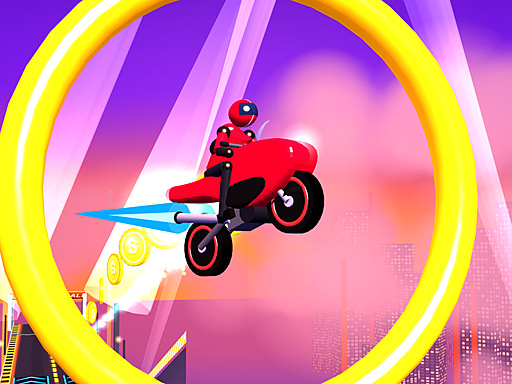
- Developer
- 412400mM
- Devices
- Desktop, phone and tablet
- Category
- Arcade
- On Browser Game Hub
- Play here
The player loads automatically on this page. The provider controls the in-game menu and any ads shown in the player.
Game overview
Hold W from the checkered line in Level 1. The desktop bike crossed it on the yellow center stripe. The speed reached about 48 km/h and the score showed 10.
Watch gameplay
Launch cleanly on Sunset Boulevard
Check speed and position after W
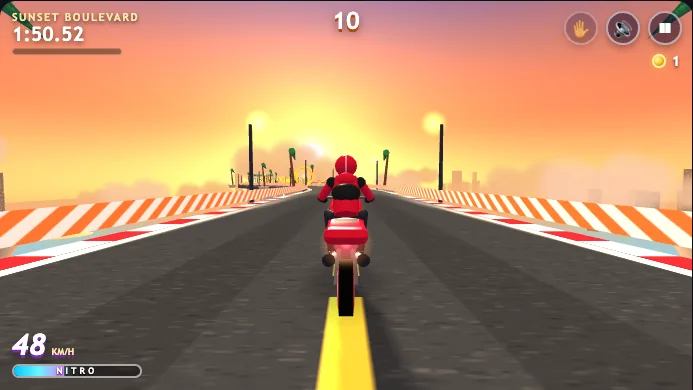
Compare the bike with the road marking to see if it is still lined up.
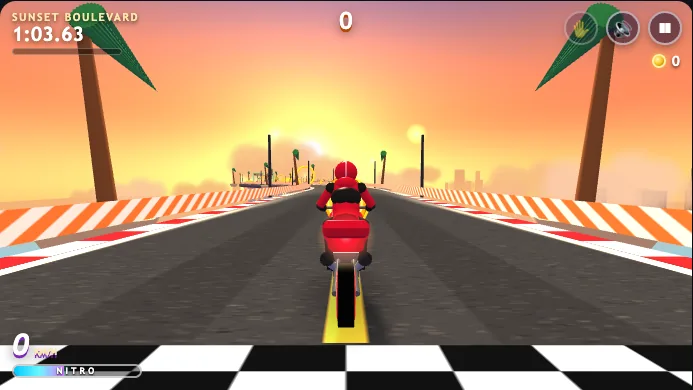
The speed display is at the lower left. Line the bike up with the yellow stripe
In Level Challenge, read the lower-left speed display and look down the stripe before accelerating. Hold W and keep the steering neutral on the opening straight.
Pick a line first and add speed after the bike points along it. The center stripe gives you an easy reference on the Sunset Boulevard opener.
Set up the approach to a ramp
Use the straight as a baseline
Sunset Boulevard begins with a checkered line and a yellow stripe. The bike in this run started at 0 km/h, then stayed on the stripe while W moved it onto the straight. The 48 km/h reading is the speed at the photographed moment. For the approach to a ramp, look up from the speed display and track where the front wheel is pointing. A clear approach lets you separate a speed problem from a bad entry angle.
More games for line and speed control
Frequently asked questions
What should I change if the bike lands sideways?
Straighten the entry before takeoff, then try a small airborne correction if the bike still tilts away from the landing.
The guide lists S or Down for braking and A/D or Left/Right for tilt in the air. Start toward the center of a ramp at a speed you can repeat. See whether the wheel line agrees with the runout as you descend. If a small tilt makes it worse, change the timing before attempting a full trick. The desktop run verified the launch on the straight. We used the listed controls for the ramp advice.
Where should I spend a charge of nitro?
Save it for a straight stretch or a ramp you have already lined up with.
The published controls use Space to drift and Shift to spend nitro. Try the ramp once at regular speed first. If you are still steering at the lip, boosting there shortens the time you have to fix the approach. Use Free Stunt Arena when you want to repeat the same jump and compare the landing.
Which mode is better for comparing approach speeds?
Use Free Stunt Arena to repeat a ramp. Choose Level Challenge when you want to practice carrying speed through obstacles and jump rings toward a finish.
Keep an easy entry line for the first try and note the speed as the bike reaches the lip. Repeat with a little less throttle and compare the landing against the same road marking or edge. Leave the trick out until you can repeat the approach. Then you can tell whether a longer jump comes from nitro or a different entry.
What if the bike stalls or goes off the line?
Use the listed R reset if the bike is stuck. On a clear straight, ease off W and steer gently back into line before accelerating again.
Watch the front of the bike against the center marking as you correct. A/D or the left and right arrows steer on the ground. S or Down brakes. On touch devices the guide lists separate pedals, steering, drift and nitro controls. Check the displayed button for the action you want before leaning into a corner.








Find another game to play
Explore more racing, puzzle, and sports games, or pick one at random.


