
- Developer
- gameVgames
- Devices
- Desktop, phone and tablet
- Category
- Arcade
- On Browser Game Hub
- Play here
The player loads automatically on this page. The provider controls the in-game menu and any ads shown in the player.
Game overview
Open Classic level 1, leave the skin shop with START, then click the course. A brief hold of Space raised the ball in the desktop run. It descended on release, leaving a visible peak in the white trail.
Watch gameplay
Start a run and control the first rise in X Ball
Starting level after release
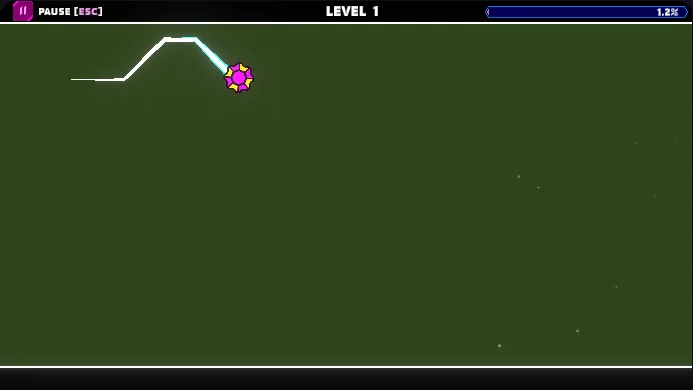
The descending line shows the release, and the progress bar has moved above zero.
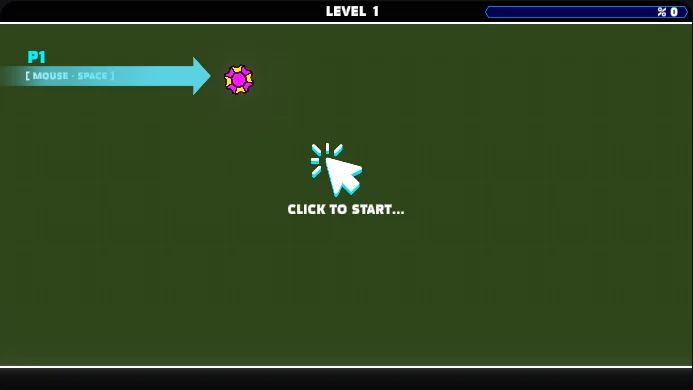
The waiting screen gives you a moment to find the ball. Click when the green course says CLICK TO START
Look for the pink ball and the P1 marker. Click inside this screen before practicing a short hold.
Pick a point inside the next gap. If you already have the height, release before the ball reaches the top edge and save the next hold for the following opening.
Use the trail to adjust the two inputs
Read the peak before chaining inputs
The white path in the opening screenshot rises, bends, and slopes down to the ball. To repeat that shape, try a short hold where there is open space. Use the publisher's left-click or Up Arrow controls, or Space as in the desktop run. Compare where the trail peaks with the height you meant to reach. If the peak is higher than the next opening, the release needs to happen sooner.
More timing challenges

Frequently asked questions
What should I practice when two obstacles leave very little room?
Use short corrections and enter the first gap at a height that gives you room to set up the second.
Pick a landmark before the spot you hit, such as the near edge of a block. Keep the hold length about the same and move its start earlier or later from that edge. If the path reaches the right height too soon, shift the input toward the obstacle on the next try.
What should we check before a four-player round?
Choose the mode for your group size and have each player read their displayed key. The publisher lists Up Arrow, H and L as additional inputs in local modes.
The screenshots show Classic solo play on desktop. In a shared-keyboard round, take a few seconds to identify which ball moves when each player presses their key.
Why do I see the ball but cannot get it moving?
Press START in the skin shop and then click the green course at CLICK TO START. Once play begins, check the ball and progress bar after a short hold.
The waiting image has a cyan P1 arrow beside the pink ball, and the bar is at zero. In active play the white trail stretches out behind it and the bar advances. If a keyboard input has no effect, click inside the game and try the documented Up Arrow or left mouse button.
What can I learn from where the white trail changes direction?
The peak marks the change from rising to descending. Compare that point with the nearest edge of the obstacle you are about to pass.
If the ball rises into a gear before the peak, move the start earlier or shorten the hold, based on which side of the gear you meant to pass. If it is already descending before a tall block, slide the release a little later. Use the same landmark each time so you can see what the timing change did.
How is X Ball different from the earlier game?
The publisher describes new interactive levels, a challenge section and a different store in X Ball.





Find another game to play
Explore more racing, puzzle, and sports games, or pick one at random.


