
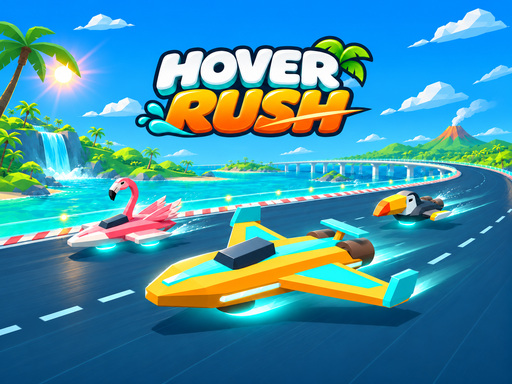
- Developer
- Mapi Games
- Devices
- Desktop, phone and tablet
- Category
- Racing
- On Browser Game Hub
- Play here
The player loads automatically on this page. The provider controls the in-game menu and any ads shown in the player.
Game overview
Choose Time Trial → Coral Bay → Start. Up brought the craft to 226 km/h on the straight. With Up and Right held, we reached the right edge at 192 km/h on lap 1.
Watch gameplay
Read the edge of Coral Bay in Hover Rush
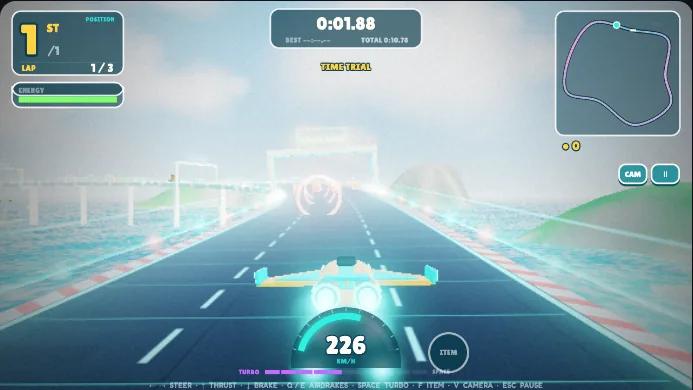
The lap indicator shows 1/3 in Time Trial. Build speed in the centre
Select Coral Bay in Time Trial. Right yaws the craft even at a standstill. Then hold Up along the marked straight.
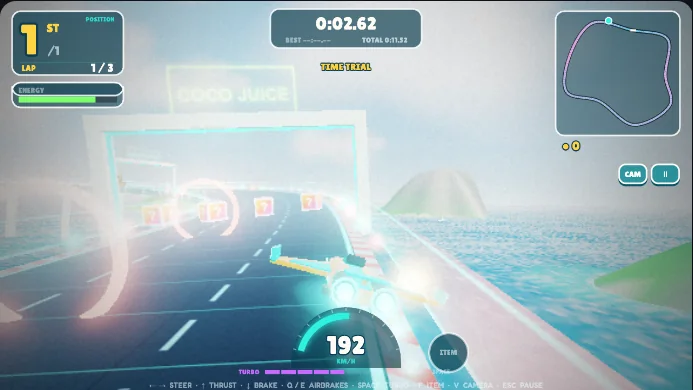
The striped lane and red edge show the change in alignment. Watch the edge while steering
Add Right. Our craft moved to the edge, and the readout showed 192 km/h. Use a shorter correction once you see the nose diverge from the lane.
Use the road stripes under the nose as a reference before the island scenery starts to swing across the screen.
Steering and edge recovery
Learn how much track the craft needs
On Coral Bay, Right changes where the nose points even before you start. Once you're moving, watch the nose against a lane marking. In our first straight, Up took the craft to 226 km/h. Holding Right with Up moved it close to the right edge, where the next capture read 192 km/h. Use the position of the craft to decide when to ease off Right.
More races for practising corner entry
Frequently asked questions
How do I practise the first sharp turn?
Choose a fixed track feature at the approach and start braking there. Compare how far outside the next turn you end up.
The controls list Down or S for braking and Q/E for airbrakes. Try a slower entry before combining multiple inputs. Save Space turbo for a section where the craft is aligned and has room to stay there. The desktop check covered thrust and Right steering, without an airbrake test or a lap time.
Should I turn across the track for an item?
Check the line back first. A box near the edge is easier to take if the next turn still leaves you room to straighten.
The item guide lists F to activate what you hold. On the opening straight, the ring and row of boxes give you landmarks. Use the painted lane to judge whether your path takes you through a box or keeps pushing you toward the boundary.
What's the difference between yawing in place and correcting the line at speed?
At rest, Right changes the nose direction. During a moving run, check both the angle and the craft's position relative to the lane.
Try Right once before accelerating in Coral Bay, then make the same short input after building some speed. Mark the lane stripe the craft was on before each input. A small angle can take you into the edge quickly at race speed, as the two screenshots show. Give yourself a wide stretch to make that comparison.
How can I use the ghost to measure an exit?
In Time Trial, pick a visible landmark before the corner and compare where you and your ghost straighten after it. Try an earlier brake point on the next lap and keep the rest of your route close.
The early 1/1 in our opening HUD belongs to the solo Time Trial. It is not a win or a lap result. The game guide describes racing your own ghost when you have a time to compare. Use the speed after the turn as well as the timer if two approaches look similar.
What comes out of an item box in Hover Rush?
Item boxes can give effects such as shields, magnets, turbo or a hop. On keyboard, press F to use the item you are holding.
Why am I moving when I only touch left and right?
Thrust is automatic with the mobile controls. The left and right buttons handle steering.
What is the hangar for?
The publisher lists eight drones that can be upgraded in the hangar.




Find another game to play
Explore more racing, puzzle, and sports games, or pick one at random.


