
- Developer
- Paul_21century
- Devices
- Desktop, phone and tablet
- Category
- Racing
- On Browser Game Hub
- Play here
The player loads automatically on this page. The provider controls the in-game menu and any ads shown in the player.
Game overview
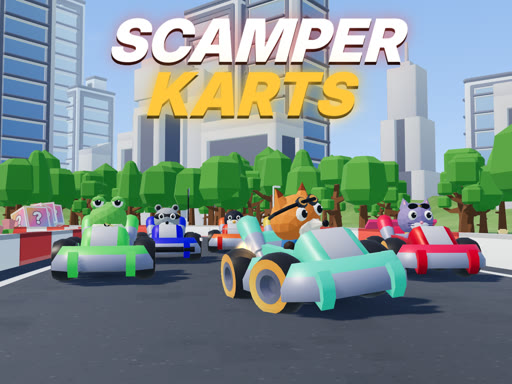
Click the race view to focus it, then hold Up through GO. The turquoise kart ran by the outside barrier, reached 2/6 and had a purple icon in slot X on the opening bend.
Watch gameplay
Leave the Sunrise Mile grid and read the X slot
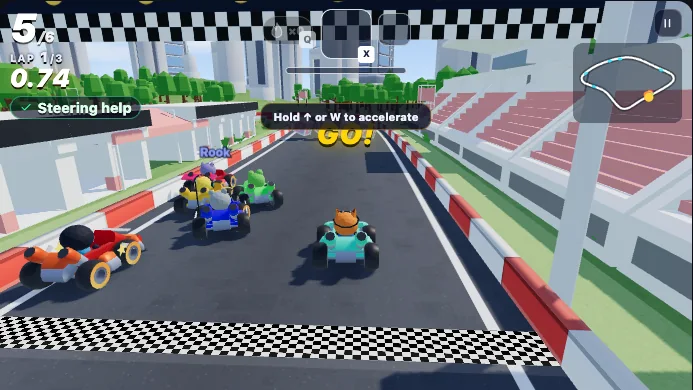
The slot marked X is still blank at the grid. Hold Up through GO
Click the race surface for keyboard focus. Use Up through the checker line. The opening HUD shows 5/6 and gives the Up or W accelerator hint.
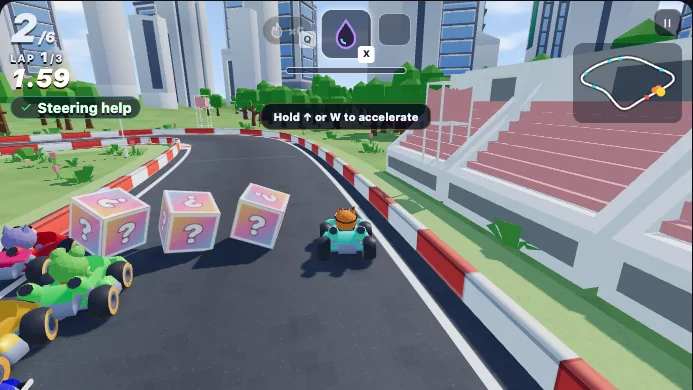
Use the X slot to tell whether you are carrying a current item. Follow the outside and check the inventory
We held Right with Up down and the kart went along the outer rail. The order changed to 2/6 and a purple icon appeared over X.
Keep one eye on the outer barrier when you go for a box. Read the icon before you use the active item.
Use the two item slots
Get the kart moving before looking down at the items
On Sunrise Mile the opening prompt sits over the straight. It says to hold Up or W. Focus the race view and keep Up held through GO, then use Right for a short change of line. We followed the outside rail and saw 5/6 change to 2/6. The purple icon was visible in the active slot by the time we reached the row of boxes.
The 2/6 describes one point in lap one. Keep looking at the rail as the bend closes. If the gap between the kart and the barrier is shrinking, release the steering input and use the part of the track you can reach cleanly.
More item-based kart races


Frequently asked questions
What can I tell from the icon over X?
An icon in the X slot means an item is selected. Read what is there and check the road before pressing its use key.
The control guide says X, E or Z uses the selected item, and C swaps to the other slot when you are carrying two. Only one slot was filled in the opening capture. A box that takes you across the line of traffic may cost the room you need at the next corner. A box already on your path is easier to evaluate.
Is drift boost the same input as nitro?
Drift by holding Space or Shift through a bend and releasing. Q is the separate nitro input according to the controls.
Try learning those inputs on a turn with a clear exit, after you can reliably keep the turquoise kart off the rail. Finish the corner and see where the nose points before spending speed. The opening run established the launch, steering and a filled slot. Item effects and boosts are described here from the controls.
Why is the accelerator hint still there after GO?
The prompt is visible in both opening screenshots. Read the lap timer, road position and HUD to confirm that you have started.
The first image is at 0.74 seconds and the next at 1.59. The kart has moved beyond the checker line, and the row of boxes by the stand is closer. If Up makes the page scroll, focus the game again. If the in-game timer has paused, resume before pressing Up or W.
Which mode is useful for learning the outside line?
Use Time Attack to compare a lap with a ghost, or repeat Sunrise Mile in a race to practise choosing a lane around the pack.
On the replay, compare your distance from the right barrier at the end of the grandstand. Try putting the same steering input a little earlier, then release before you reach the row of boxes. Look at the exit position as well as the early rank. The original guide also lists Item Race and Speed Race cups if you want to practise under different race conditions.
What is the difference between a cup and Time Attack?
Cups organize races into an event. Time Attack lets you focus on lap times and compare against ghosts.
Can Scamper Karts end differently?
The story offers different outcomes based on its choices, with three endings listed by the publisher.




Find another game to play
Explore more racing, puzzle, and sports games, or pick one at random.

