
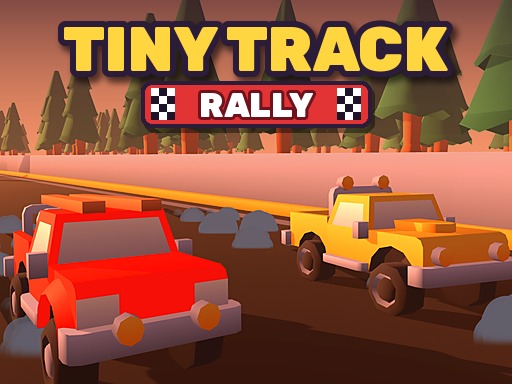
- Developer
- BenBlazeCraft
- Devices
- Desktop, phone and tablet
- Category
- Racing
- On Browser Game Hub
- Play here
The player loads automatically on this page. The provider controls the in-game menu and any ads shown in the player.
Game overview
Claim the regular reward, then pick Play → Cup 1 → Pine Loop. Close the three tutorial pages. Up took the car from 0 to 43 km/h, and adding Left moved it sideways at 50 km/h.
Watch gameplay
Use the bridge markings to start Tiny Track Rally
First-lap speed and heading
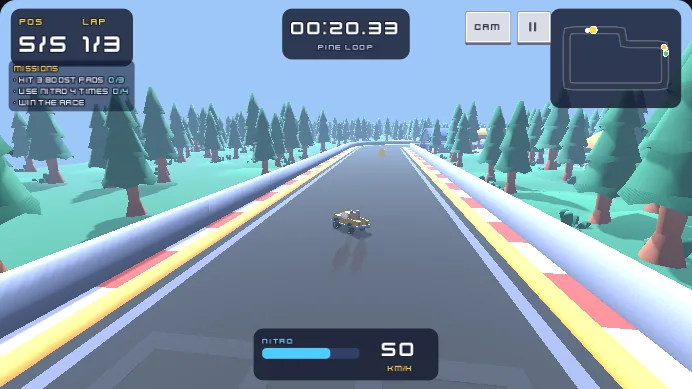
The body angle changed on lap 1/3. No nitro was used for this comparison.
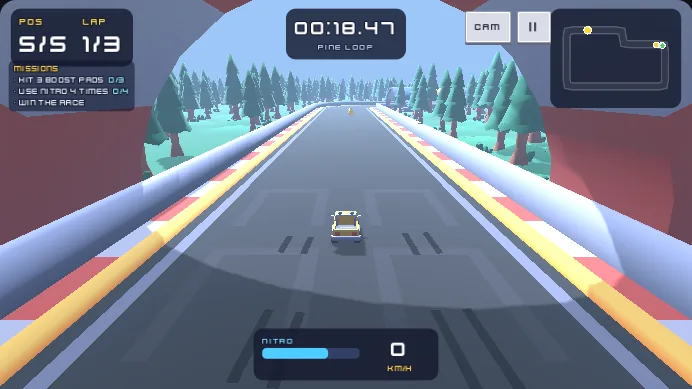
The speed and nitro readouts share the bottom panel. Leave the tutorial at a standstill
After the provider break, close all three tutorial pages. The race clock can already be running while your car shows 0 km/h.
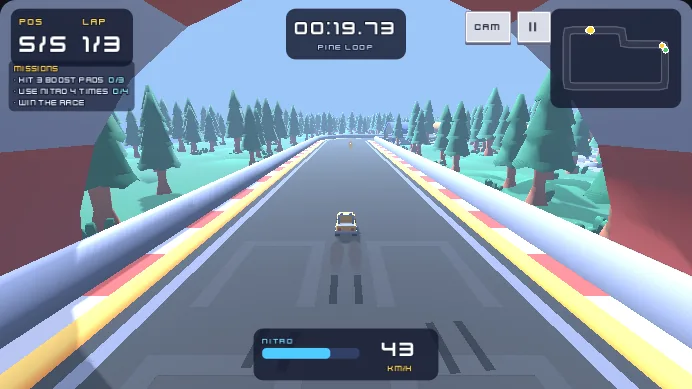
Use the stripes and side rails to stay centred. Build speed with Up
Hold Up on the bridge. The car gets smaller as it travels along the straight and the readout reaches 43 km/h.
When the car looks small, compare its nose against a long straight marking or switch the camera before the narrow section.
Steering the toy car on Pine Loop
Track the car against the long rails
Pine Loop opens from Cup 1 after the reward and tutorial. Once the panels close, look at the bottom speed reading. Our clock was already running on lap 1/3 and we were fifth, with the car still at 0. Holding Up brought it to 43 km/h. Adding Left changed the angle by the approach to the end of the bridge. The next reading was 50.
More short arcade races

Frequently asked questions
How can I see how far I turned?
Use the long bridge rails as parallel reference lines. Watch the car's nose and its distance from the nearer rail before tapping Left again.
If the tiny car is difficult to read from this camera, the game's controls list C to change view. Try the different perspective on a clear stretch. Use the same view in two runs if you're comparing how much a short input turns the car.
Where does nitro fit into this start?
Check the blue bar beneath the road view. The controls list Shift or Space, and the extra speed is easier to spend once the car is straight.
If a refill or pad takes you toward an upcoming wall, leave it and learn the corner first. Our recorded screenshots used Up and Left only. The visible bar gives you a place to check your own nitro attempt.
Why am I already last when the car is at 0 km/h?
The opening screenshot has the race already running. Check POS, LAP and the clock as soon as the tutorial panels clear.
In our case the clock showed 00:18.47 and the car was fifth of five. A little later, we could see the car advance and turn while the rank stayed fifth. If you want to compare launches, wait for the same cue each time and use the first bridge rail or stripe as your reference. The rank will depend on what the other cars do.
Where do I look for a bend before it comes into view?
Use the little map at the upper right to find the next change of direction, then return your eyes to the actual road. The camera distance can make the far end of the bridge look closer than it is.
The HUD also shows goals on the left. Pick one goal per run. For example, learn to pass the end of the bridge inside the rails before you follow a pickup away from the middle. The game lists Checkpoint and Daily Challenge if you want to work on a specific route objective.
Can I use a top-down camera in Tiny Track Rally?
Yes. The publisher lists six camera views, including top-down. Use C to cycle through them on a keyboard.
What pickups appear on the track?
The publisher lists coins, nitro refills and boost pads. Refills are useful when you have space to reach them safely.
What can be upgraded in the garage?
The published upgrade categories include speed, acceleration, handling and drift.
Do both cups have the same difficulty?
The second cup has tighter routes and extra obstacles. Learn the controls in the earlier cup first if you are new.




Find another game to play
Explore more racing, puzzle, and sports games, or pick one at random.

