
- Developer
- Ushba Games
- Devices
- Desktop keyboard
- Category
- Racing
- On Browser Game Hub
- Play here
The first stage was tested with a desktop keyboard.
Game overview
Your blue car is waiting in the garage. The first event, 1-1 Forest Neighbours, puts four cars on Birch Grove. The event card lists 2.3 km and awards the first star for second place or better.
Watch gameplay
Start Forest Neighbours
Birch Grove at 50 and 84 km/h
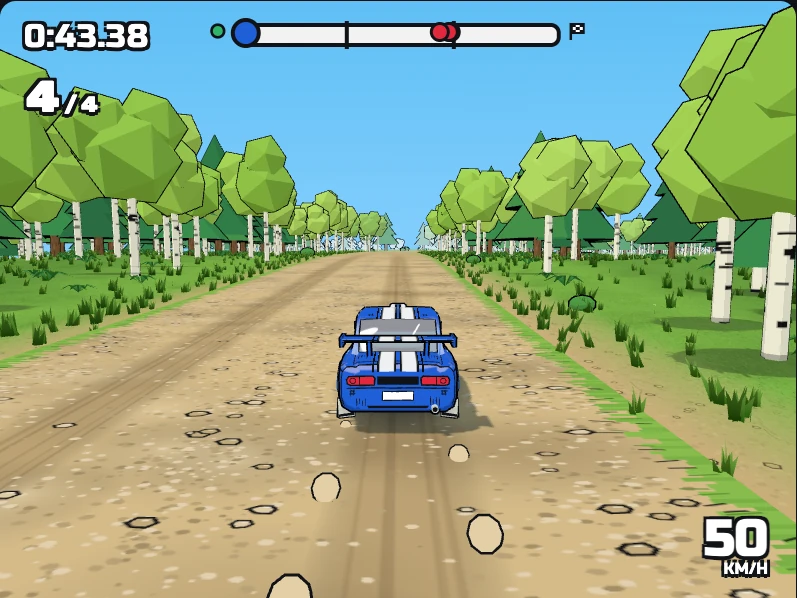
At 50 km/h the blue car was pointed down the opening lane.
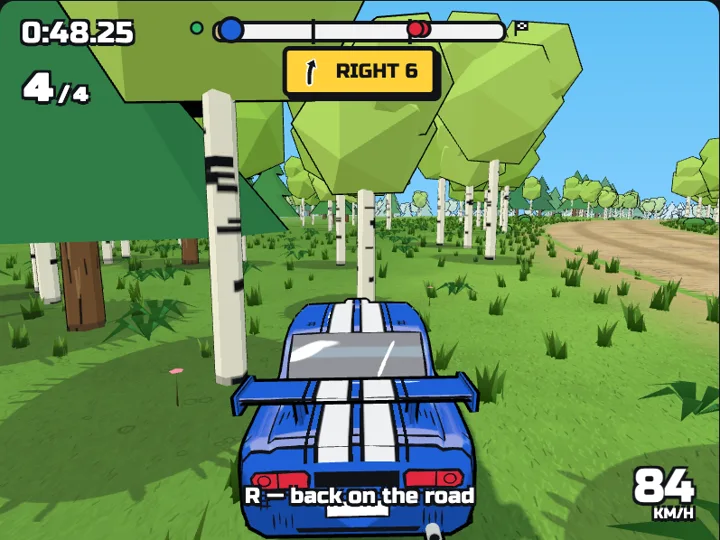
At 84 km/h the car crossed the verge and the game displayed R — back on the road.
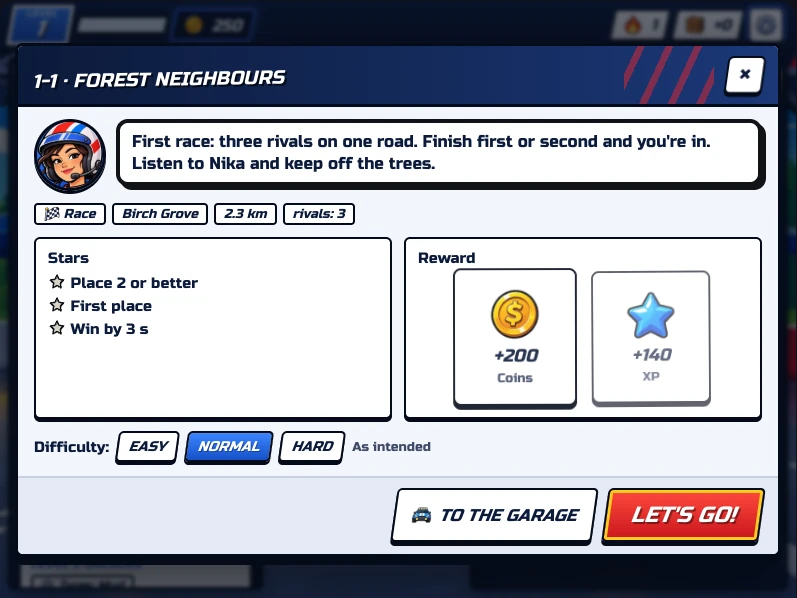
The first star calls for second place or better. Open 1-1 from Continue
Close the forest introduction, then choose Continue. Leave the default Normal difficulty selected if you want to match this run. Choose Let’s Go when the event details appear.
The speed changes before the 4/4 position does. Accelerate down the gravel lane
Hold Up Arrow once the race is active. In our run the speedometer went from 0 to 50 km/h in about 1.3 seconds of input.
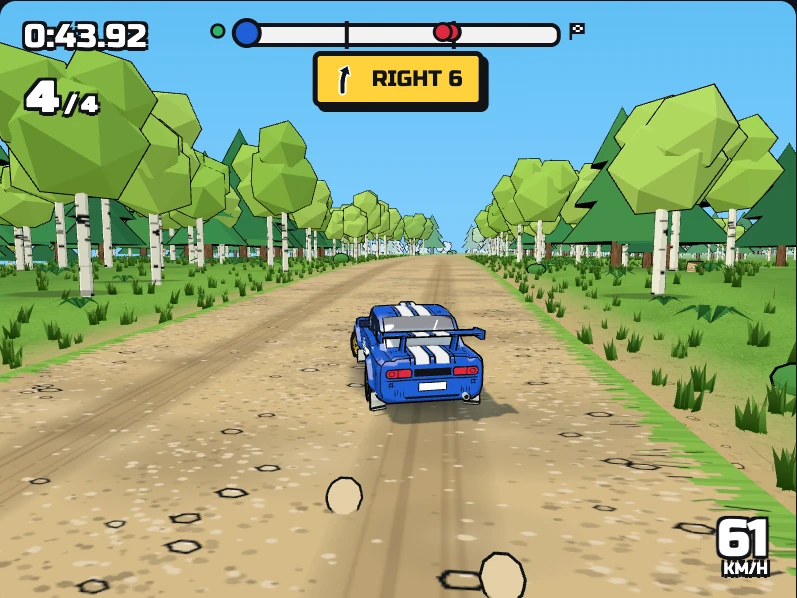
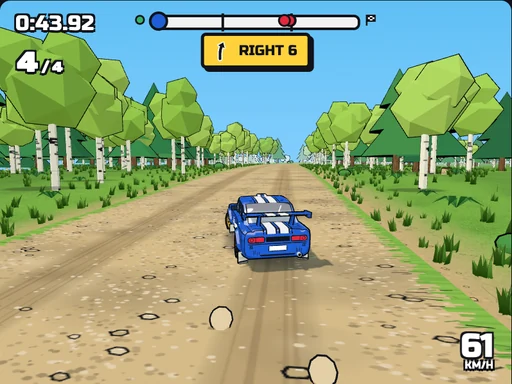
Right 6 refers to the upcoming bend. Spot the Right 6 pace note
We briefly held Left Arrow while accelerating and saw the car yaw left. Right 6 appeared above the road. Release the steering input and use the bend and Nika’s call to plan the next correction.
Start steering with short taps. Watch the car’s angle against the edge of the gravel after each tap.
Drive the first stretch of Birch Grove
Read the three parts of the race HUD
The number on the left is your place in the field. The strip across the top shows how far along the stage the cars have gone. Speed is in the lower right. We were still 4/4 after accelerating, even though the speedometer had reached 50 km/h. The race clock kept running while the car sat at the start, so get moving when the track is live.
In the recorded run, I was still on the throttle when the car went onto the grass at 84 km/h. Right 6 was still on screen, but the bend was now to my right and the game showed “R — back on the road.” The next time I’d ease off before the first turn, with room to steer when the note appears.
I looked at the 4/4 and stayed on the throttle. The race position gave me very little to work with at the first turn. On another run I’d judge the left verge against the nose of the car first. That would tell me sooner that I was moving away from the right bend.
More rally games
Frequently asked questions
How do I start the Birch Grove race from the garage?
Choose Continue to open 1-1 Forest Neighbours. Look for Birch Grove, 2.3 km and four cars on the event card. It gives the first star for second place or better. To reproduce our opening, leave Normal selected and choose Let’s Go.
Why am I still 4/4 after I reach 50 km/h?
The number on the left is your place in the race. Speed is in the lower right. We held Up for about 1.3 seconds and reached 50 km/h while still last. The strip along the top shows the cars' progress. Use the gravel edges to keep the car lined up before chasing the field into the first bend.
Right 6 is on screen. When do I turn?
Use the call to look ahead for the right bend. At 61 km/h in our run, Right 6 came up while the car was still angled left. I would release the steering key, check the nose against the gravel edge and correct with a short tap before turning in.
What should I do when I end up on the grass?
Look for R — back on the road at the bottom of the race screen. It appeared when we went onto the grass at about 84 km/h. Use R when you're prompted to return to the track. On the next run, ease off when you see Right 6 so you have time to line up.
Why was the race clock running before I accelerated?
The clock was already counting while our car stood at the start. Read the event card before choosing Let’s Go, then hold Up when the race becomes active. Once you know the opening straight, use the first pace note as a point to prepare for the bend.






Find another game to play
Explore more racing, puzzle, and sports games, or pick one at random.


