
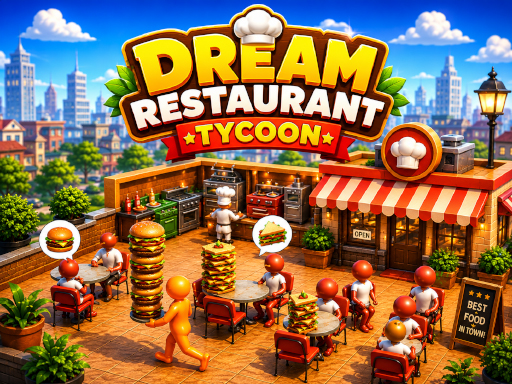
- Developer
- Wolvenix Studio
- Devices
- Desktop, phone and tablet
- Category
- Simulation
- On Browser Game Hub
- Play here
The player loads automatically on this page. The provider controls the in-game menu and any ads shown in the player.
Game overview
Begin on the floor between the first two tables. Hold the mouse on the floor and drag upward. The orange server crosses the aisle toward the kitchen, while the cash counter stays at 50.
Watch gameplay
Read the burger orders and move the server up the aisle
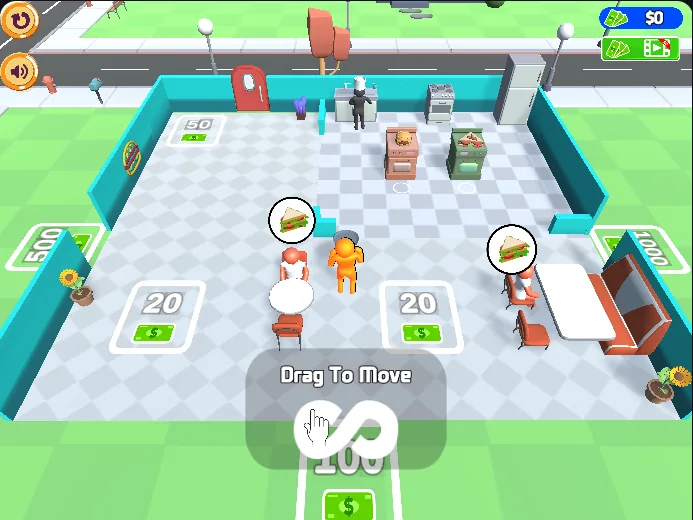
Drag To Move appears near the bottom. Read both burger bubbles
The orange server begins between two customers. Both food bubbles showed burgers, and the cash display read 50.
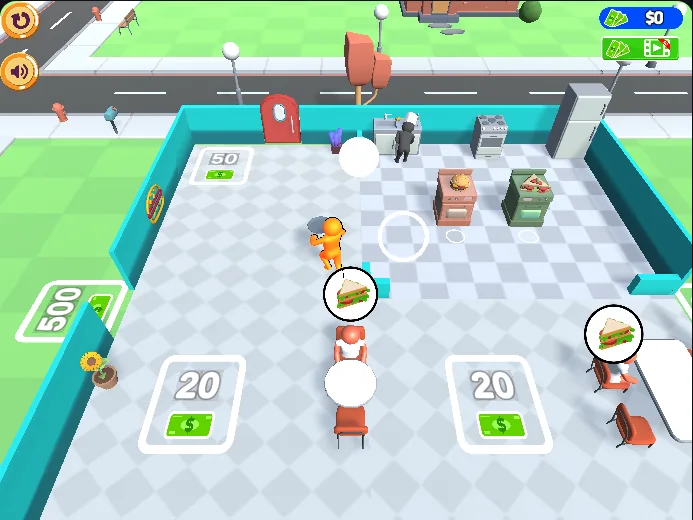
Cash remains at 50 as the character moves. Hold the mouse and drag up the aisle
Start the drag on open floor and move the pointer upward. The server walks toward the rear kitchen and the camera follows.
Use the food picture and table location as a pair. Two customers can order burgers at once.
Read orders and spot a completed delivery
Use the aisle between the first two orders
At the start, the burger bubbles hang over customers on opposite sides of the orange server. Pick one table as the destination before leaving to collect food. Press on open floor and drag upward. The server crosses the room and the camera moves with them. Use the position of the tables relative to the server to check the direction, since the room moves in the picture too.
More service games

Frequently asked questions
Why did I drag and end up at the wrong station?
Start on a patch of empty floor and drag a short distance toward the rear of the shop. Close to the counters, release the drag so that you can pick out the station for the dish.
The kitchen has several objects along the back wall. The burger bubble tells you which dish to look for. If the camera is making the movement hard to see, start again near the same table and compare how far the server moves relative to that chair.
How do I confirm that a dish was delivered?
Return to the table that ordered the food you are carrying. Look for the order bubble to clear, then check your earnings.
The test confirmed the drag and two order bubbles, with cash unchanged at 50. The order guide describes payment for serving a matching dish. If you return to a burger table and the bubble remains, first check whether you picked up the right item and whether you reached the right table.
What does a 20 tile buy me when I start with 50?
Check which expansion a floor tile represents before spending. The opening screen has two tiles marked 20 alongside the existing tables.
If you buy a 20-cost table from a balance of 50, that would leave 30 before the next sale. Use the first two orders to get familiar with the aisle before adding another stop. Once you can return to the correct table without pausing to look for it, revisit the next tile. The opening run did not purchase a table.
How can I keep the route straight when customers want different dishes?
Read the food bubble and pick one delivery before going to the station. Match that dish to the table you remembered, then choose the next order.
Try an easy comparison in the opening room. Walk the route for the customer on the left, return to the centre, and walk the one for the customer on the right. The path up the aisle may be the same even though the last turn is different. When drive-thru service opens later, learn its pickup and handoff locations the same way before adding it to a rush.
What can I spend the earnings on?
Use the money from deliveries to buy more tables and unlock expansions. Drive-thrus are part of the restaurant's growth.





Find another game to play
Explore more racing, puzzle, and sports games, or pick one at random.


