
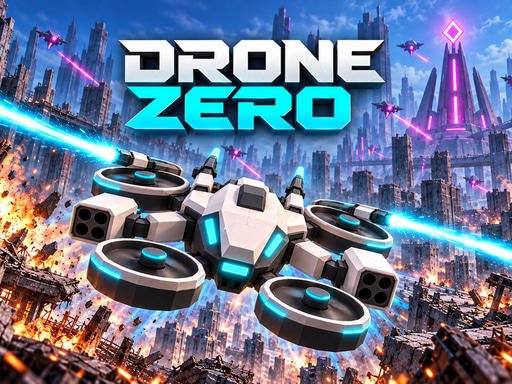
- Developer
- Mapi Games
- Devices
- Desktop, phone and tablet
- Category
- Arcade
- On Browser Game Hub
- Play here
The player loads automatically on this page. The provider controls the in-game menu and any ads shown in the player.
Game overview
Resume First Contact from the rooftop pad and hold Space. Altitude went from 0 to 8 in the desktop run, and the active objective changed to LOCATE ALIEN RELAY.
Watch gameplay
Take off in DRONE ZERO and read the relay objective
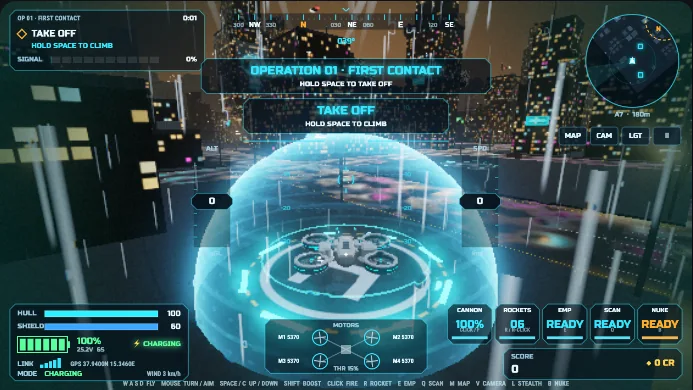
Read the objective before moving away from the pad. Resume at the rooftop pad
Use RESUME if the pause menu is up. Find the craft over the blue pad, then hold Space to climb and watch the altitude reading.
Confirm that altitude rises and read the upper-left objective before flying out over the city. The center briefing can still be on screen after takeoff.
Fly by the HUD in the current build
The first climb and the control panel
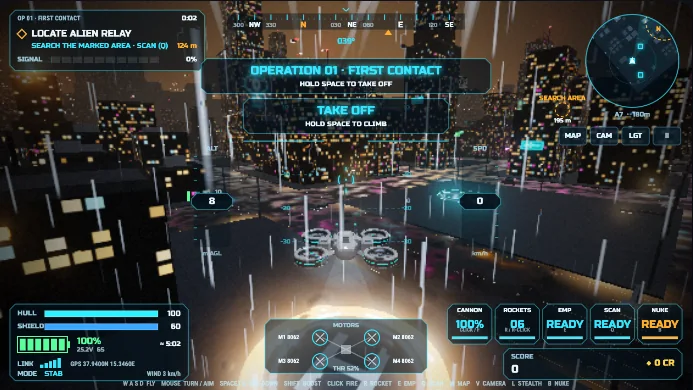
The upper-left objective advanced while the large mission overlay was still visible.
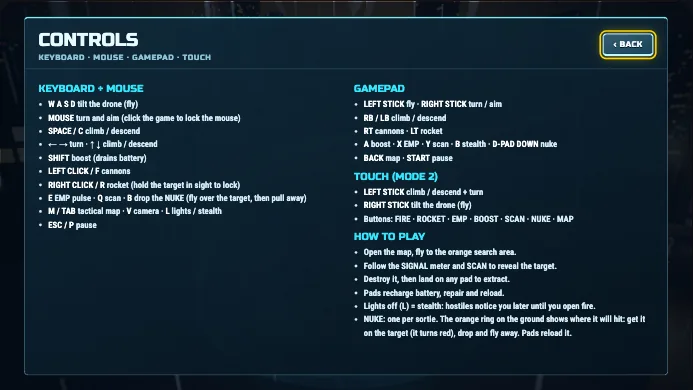
Check the in-game panel for the bindings in this build.
Use the upper-left objective after you lift off
During First Contact, the live objective in the upper-left corner advanced to LOCATE ALIEN RELAY when the drone left the rooftop. The larger TAKE OFF instruction was still visible in the middle of the photographed frame. Read the live objective alongside altitude to see whether the mission has accepted the climb.
More games that give you a first objective
Frequently asked questions
Which key climbs, and which fires the cannon?
In this hosted build, Space climbs and C descends. The in-game Controls panel lists left click or F for the cannons.
We verified Space using the altitude readout. C and the firing controls come from the photographed panel. That panel also says to click the game to lock the mouse before turning and aiming. If the key has no effect, first confirm that the game has resumed and that the browser focus is inside the player.
Where does the game tell me to look for the relay?
The in-game panel says to open the tactical map, fly to the orange search area, then follow the signal meter and scan to reveal the target.
The panel shows M or Tab for the map and Q for scan. Check the mission HUD before leaving the pad so you know which step is active. The run shown here reached the relay objective prompt. The map and scan directions come from the Controls screen.
How do I test movement without rushing into the city?
Use the pad as a reference. Once airborne, try one short movement input and see where the drone moves relative to the pad.
The photographed controls list WASD to tilt for flight, mouse movement to turn and aim, and Shift for a battery-draining boost. Practice WASD with the rooftop still in the frame. If the drone appears to move the wrong way, compare the nose direction with the building edge before you hold the key longer. The documented boost is better saved until you know where you are going.
Where is a pad useful once the objective changes again?
The controls screen says pads recharge the battery, repair the drone, reload it and provide an extraction point after the target is destroyed.
Find a pad on the map and note its direction before leaving familiar landmarks. If you use boost a lot, check the battery when you turn for home. Save enough to reach a landing. The screenshots cover the First Contact lift-off, while the pad rules come from the in-game instructions.
Why did the objective fail while I was still eliminating enemies?
Check the mission type. An uplink or convoy needs protection, so keep enemies away from that objective instead of chasing every target.
What can I change between DRONE ZERO missions?
The hangar offers weapon, shield and engine upgrades.
Which keys use the two attacks besides the cannon?
R launches a rocket and E uses the EMP. Touch players have separate attack controls on the right.
Are all eight missions just enemy fights?
Some are direct battles, while others ask you to disable transmitters, intercept attackers, defend an uplink or escort a convoy.






Find another game to play
Explore more racing, puzzle, and sports games, or pick one at random.


