
- Developer
- Mapi Games
- Devices
- Desktop, phone and tablet
- Category
- Fighting
- On Browser Game Hub
- Play here
The player loads automatically on this page. The provider controls the in-game menu and any ads shown in the player.
Game overview
Choose Pumpkin Jack and skip the comic to enter the Mummy bout. Our desktop mouse inputs registered a jab and cross sequence, followed by a visible guard.
Watch gameplay
Get two hits and raise guard in Spooky Boxing
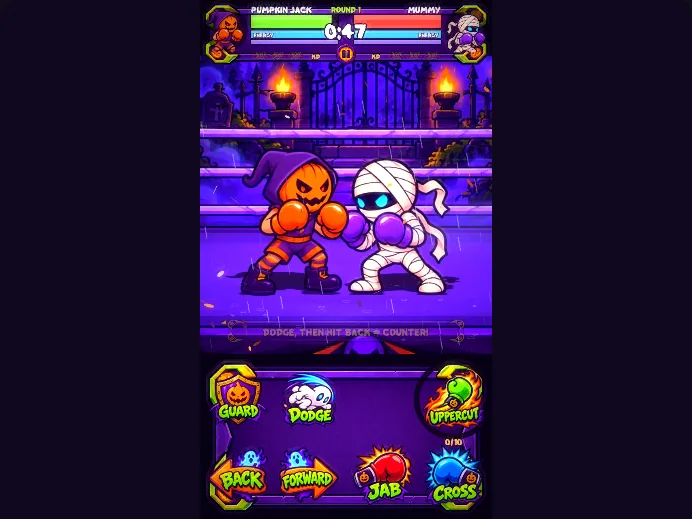
There is little space between the fighters here. Wait until Mummy is in reach
The portrait ring puts the attack buttons below the fighters. When Pumpkin Jack and Mummy face each other at glove range, tap Jab once and watch Mummy.
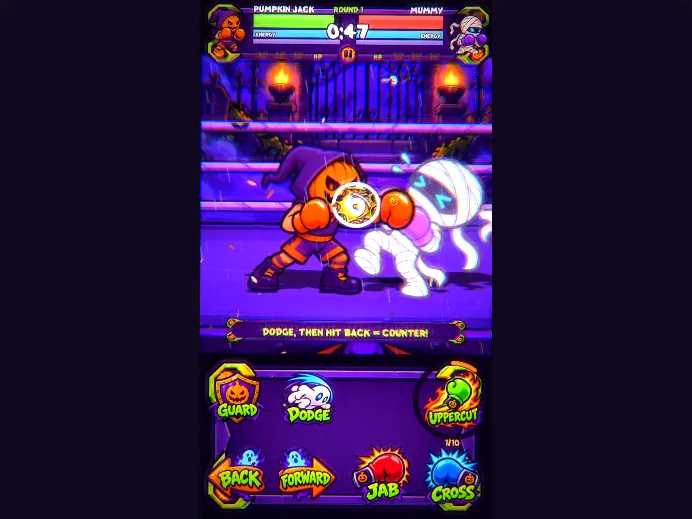
The flash helps distinguish contact from a punch through empty space. Check where the first punch lands
Our button press produced a flash next to Mummy’s head. From a similarly close position, try Jab followed by Cross and watch the label at the left of the fighters.
Watch the gloves and the hit label. Let a jab show you the range before deciding whether to add a cross.
Build from one punch
What the gloves and combo label show
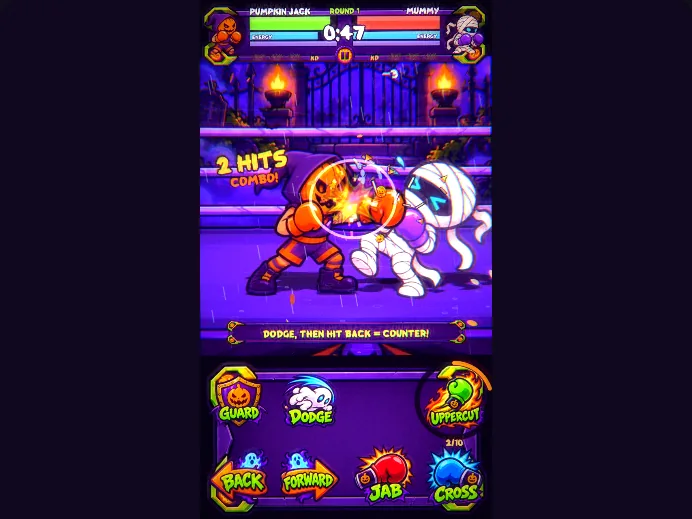
The label appeared in the same round after the follow-up punch.
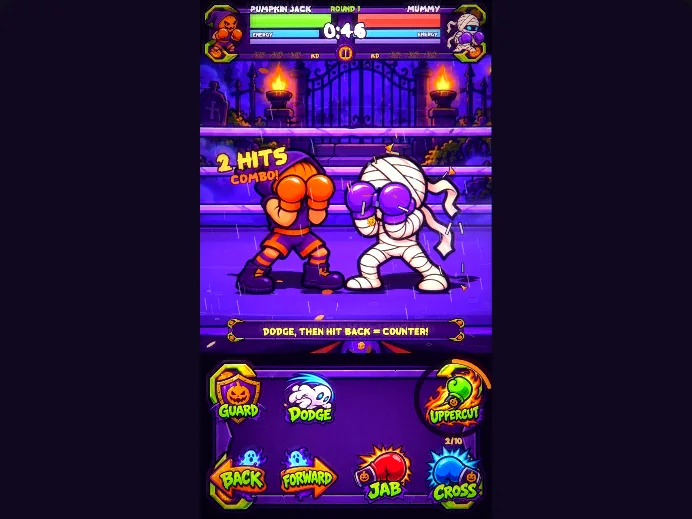
We tapped Guard to check the pose. The screenshot does not measure how much damage it prevents.
Check the gap before reaching for the uppercut
In the Mummy bout, start with Jab as the fighters close. Watch the space between the gloves and the face. In our run the impact lit up around Mummy, so we knew we had a distance at which the second punch could matter. Jab then Cross brought up 2 HITS. When the gap widens again, recheck the range with the first punch.
On desktop, Z or J is Jab, X or K is Cross and C or L is Uppercut according to the controls. The mouse test used the visible buttons. Look at the label after the second input so you can tell the difference between seeing two swings and registering two hits.
More games with visible hit feedback
Frequently asked questions
How long should I hold guard?
Hold W or Up on a keyboard, or hold Guard on the screen while you need to stay covered.
A tap was enough for us to catch Pumpkin Jack with both gloves up. To practice using it during an exchange, raise the guard as Mummy starts to swing, watch until the glove comes back, then try a jab. Use the pose to check your input and the top bars to read the exchange.
What do I do when the jab misses?
Reset the distance with A or D, or the left and right arrows, and try one jab again.
If you can see space between your glove and Mummy at its furthest point, move closer before adding the cross. If you are already close and keep getting hit mid-swing, check whether you began while Mummy was attacking. The game lists S or Down for a dodge, so you have another way to handle that first swing before trying a punch.
How can I tell whether my second punch counted in the same combo?
Look for 2 HITS on the left after the cross connects.
Our first impact screenshot shows a flash. The next shows the label as Mummy takes the follow-up. Aim for that comparison the next time you practice. If you get only the first flash, hold the distance steady and try changing when you press Cross. If the second glove still stops short, wait for Mummy to step back within reach before repeating the sequence.
What carries over if I choose a different monster?
The control panel and range checks give you a starting point. The publisher lists twelve fighters with different abilities and their own comic endings.
The pictures follow Pumpkin Jack into the Mummy bout. If you swap fighters, test one jab first and look at where the new glove reaches. A tap on P or Esc pauses on desktop if you need to read the controls. On touch, the game describes tapping repeatedly at the recovery prompt after a knockdown.
How do I get up after a knockdown on my phone?
Follow the recovery prompt and tap repeatedly when your fighter is down.






Find another game to play
Explore more racing, puzzle, and sports games, or pick one at random.


