
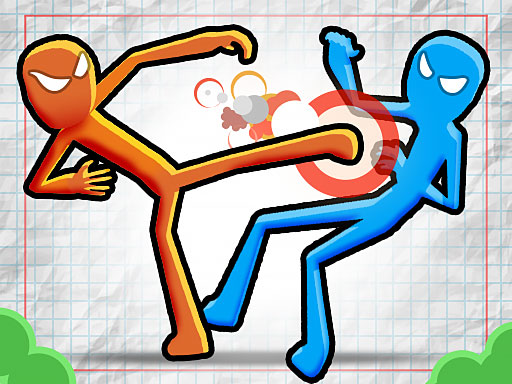
- Developer
- RHM Interactive OU
- Devices
- Desktop keyboard
- Category
- Fighting
- On Browser Game Hub
- Play here
The player loads automatically on this page. The provider controls the in-game menu and any ads shown in the player.
Game overview
On the first paper arena, D brought the orange fighter closer to blue. W jumped and F swung a fist in the air, with space still between the fighters.
Watch gameplay
See why the first airborne punch misses
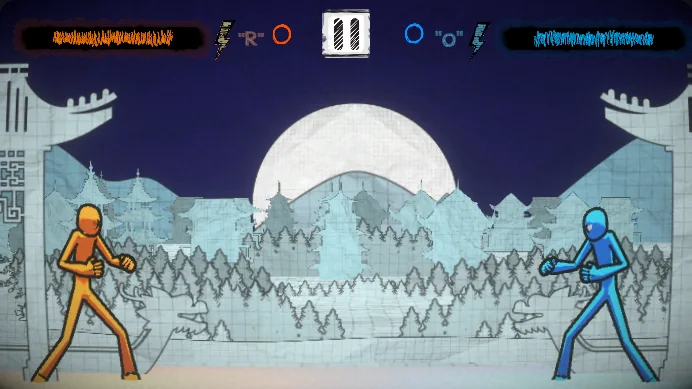
The opening gap leaves room to practice D before throwing a punch. Identify the orange fighter
Start a round and read the health bars above the arena. In the pictured opening, the orange player starts at the left and the blue opponent at the right.
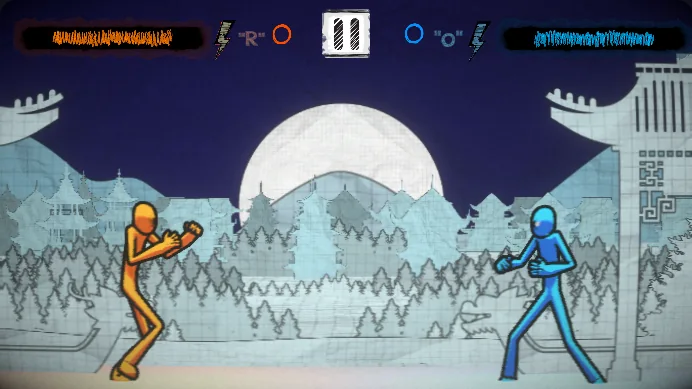
The opponent is still several steps away. Move toward blue with D
Hold D briefly, then compare the orange fighter’s feet with the stage. In our first test this reduced the gap before we pressed W.
Try one punch after walking nearer. Look at the gap at full extension and then check blue’s reaction and health.
Change the distance before the next punch
What the air swing reached
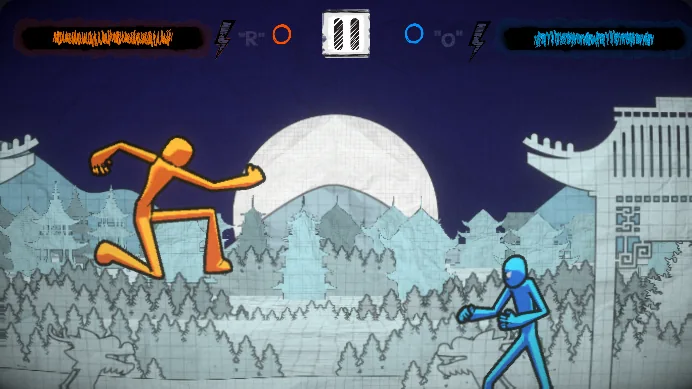
We saw a swing with no visible contact in this exchange.
Practice the punch from the ground first
D takes the orange fighter along the floor toward blue. The jump frame shows how W adds height, and the final frame shows a fist that still stops short of the opponent. The next check can be simpler. Walk closer and press F from the floor. Look for recoil or a health change in the blue bar, then see how the jump affects that distance on a separate attempt.
The game lists G for Player 1’s kick and R for the charged special. Player 2 uses arrows, L for punch, K for kick and O for the special. In a shared match, check that you are using the right side’s keys and meter before judging a failed input.
Other arenas for spacing practice
Frequently asked questions
Should I expect a third round every time?
A third round is needed if both players win one round. The first fighter to win two takes the match.
Those are the game’s stated match rules. In the first round, use one short approach to check how quickly your opponent closes the gap. If they are always already closer than expected, take fewer steps on the following approach and see whether F reaches from there. The desktop session covered movement and a missed punch in the first arena.
How do I separate jumping from the punch when it looks like one animation?
Press W and watch the fighter’s feet leave the stage. Add F once the character is visibly airborne and look at where the fist ends.
In our run the first motion freed the feet, and the end of the swing was short of blue. Try the same jump once without F at a similar starting distance, then add the punch on the next try. The comparison tells you which key registered even if the opponent never took damage.
What do I check if R or O gives me no special?
Check the power bar for your side. The game requires it to be full, with R for Player 1 and O for Player 2.
When sharing the keyboard, first press one movement key to identify the character you control. Then read that side’s power bar and look at where the opponent has stopped before using the special. The four arena photos confirm Player 1’s movement, jump and missed punch. A charged special and Player 2 inputs were outside the test.
Can two people use one computer for a match?
Yes. Choose the game’s local two-player option and share the keyboard with the two different control sets.





Find another game to play
Explore more racing, puzzle, and sports games, or pick one at random.


