
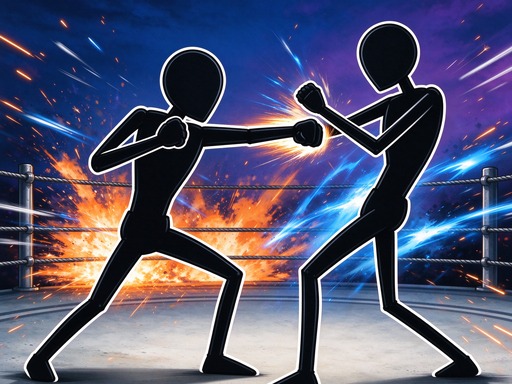
- Developer
- AminaWandrei Studio
- Devices
- Desktop, phone and tablet
- Category
- Fighting
- On Browser Game Hub
- Play here
The player loads automatically on this page. The provider controls the in-game menu and any ads shown in the player.
Game overview
The first desktop tutorial tracks A, D and S individually. When all three go green, confetti and a Space prompt appear.
Watch gameplay
Clear the three movement checks in Stickman Kombat 2D
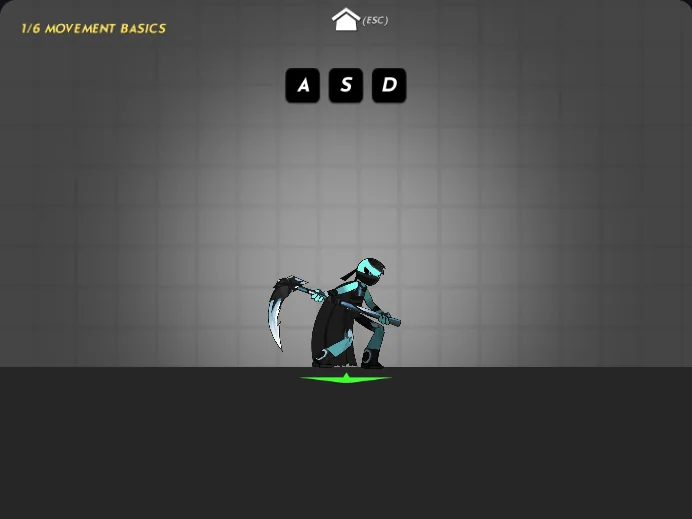
Each box tracks a different input. Focus the arena and read the boxes
Click inside the gray arena. The MOVEMENT BASICS lesson has three separate boxes above the character. Try A to move left.
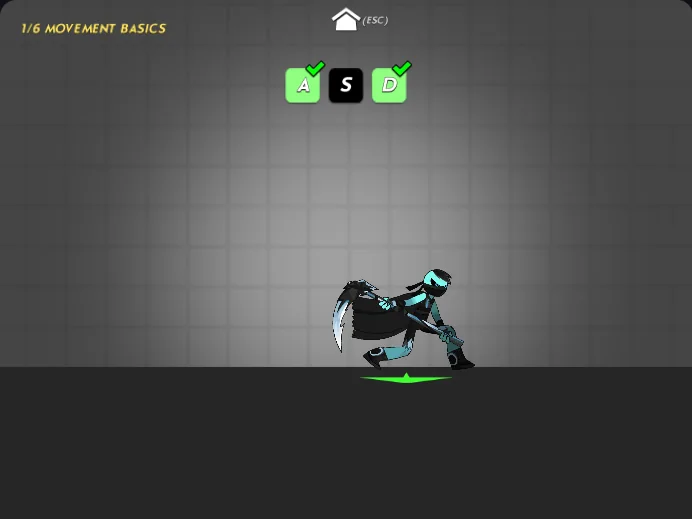
Crouching is still outstanding. Move back with D
Now hold D and watch for the second green movement box. In our game the two green boxes framed the dark S in the middle.
Release one key before trying the next. If the figure moves but a box stays dark, look up to see which input remains.
Find the key the lesson still needs
The lesson completion screen
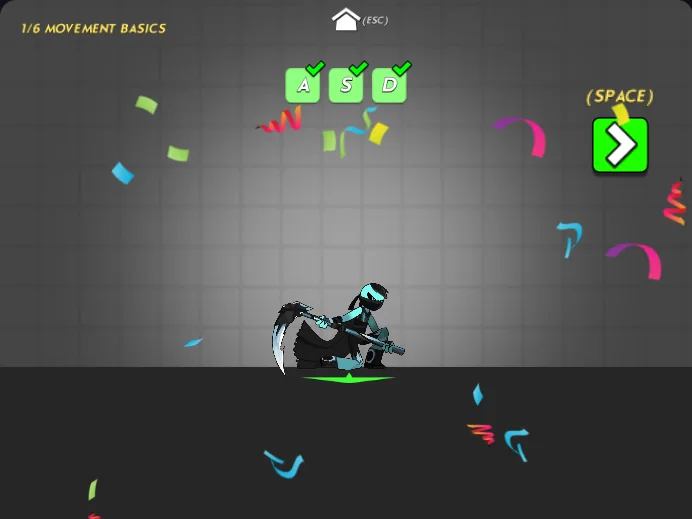
S completed the movement drill in our desktop session.
Use the checklist above the fighter
A and D move in opposite directions. S crouches in MOVEMENT BASICS. During the desktop run we held each key separately and saw the boxes turn green. If you moved both ways and still cannot continue, check the center box. Press and hold S long enough to see the fighter lower. Use Space after the green arrow and confetti appear.
Later lessons in the official footage show J for a first hit, K for the special and S with J for the uppercut exercise. Follow the current screen when the prompt changes. For the first strike, close enough to try one hit and reset your position if that hit falls short before adding a second input.
More games with a movement drill
Frequently asked questions
Why is S used for both crouching and blocking?
The opening lesson uses S to register a crouch. The later block lesson in the official footage asks you to hold S for defense.
Look at the current prompt and see which action it wants you to demonstrate. In the movement lesson, the green S box is the finish condition for that input. The block and uppercut footage uses defense and then an added J. Our test verified the first lesson only.
What if the A or D check stays dark?
Click inside the arena and hold only the key that still needs a check. Watch for movement before looking back at its box.
If A has already turned green, keep the same lesson open and try D on its own. In the next photo A and D were checked and only S remained dark. Fix one dark box at a time. After S registered, the continuation arrow appeared with Space, so you can distinguish a missing input from a completed lesson that is waiting for you.
How should I practice the first strike once the lesson changes?
Follow the first-strike prompt and try one J from close range. Move nearer if that single strike falls short.
The official footage separates first strike, special, block and uppercut into lessons, so learn the range before adding S or K. After you move closer, see whether the next attempt actually reaches. If a later block drill asks for S, look for that drill’s success cue before pressing J for the uppercut.
Why should I start with the tutorial in Stickman Kombat 2D?
It isolates actions such as movement, the first strike, blocking and specials so you can practice them before an arena fight.
What is the uppercut input in the shown PC lesson?
The block and uppercut tutorial shows S together with J.
What should I fix if my combo starts with a miss?
Check the range first. Move close enough for the opening strike before adding the rest of the sequence.





Find another game to play
Explore more racing, puzzle, and sports games, or pick one at random.


