
- Developer
- OnlineGames.io
- Devices
- Desktop, phone and tablet
- Category
- Trivia
- On Browser Game Hub
- Play here
The player loads automatically on this page. The provider controls the in-game menu and any ads shown in the player.
Game overview
On the local desktop, the embed showed loading and a provider ad. A Chrome retry also reported that the embedded Unity game could not access gamepad input. We did not reach a playable question.
Watch gameplay
Check whether Trivia Quiz has finished loading

The rest of the detail page had loaded at this point. Look at what the embedded frame says
The frame initially displayed Loading the game. Wait for the category menu or for the provider to show a normal skip control.
This is the provider screen. You should see categories or questions before trying to answer. Check whether the quiz follows the ad
The provider offered SKIP after the Unity alert was acknowledged in the earlier test. On a separate Chrome retry the Unity alert appeared again. We reached no answer screen.
Look for the category menu, then a question with answer buttons. Until it appears, use only the game’s own loading and skip controls.
Know when the quiz is ready
Distinguish which screen has opened
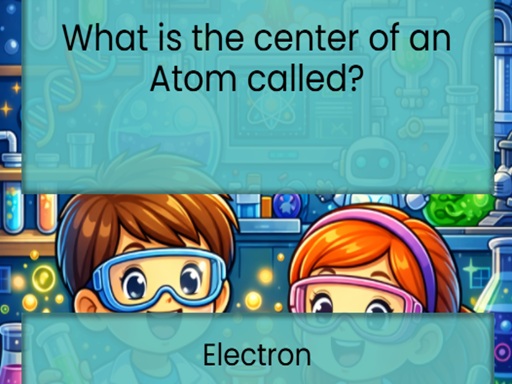
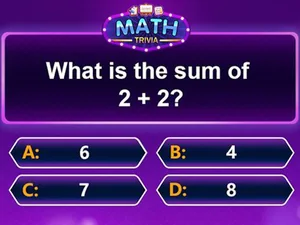
The detail page can load even while the game frame says Loading the game. Wait for the frame to change. If the provider shows a timed ad, use its available SKIP button when the countdown ends. The title menu would offer six categories according to the publisher. The published gameplay also shows a question above buttons, with four choices in the example.
The November 22 local desktop session and its clean Chrome retry encountered a Unity message about gamepad access being disallowed by the browser’s permissions policy. In the earlier capture the provider’s ad filled the frame after the alert. We did not get to choose a topic or answer a question, so the rules below follow the publisher’s description.
Quizzes that reached an answer screen
Frequently asked questions
Do I need to plug in a controller?
The published quiz uses the mouse to choose answer buttons. The gamepad alert came from Unity while the embed was loading.
If the message appears, close it through the browser’s normal dialog and see whether the game reaches its own menu. This is a different symptom from a quiz question ignoring a click. The split between the page and its embedded content is visible in the first screenshot.
What counts as being ready to answer?
Look for a question followed by the game’s answer choices, after selecting a category.
An ad Skip button or loading screen can be interacted with before the quiz starts. When a question is ready, read the topic clue and use the mouse to select one visible option. The published preview shows four choices in its example.
If the menu opens, how can I use the score to practice?
Try one category, then compare a second run while noting the kind of detail you commonly miss.
The game description lists a score system. For geography in particular, identify the named river, desert or city before looking for a country in the options. After selecting, check the result. Keep the line of the question in mind when you compare two plausible places.
How many categories are in Trivia Quiz?
The publisher lists six categories.
Do I have to type the answer?
No. The documented control is the mouse, and the game presents answers as buttons to choose from.
How many options appear in a question?
The publisher’s gameplay preview shows an example with four options. Read the choices shown for the question in front of you.
Can I compare results between topics?
The game includes a score system. Try two categories and use the scores as a guide to which topic you find easier.




Find another game to play
Explore more racing, puzzle, and sports games, or pick one at random.


