
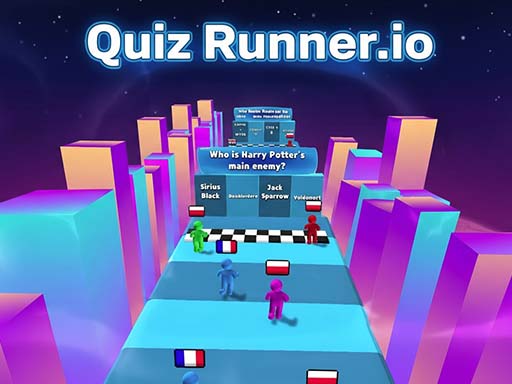
- Developer
- JanBark Technologies
- Devices
- Desktop, phone and tablet
- Category
- Trivia
- On Browser Game Hub
- Play here
The player loads automatically on this page. The provider controls the in-game menu and any ads shown in the player.
Game overview
In the opening desktop race, clicking a lane moved our runner to it. Crossing one gate gave Wrong!, and a fourth-place finish sent us back to Level 1.
Watch gameplay
Reach the answer lane in Quiz Runner.io
Read the finish condition
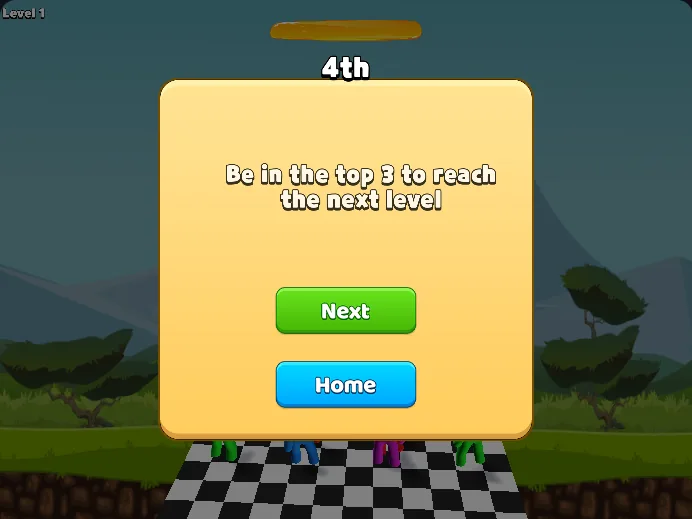
Next started Level 1 again in our test.
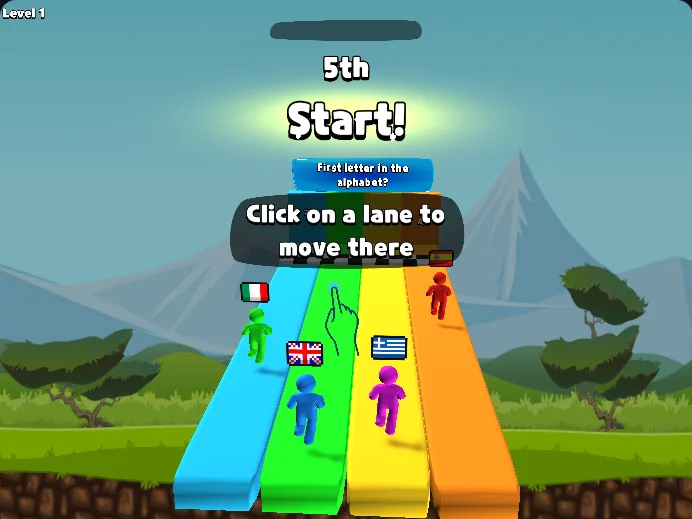
This is the desktop pointer instruction for the opening race. Click a lane during the start tutorial
The Start screen says Click on a lane to move there. Click a colored runner lane and use the player’s position to confirm the selection.
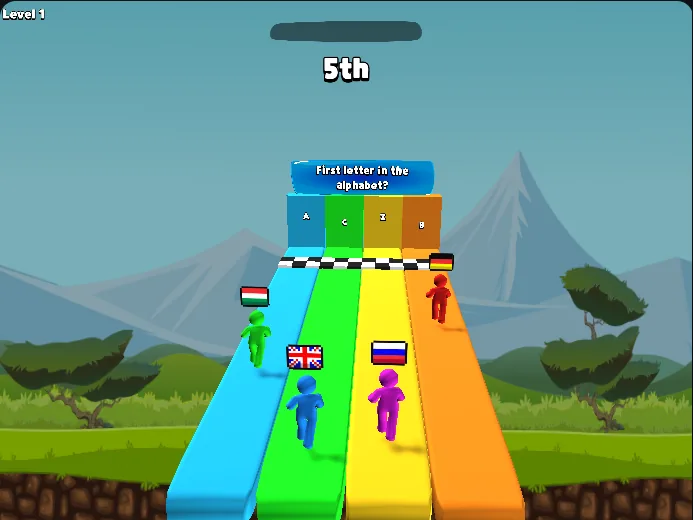
Use the words on the current gate for the choice. Let the next gate’s labels guide you
Find the question on the sign overhead and the choices on the gate below. The first gate asks for the first letter of the alphabet. A is on the blue lane at the left. Use that label to line up before the checkered stripe.
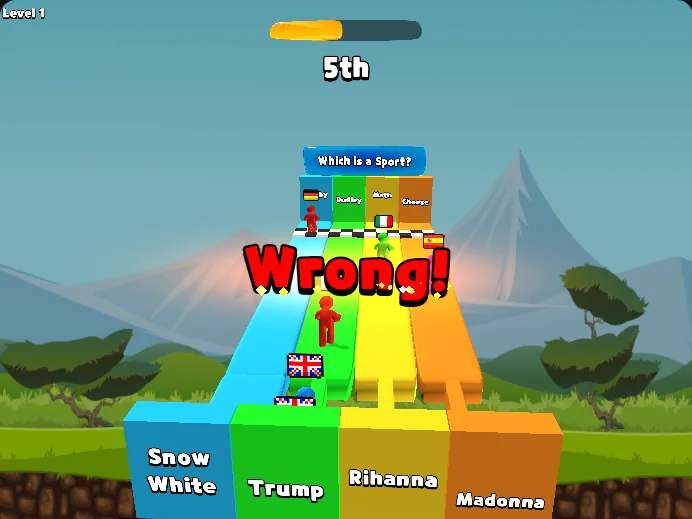
Rank is shown separately above the feedback. Recover your view after Wrong!
Our run showed a large red Wrong! label after a gate. Look past the label as the next sign comes into view so you have time to enter its lane.
Read the next question as soon as its sign comes into view. Click the surface of the lane with your answer a few strides before the gate.
Pick a lane before you reach its gate
Look one gate ahead while you run
The tutorial says to click a lane, which lets you aim for a particular colored path with the mouse. Use the question sign over each gate. After a gate the previous answers can still be visible in the foreground. In our Wrong! screenshot there is already a sign asking which choice is a sport farther along the course. Look there and read its labels before picking your next lane.
The game also lists W for forward and A or D for sideways movement on keyboard. In the run we used lane clicks, saw Wrong!, made it to the finish in fourth and used Next. The test covered the first race and its retry.
More trivia with immediate feedback
Frequently asked questions
Why did I get Wrong! when I knew the answer?
Check the lane you actually crossed, then check whether its label belonged to the current question.
You can start moving earlier when the right lane is across several colors. For a mouse run, click the track itself and check that your runner settles in the middle of that lane with room before the stripe. Pay attention to the text on the gate you are approaching. The same color can correspond to a different answer on another gate.
Does the next button always open a new level?
In our fourth-place finish, Next restarted Level 1. The finish card required top three to reach the next level.
Look at the number above the result card before pressing the button. For your next attempt, pick one section to improve, such as lining up with the first answer before the gate. Check the final rank again. The test did not reach Level 2.
Should I follow another runner when I run out of time?
Use the other runners to judge your position in the race. Read the sign and answer text to choose a lane.
An opponent may move early and still enter a wrong gate. If you are short on time, use the wording to rule out the clearest wrong choice and make one purposeful move. The game lists solo practice, online friend duels and tournaments. Those mode descriptions come from the publisher.
How can I practice before trying a duel?
Enter the solo quiz to learn how the answer lanes work and practice reading the next prompt while moving.
Can I race a friend in Quiz Runner.io?
The game lists online friend duels as well as multiplayer quiz battles. Use the in-game mode menu to start the kind of race you want.




Find another game to play
Explore more racing, puzzle, and sports games, or pick one at random.


