
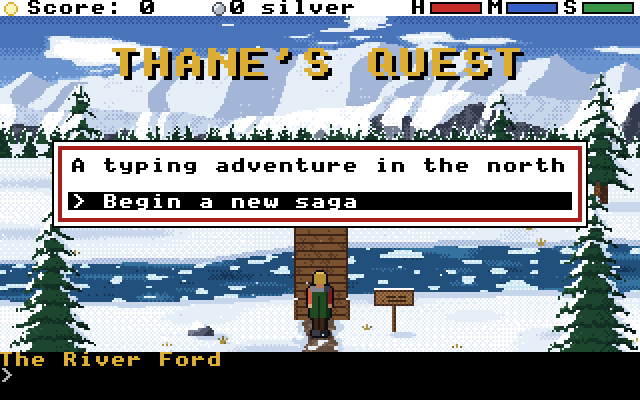
- Thane's Quest
- Developer
- Robby Helms
- Devices
- Desktop and touch-screen controls
- Category
- Adventure
- On Browser Game Hub
- Play here
The game runs in English. Robby Helms releases the game and its original artwork under the MIT License.
Game overview
Thane’s Quest is Robby Helms’s pixel-art adventure with a command line and real-time movement. At the first bridge you can type read sign and watch the character walk over to read it. You can also move with the arrow keys or click a spot on the map.
Watch gameplay
Read the sign that points to Hollowmere
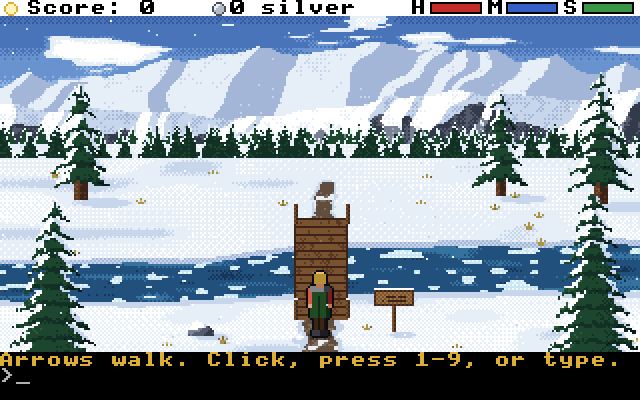
The small wooden sign is just to the right of the bridge. Open the saga
Select Begin a new saga and click the story panel to reach the snowy bridge. The score starts at 0.
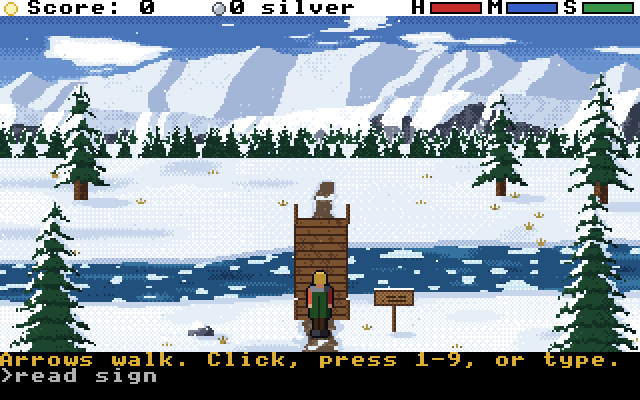
The command appears beside the prompt below the picture. Type read sign
Click in the game to give it keyboard focus. Type read sign. Check that the command appears below the picture, then press Enter.
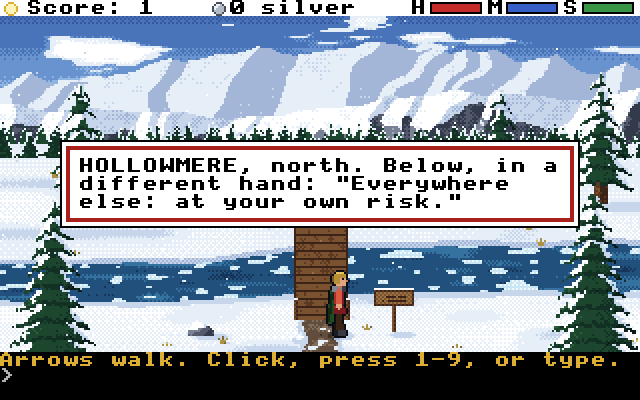
The sign points north to Hollowmere. The score shows 1 and the silver counter shows 0. Wait for the message
The character walks toward the sign. Read the message when it appears, then click it to return to the scene.
Use the sign to orient yourself at the bridge. Read it once, then aim north if you want to follow the road to Hollowmere.
Let the character finish walking to the sign
The same bridge before and after read sign
The small wooden sign is just to the right of the bridge.
The sign points north to Hollowmere. The score shows 1 and the silver counter shows 0.
Reading the bridge sign in the opening scene
I typed read sign from the bridge approach and pressed Enter. The character walked toward the post by itself. The sign said Hollowmere was north, and the score changed from 0 to 1. The silver counter stayed at 0. If you cannot read a sign from where you stand, give the command a moment to finish the walk before you press another key.
The command line sits underneath the scene. I clicked the opening story panel to clear it before entering a command. If the letters do not appear there, click inside the player to give the game keyboard focus.
More browser adventures
Frequently asked questions
How can I play if I do not know what to type?
Use the arrow keys or click a point in the picture to move. The row below the picture shows numbered actions for your current position. Pick an action there or press its number while the command line is empty.
What should I do if an arrow key interrupts read sign?
An arrow key interrupts automatic walking. Release the key and enter read sign again, or walk over and click the sign yourself.
Can I gain another point by reading the same sign again?
The second read reopened the Hollowmere message. The score stayed at 1. Close it and try a new action, such as walking north across the bridge.
How can I see the map while I am playing?
Press F4 or open Menu and select Map. Click a place on the map to see its name. Click outside the map to close it.
How can I read the sign with touch controls?
If the inline player is short, tap the full-screen icon. Close the opening story and tap the wooden sign to the right of the bridge. In a phone-sized emulator this brought up Hollowmere’s direction while the score stayed at 0. The desktop command read sign earned 1 point.
Can I take a break without leaving the character moving?
The developer pauses movement when the window or tab loses focus. When you return to the game, click or press a key to resume before you give a new command.
Where are my saves kept?
The game stores saves in your browser for the address where you made them. Use Menu to save or restore. Return to the same address in the same browser profile to look for that save.



Find another game to play
Explore more racing, puzzle, and sports games, or pick one at random.


